- 8 -
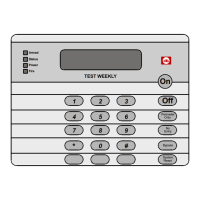
This chart explains four ways to quick arm the system from a Standard keypad.
If Quick Arming is not used, a PIN must be entered at the beginning of all arming command sequences.
When Quick Arming is used, the following short-cuts are available:
Note: Quick Arming is not available from a Master keypad.
Quick Arming your System
Type of Arming
Quick Arming Command Sequence
[#] + [On]
Normal Arming
[#] + [No Entry] + [Perimeter Only]
Perimeter Arming - no entry delay
[#] + [Perimeter Only]
Perimeter Arming - entry/exit dela


 To Next Page