5”
BA
BA
5”
BA
BA
BA
5”
BA
+
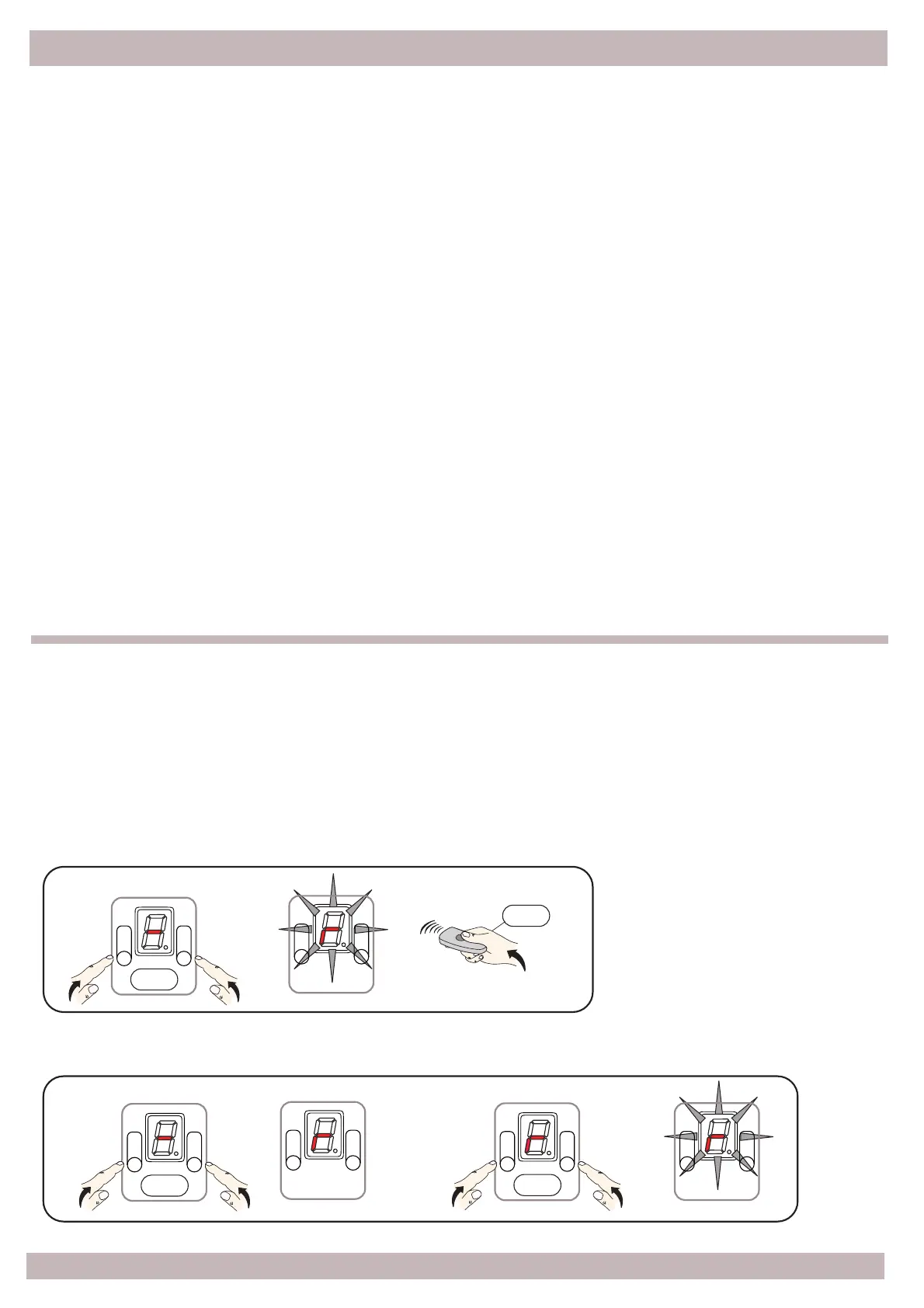
5.4 – Remote control learning via radio
5.5 – Remove one transmi!er, all transmi!ers
Press and hold A and B bu!ons simultaneously for 5", the [ r ] icon flashes on the display, now
release the bu!ons, press the key on the transmi!er that you want to remove (single
cancella$on) or press simultaneously A and B to remove all remote transmi!ers.
Press
Press
Press
With the gate Opened and safety enabled: STOP and / or PHOTO.
1 - Press and hold for 10" in a row the key of a remote transmi!er previously programmed:
you enter the total opening setup, the memory is ready for storage, the flashing light flashes
once briefly.
Now press the key on the new remote transmi!er that you want to program, the correct
storage is confirmed with steady light for a few seconds; you can program only one radio
control at once.
2 - Press again the same radio control bu!on for 3" in a row: you enter the par$al opening
setup, the memory is ready for storage, the flashing light performs two short flashes.
Now press the key on the new remote transmi!er that you want to program, the correct
storage is confirmed with steady light for a few seconds; you can program only one radio
control at once.
3 - Press again the same remote transmi!er bu!on for 3" in a row: you enter the
mul$func$on relay radio control setup, the memory is ready for storage, the flashing light
preforms 3 short flashes.
Now press the key on the new remote transmi!er that you want to program, the correct
storage is confirmed with steady light for a few seconds; you can program only one radio
control at once.
Remove single remote control
Remove all remote transmi!ers
Press


 To Next Page