4. Install the front cover and button in the reverse order
of disassembly.
5. Turn on the power supply.
3 Settings
3.1 Temperature Settings
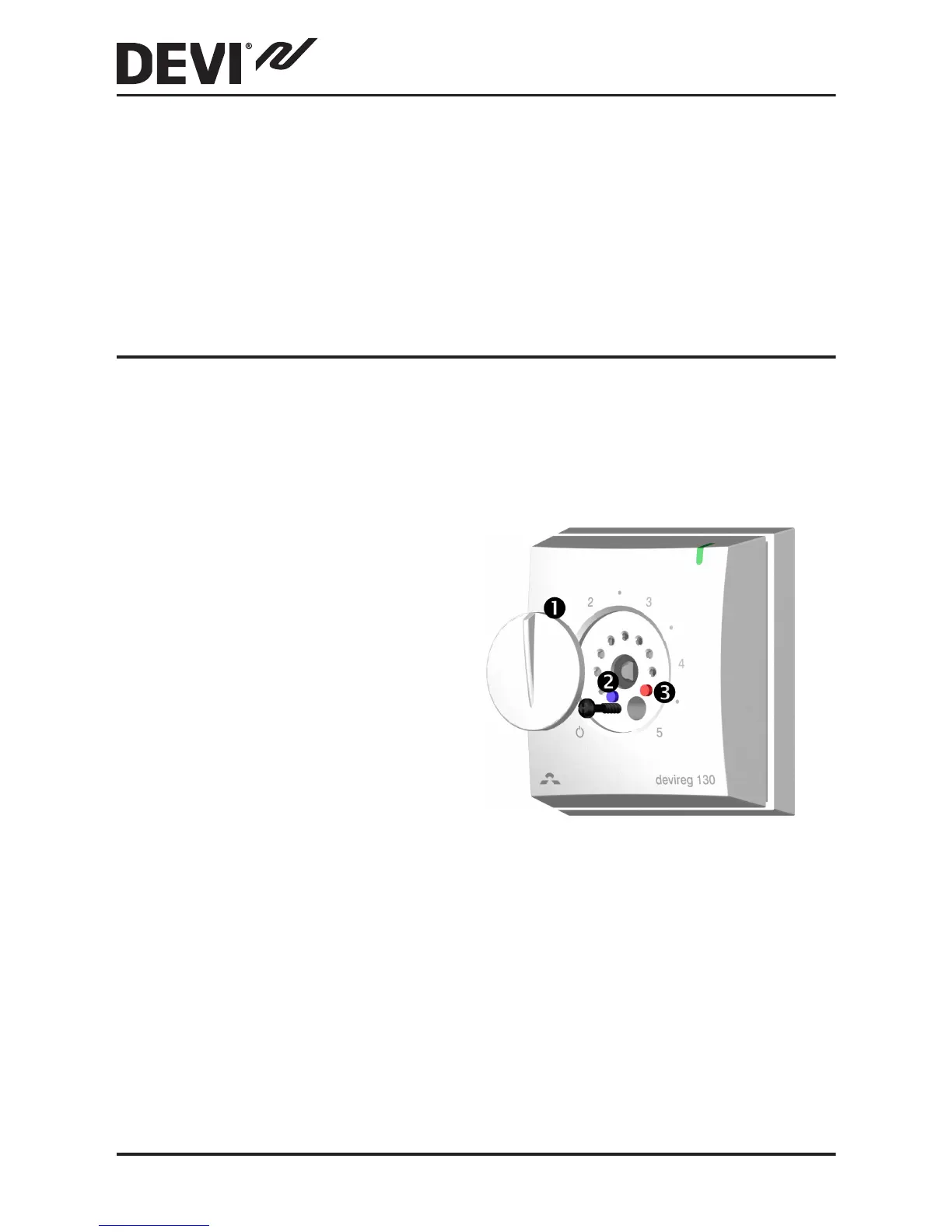
How to change the minimum and maximum floor tem-
peratures
1. Lift off the adjustment
button using a thin
screwdriver. (1)
2.
Move the pins to the
desired positions. (2
and 3)
3. Put the adjustment
button back in place.
Please be aware of the following:
▪
The floor temperature is measured where the sensor is
placed.
▪
The temperature of the bottom of a wooden floor can
be up to 10 degrees higher than the top.
DEVIreg™ 130
10 Installation Guide



 To Next Page