4
N L
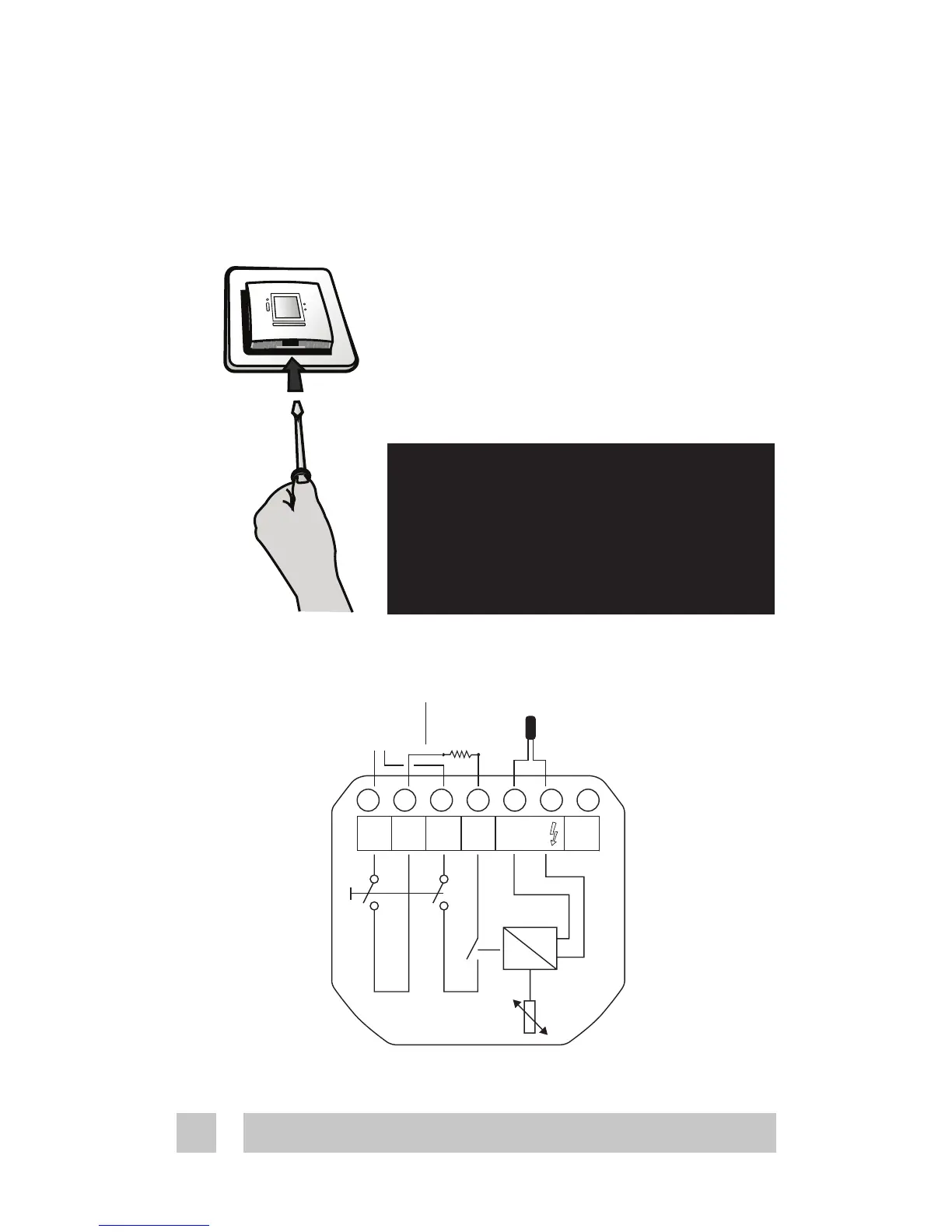
Installation of Devireg™ 535
1. To remove the front cover, gently press the release tabs
under the bottom of the thermostat with a screwdriver.
Then remove the front.
2. Connect the thermostat according to the connection
diagram
The screen of the heating cable must be connected via a
terminal strip to the earth wire of the supply cable.
Installation and connection
Max.
Load
15 A
Sensor
NO
CONNECT
Mains
180-250V~
Removing the front cover and
pushing the installation button,
is not intended to be done by
anyone else but a qualified
installer!
N
L NTC
L
Load
N
Load





 To Next Page