INTRODUCTIONPHANTOM WITH DIALOG
13
PHANTOM WITHOUT DIALOGSPARK
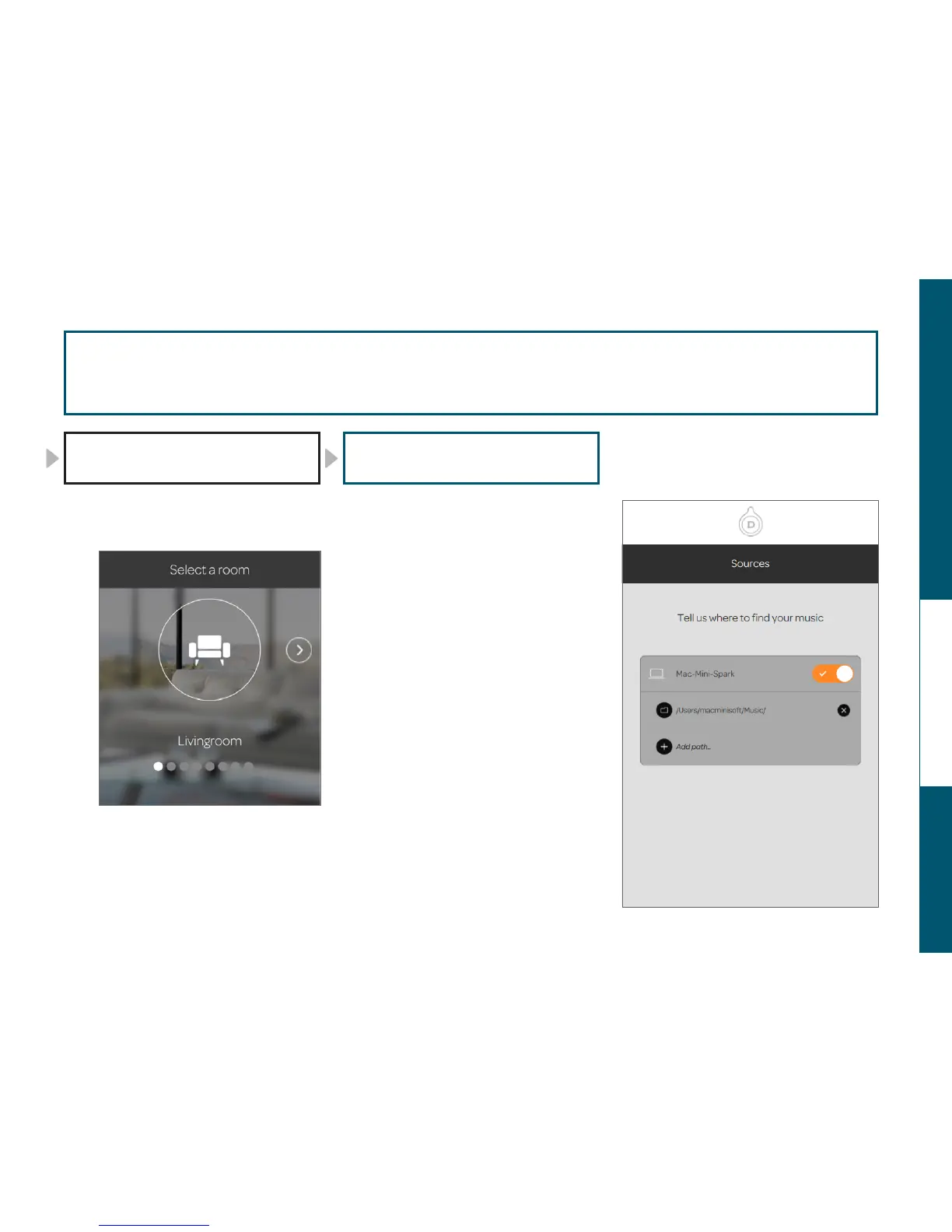
In the next step, the « Living room » is the
room by default : touch NEXT.
BRAVO !
You completed the third step : PHANTOM
is now in position.
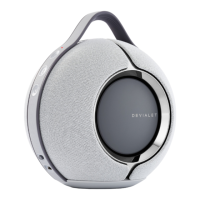
SPARK, will integrate automatically all the
music from the « Music » file in your device.
If you are on a computer, you can also add
music from other files.
Touch ADD PATH and choose the music
files you want to add.
CONGRATULATIONS!
You have completed the fourth and last
step: PHANTOM has now identified all
your music. PLAY!
17
18
19
20
SETUP PHANTOM IN WIFI
step 19
3/3
ASSIGN YOUR PHANTOM ADD SOURCES


 To Next Page