can operate the appliance using the app.
8. Press and hold the Timer button for about 5 seconds, the appliance disconnect, the
Wi-Fi lamp lights off.
5.2 DRAINAGE
There are two ways of removal collected water produced by the machine
A. Manual drainage by water tank
B. Continuous drainage by connecting water hose to continuous drainage hole
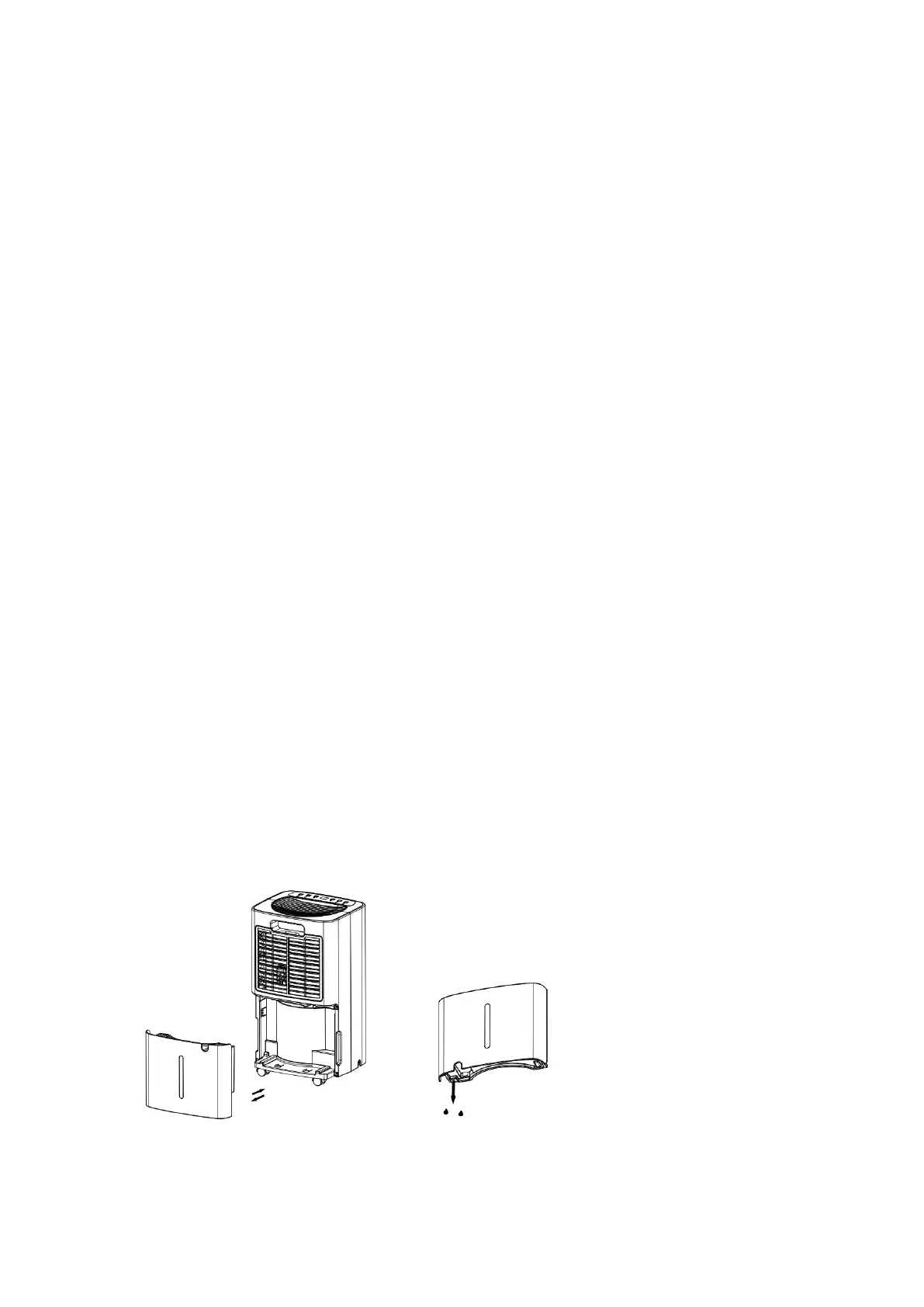
5.2.1 EMPTYING THE WATER TANK
The machine will stop working when the water tank is full , and it will go on
working again once you empty the water tank and return it to machine body
properly
When the water tank is full, The machine will make buzz sound, and the
“Water tank Full” indicator light will be on.
Press the POWER button to turn off the unit.
Pull on the water tank and simply slide out of the body of the dehumidifier.
Empty the water
Clean the inside of the tank as well as the outside.
Return the empty tank back into the machine body correctly
Press the POWER button to resume operating.
If the “Water tank Full “ indicator light does not extinguish,please check the
water tank whether is returned to machine body correctly


 To Next Page