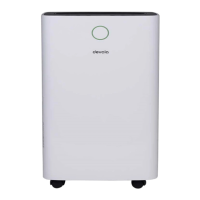
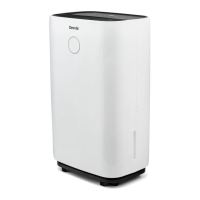
This document is an instruction manual for the Devola Smart Platinum WiFi Dehumidifiers, available in 20L and 30L models (DV20QHWF/DV30HWF).
Function Description
The Devola Smart Platinum WiFi Dehumidifiers are designed to reduce humidity in indoor spaces, providing a more comfortable living environment. They extract moisture from the air, which condenses into water droplets and collects in a water tank. The dehumidified air is then heated and blown out, a process that helps reduce energy consumption and accelerate dehumidification. The device can operate in various modes, including AUTO, CONTINUOUS, and INTERNAL DRYING, and features a timer function for scheduled operation. It also includes a child lock function for safety.
Important Technical Specifications
- Models: DV20QHWF (20L) and DV30HWF (30L)
- Operating Temperature Range: 5°C to 32°C (dehumidification cannot be performed outside this range).
- Optimal Operating Temperature: 16°C to 32°C.
- Relative Humidity Range: 30% to 80%.
- Water Tank Capacity: Not explicitly stated in liters, but the device signals when full.
- Drainage: Can use a water tank or continuous drainage via a 9mm inner diameter pipe.
- Continuous Drainage Pipe Length: Recommended length is less than 0.6 meters.
- Continuous Drainage Outlet Height: The end of the water pipe must be more than 10cm lower than the height of the water outlet.
- Connectivity: WiFi enabled (Smart Platinum).
Usage Features
- Installation Requirements:
- Must be placed on a smooth, level surface to minimize vibration and noise.
- Maintain a minimum distance of 50cm above the unit and 20cm from the front, rear, left, and right surroundings.
- Keep windows and doors closed during operation for optimal performance.
- If vibration occurs, use pads or damping rubber sheets underneath.
- Control Panel:
- Timer: Activates a 24-hour timer to delay turning the dehumidifier on or off. Each press increases the time by one hour (1-24h). Pressing twice continuously after setting cancels the timer.
- Internal Dry: Initiates a 1-hour drying procedure within the dehumidifier to prevent mold. This function can be canceled by pressing the button again or by pressing the power button.
- Air Speed: Adjusts fan speed (HIGH/LOW) in AUTO or CONTINUOUS modes.
- LCD Display: Shows room humidity in AUTO, CONTINUOUS, and DRYING modes. In AUTO mode, it displays the set humidity. In timer state, it shows the set time. '%' represents percentage humidity.
- Humidity Setting: Allows circular adjustment of humidity from 30% to 80% (30%-35%-40%-45%-50%-55%-60%-65%-70%-75%-80%). This setting is only valid in AUTO mode.
- Mode: Selects AUTO, CONTINUOUS, or DRYING modes. The corresponding indicator lamp illuminates.
- Child Lock: Activated by holding the Mode button for 3 seconds. Disables all keys on the operation panel. Repeat the process to deactivate.
- On/Off Key: Turns the dehumidifier on or off.
- Operating Modes:
- Timer Off Setting: When running, press the Timer button to set a desired time (1-24h) after which the dehumidifier will turn off. The setting is confirmed if the button is untouched for 5 seconds.
- Timer On Setting: When in standby, the Timer button is used similarly to set a time after which the dehumidifier will turn on. The Timer button illuminates when active.
- AUTO Mode: If room humidity is higher than the set humidity or within ±5% of it, the compressor and fan run at the set speed. If humidity is lower by -5%, the compressor stops, but the fan continues. Default set humidity is 50%.
- CONTINUOUS Mode: The dehumidifier operates continuously regardless of room humidity. The compressor starts, and the fan runs at high speed by default, which can be regulated.
- Internal Drying: Starts a 1-hour drying cycle (30min HIGH air speed, then 20min LOW air speed) to prevent internal dampness and mold.
- Drainage:
- Water Tank: When full, the LCD icon flashes, the compressor, fan, and negative ion stop, and a buzzer sounds 10 times. To empty, remove the tank, pour out water, close the cover, rotate the handle down, and reinsert. Ensure the floater rotates flexibly before reinserting.
- Continuous Drainage: Connect a 9mm inner diameter drainage pipe to the drain outlet at the back (after unscrewing the cover and pulling out the plug). The external pipe should be less than 0.6m long and its end at least 10cm lower than the outlet, kept smooth to ensure proper drainage.
- Troubleshooting Display Codes:
- FL: Water tank is full.
- E1: Coil sensor anomaly.
- E2: Room temperature sensor anomaly.
- P1: Unit is in defrosting state (normal).
- CL: Unit is in internal drying state (normal).
- LC: Child lock function starts.
Maintenance Features
- Safety Precautions:
- Always disconnect power before maintenance or repair to prevent electric shock.
- Disconnect power if the dehumidifier is not used for a long time.
- Do not clean the dehumidifier body with chemical solvents (alcohol, gasoline, benzene).
- Cleaning:
- Water Tank: Clean the water tank and its cover regularly with a soft cloth dipped in cold or warm water to prevent mold.
- Surface: Wipe the dehumidifier surface lightly with a wet cloth. Do not use detergent or abrasive to avoid damaging the plastic.
- Filter and Frame: Clean at least once every two weeks with cold or warm water. Do not use chemical solvents or hot water.


 To Next Page
 General