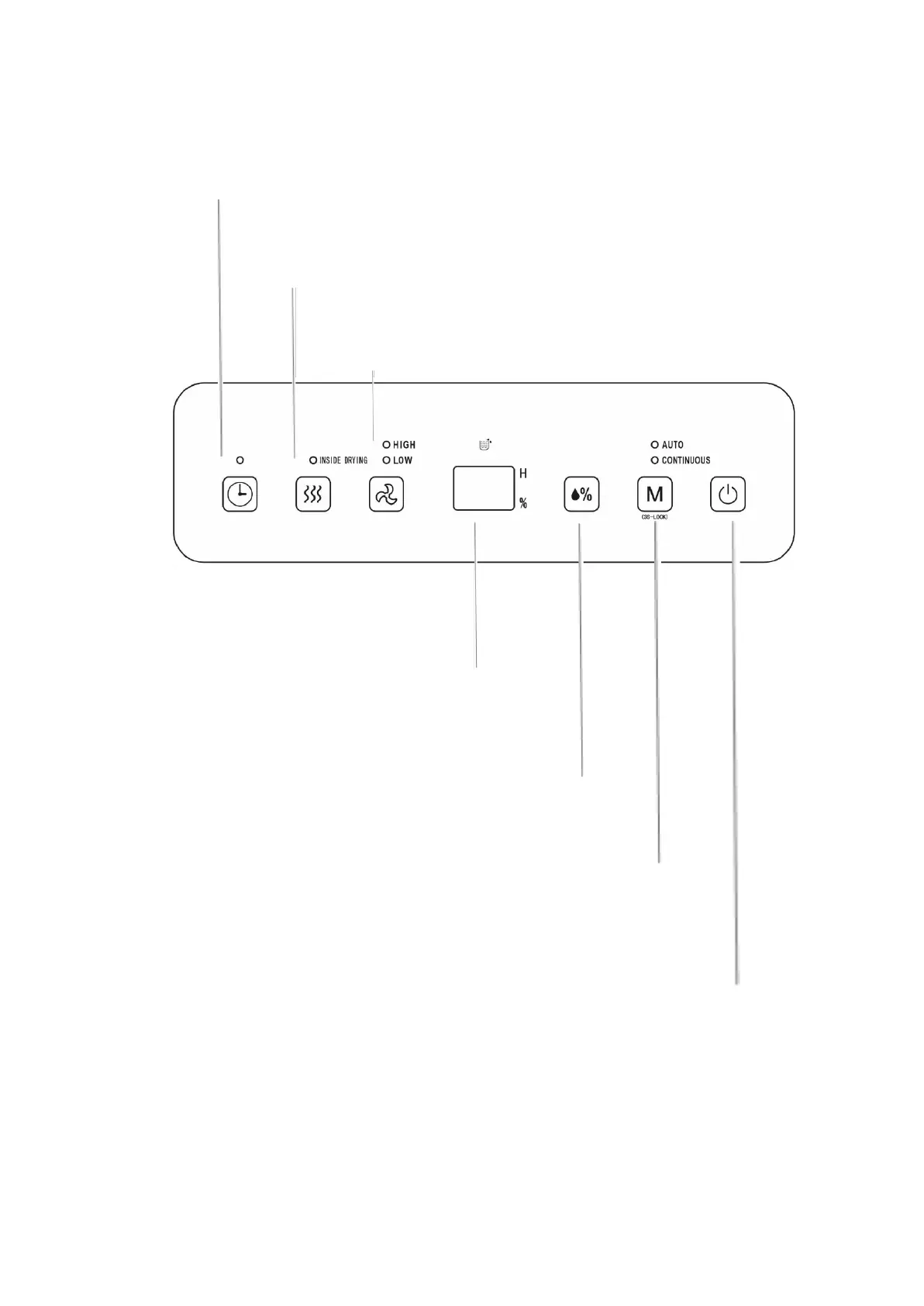
Control panel
Timer
To delay this dehumidifier turning on or off, press this button to activate
the 24H Timer. Each time you press the button, it will increase an hour.
So, 2 pressed for 2 hours, 3 for 3 hours etc. If you want to cancel
timer setup, press twice continuously after setting the timer to a
desired hour.
Internal Dry
Press this button to start drying
procedure in the
dehumidifier. This can
prevent mold inside the dehumidifier
caused by damp. The whole drying procedure needs approximate
1h. Press this key again to cancel the drying function in the
dehumidifier, and to recover to running state before starting drying.
Air Speed
In AUTO or CONTINUOUS mode, adjust the fan
speed, HIGH and LOW by pressing this button.
LCD Display
In AUTO, CONTINUOUS AND DRYING modes,
this figure displays room humidity.
When it is set in AUTO mode, this figure
shows the set humidity; and displays the
set time in timer state, % represents
percentage of humidity.
Humidity Setting
Once this button is pressed, the humidity is
displayed circularly in the range of 30%-35%-
40%-45%-50%-55%-60%-65%-70%-75%-80%,
and the humidity setting is only valid in AUTO
mode.
Mode
During startup or timer startup press this button to select
AUTO, CONTINUOUS and DRYING modes, and the indicator
lamp corresponding to the selected mode is on.
Hold this button for 3 seconds to activate the Child Lock.
Repeat the process to turn the Child Lock off.
On/off key Press this button to turn on or turn off the dehumidifier.


 To Next Page