Initial use 15
devolo dLAN 500 AV Wireless+
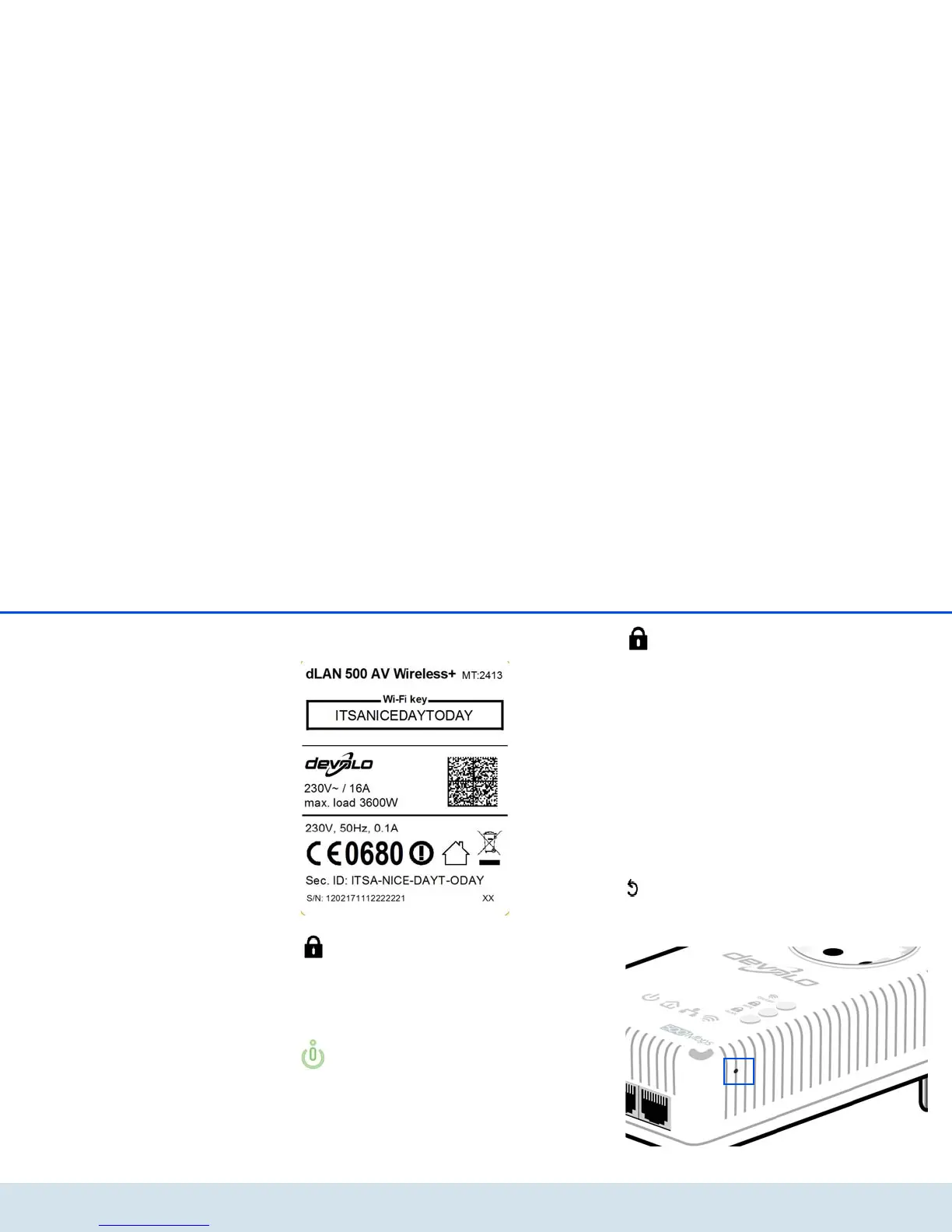
the dLAN 500 AV Wireless+. You will find the
key on the label on the back of the housing.
WPS
With the WPS (Wi-Fi Protected Setup) encryption but-
ton, you secure your WLAN network at the touch of a
button.
WPS is one of the encryption standards de-
veloped by the Wi-Fi Alliance for increasing
security in a WLAN home network. The objec-
tive of WPS is to make it easier to add devices
to an existing network. For more detailed in-
formation, refer to Chapter 5.4.1 Security.
dLAN
Via the dLAN encryption button, you secure your dLAN
network at the touch of a button:
쎲 To encrypt your dLAN network individually, press
each encryption button on the connected
devices for approx. 1 second – within 2 minutes.
쎲 To remove a dLAN device from your network,
press the encryption button on the correspond-
ing device for at least 10 seconds (see 4.1
dLAN network encryption at the touch of a
button).
Reset
The Reset button (on the side of the housing) has two
different functions:



 To Next Page