Initial use 28
devolo Giga Bridge
1 Connect the second devolo Giga Bridge
adapter to a free power socket next to the
router.
2 Connect the devolo Giga Bridge adapter using
the provided network cable to the WAN (Wide
Area Network) port of the router.
3 Connect the adapter of the devolo Giga Bridge
over the telephone line (G.hn phone line
socket, phone) to a connection already availa-
ble in the wall.
Set-up of the devolo Giga Bridge is com-
pleted. The fibre-optic Internet connection
is forwarded from the ONT to the router.
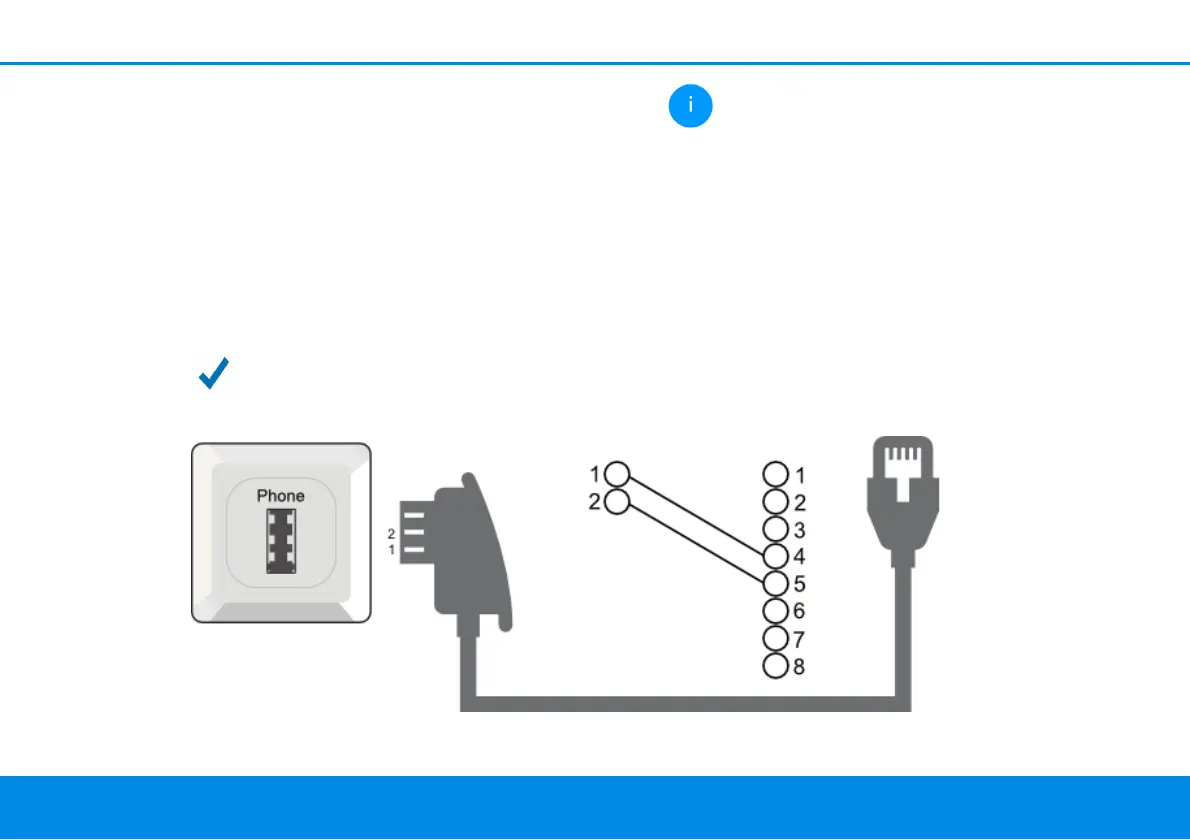
An TAE socket and a conventional tele-
phone cable are sufficient to connect the
devolo Giga Bridge to the NT/ONT. The TAE
connector uses the pins 1/2 so that the SISO
mode of the Giga Bridge is used.



 To Next Page