29 Initial use
devolo Giga Bridge
Wiring using coaxial cable
Note: The devolo Giga Bridge is only intended to
be used on cleared—exclusively available—tele-
phone or coaxial cables. Free line availability
without third-party devices must be determined
before connecting the devolo Giga Bridge (refer
to chapter 1.2 Intended use).
Using a coaxial cable with an F-connector is con-
venient, since no other cabling is required. Simply
take the existing SAT and TV connection cable that
you are no longer using and plug it into the anten-
na socket. Plug the other end of the cable (F-con-
nector) into the devolo Giga Bridge, tighten it and
you're done.
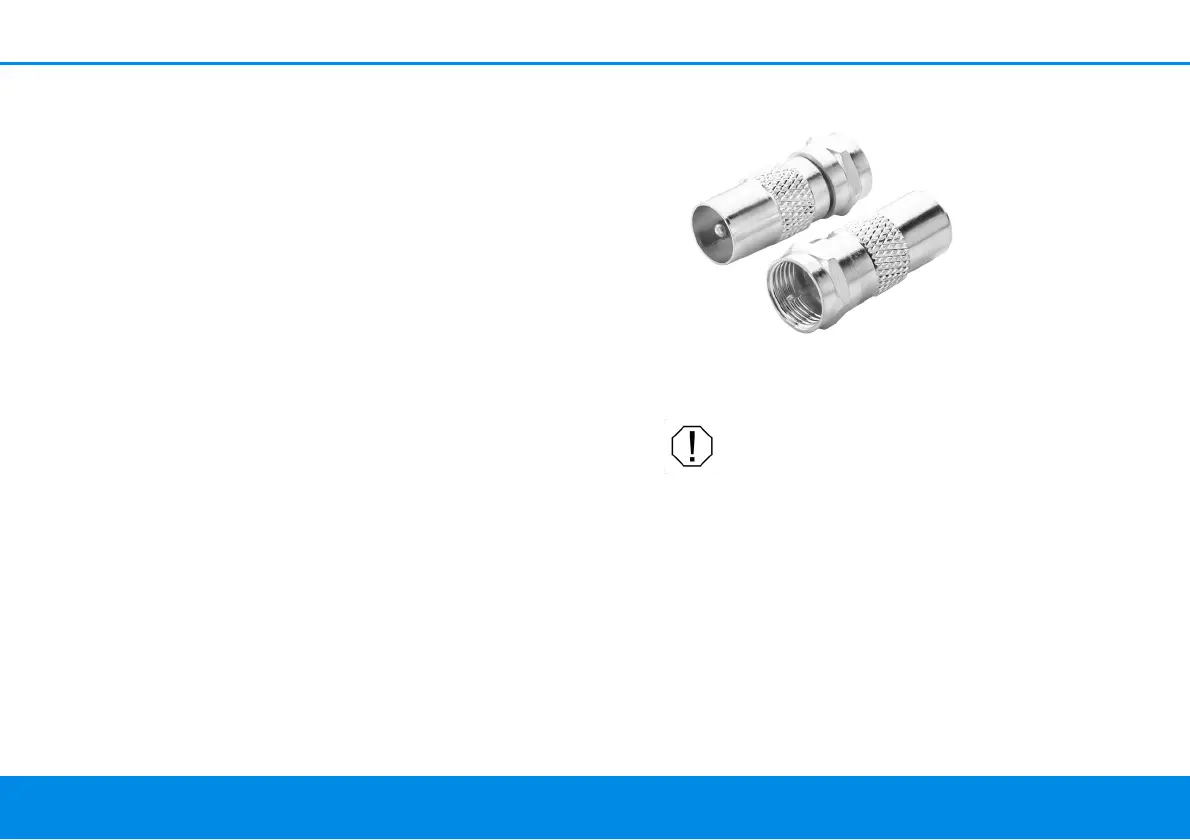
If a coaxial cable is used to connect to the
devolo Giga Bridge, then typical adapters and con-
nectors can also be used. For example, if an F-sock-
et and existing coaxial lines are to be converted
into a compatible coaxial connection, an F-connec-
tor to an IEC coaxial connector is recommended.
CAUTION! Damage to telephone, DSL
and/or TV services when connected to
non-cleared lines
Only use the device on cleared—exclusively
available—telephone or coaxial cables
1 Connect the second devolo Giga Bridge
adapter to an available power socket next to
the router.
2 Connect the devolo Giga Bridge adapter using
the provided network cable to the WAN (Wide
Area Network) port of the router.
Fig. 6: Adapters are used to turn an F-power socket
into a compatible IEC coax connection



 To Next Page