ENGLISH
11
Mechanical Clutch
With a mechanical clutch the indication that the clutch
has activated will be an audible ratcheting together with
increasedvibration.
WARNING: Drill may stall if overloaded causing a sudden
twist. Always expect the stall. Grip the drill firmly to control
the twisting action and avoidinjury.
Operation Modes (Fig.F)
WARNING: Do not select the operating mode when the
tool isrunning.
CAUTION: Never use in Rotary Drilling or Rotary
Hammering mode with a chisel bit in the bit holder.
Personal injury and damage to the the tool may result.
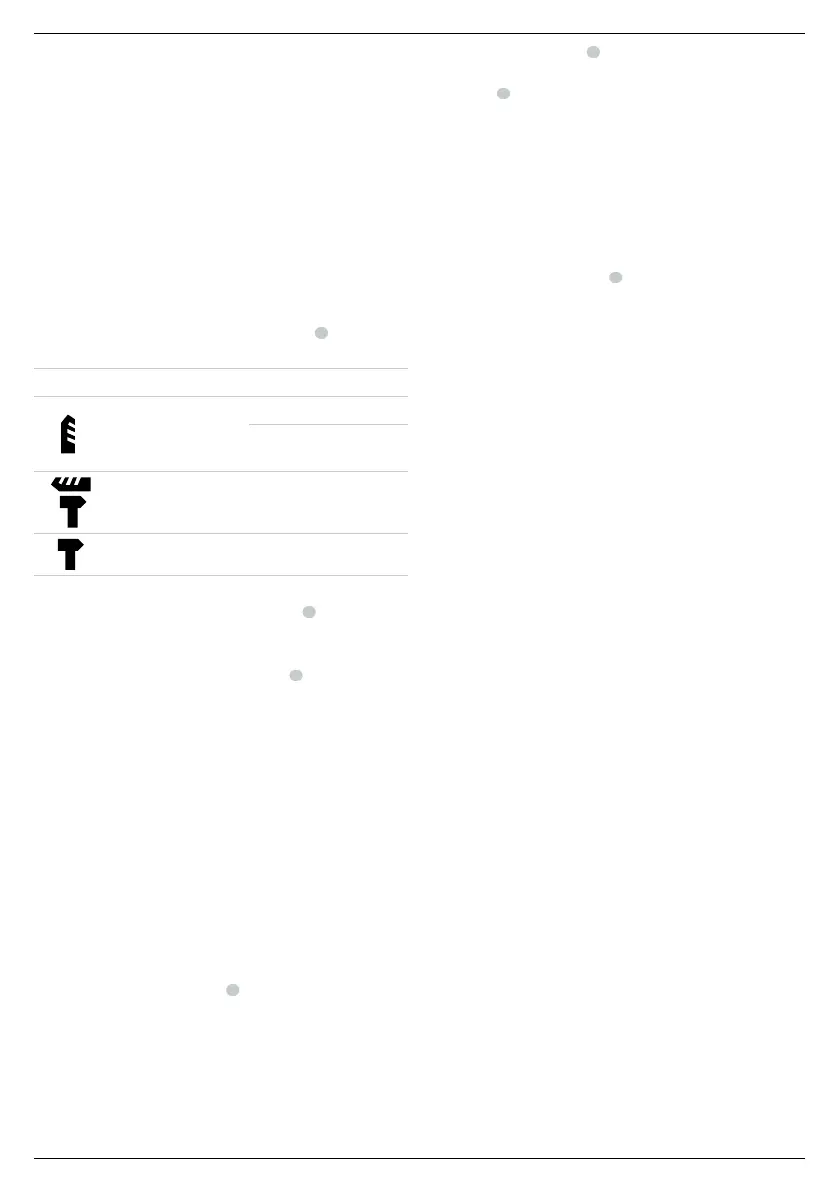
Your tool is equipped with a mode selector dial
6
to selectthe
mode appropriate to desired operation.
Symbol Mode Application
Rotary Drilling
Screwdriving
Drilling into steel, wood
andplastics
Rotary Hammering
Drilling into concrete
andmasonry
Hammering only Lightchipping
To select an operating mode:
1. Depress the mode selector release button
7
.
2. Rotate the mode selector dial so that the arrow points to the
symbol corresponding for the desired mode.
NOTE: The arrow on the mode selector dial
6
must be pointing
at a mode symbol at all times. There are no operable positions
inbetween. It may be necessary to briefly run the motor after
having changed from 'hammering only' to 'rotary' modes in
order to align thegears.
Performing an Application (Fig.A, G)
WARNING: TO REDUCE THE RISK OF PERSONAL
INJURY, ALWAYS ensure workpiece is anchored or
clamped firmly. If drilling thin material, use a wood “back-
up” block to prevent damage to thematerial.
WARNING: Always wait until the motor has come to
a complete standstill before changing the direction
ofrotation.
1. Choose and install the appropriate chuck, adapter, and/or
bit onto to the tool. Refer to Bit and Bit Holder.
2. Using the mode selector dial
6
, selectthe mode
appropriate to desired application. Refer to
OperationModes.
3. Adjust the side handle
3
asnecessary.
4. Select the direction ofrotation using the forward/reverse
button
4
. When changing the position of the control
button, be sure the trigger isreleased.
- To select forward rotation, press the for ward/re verse
control button on the right side of thetool.
- To select reverse, press the forward/reverse control
button on the left side of thetool.
NOTE: The center position of the control button locks
the tool in the off position.
5. Place the bit/chisel on the desired location.
6. Depress the trigger switch
5
. The farther you depress
the trigger switch, the faster the tool will operate. For
maximum tool life, use variable speed only for starting holes
orfasteners.
7. To stop the hammer, release the switch.
Recommendations for Tool Operation
• Large (7.9 mm to 12.7 mm) holes in steel can be made
easier if a pilot hole (4 mm to 4.8 mm) is drilledfirst.
• When drilling, always apply pressure in a straight line with
the bit, but do not push hard enough to stall the motor or
deflect thebit. A smooth even flow of material indicates the
proper drilling rate.
• If drilling thin material or material that is prone to splinter,
use a wood “back-up” block to prevent damage to
theworkpiece.
WARNING:
• Do not use this tool to mix or pump easily combustible
or explosive fluids (benzine, alcohol,etc.).
• Do not mix or stir inflammable liquids
labelledaccordingly.
MAINTENANCE
Your DeWALT power tool has been designed to operate
over a long period of time with a minimum of maintenance.
Continuous satisfactory operation depends upon proper tool
care and regularcleaning.
WARNING: To reduce the risk of serious personal
injury, turn tool off and disconnect battery pack
before making any adjustments or removing/
installing attachments or accessories. An accidental
start-up can causeinjury.
The charger and battery pack are notserviceable.


 To Next Page
 Loading...