ENGLISH
19
10
Date code
†
Included in some packages.
NOTE: Check for damage to parts or accessories which may
have occurred duringtransport.
Intended Use
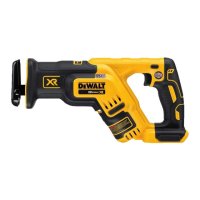
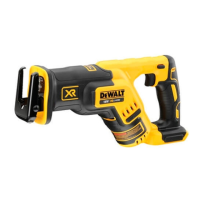
Your DCS367 cordless reciprocating sabre saws have been
designed for professional sawing of wood, metal and tubes. The
compact design permits cutting extremely close to the edge of
difficultareas.
DO NOT use under wet conditions or in the presence of
flammable liquids orgases.
These reciprocating sabre saws are professional power tools.
DO NOT let children come into contact with the tool.
Supervision is required when inexperienced operators use
thistool.
• Young children and the infirm. This appliance is not
intended for use by young children or infirm persons
withoutsupervision.
• This product is not intended for use by persons (including
children) suffering from diminished physical, sensory or mental
abilities; lack of experience, knowledge or skills unless they are
supervised by a person responsible for their safety. Children
should never be left alone with thisproduct.
ASSEMBLY AND ADJUSTMENTS
WARNING: To reduce the risk of serious personal injury,
turn tool off and disconnect battery pack before making
any adjustments or removing/installing attachments or
accessories. An accidental start-up can causeinjury.
WARNING: Use only DeWALT battery packs andchargers.
Inserting and Removing the Battery Pack from the
Tool (Fig. B)
NOTE: Make sure your battery pack is fullycharged.
To Install the Battery Pack into the Tool Handle
1. Align the battery pack
6
with the rails inside the tool’s
handle (Fig.B).
2. Slide it into the handle until the battery pack is firmly seated
in the tool and ensure that you hear the lock snap intoplace.
To Remove the Battery Pack from the Tool
1. Press the battery release button
7
and firmly pull the battery
pack out of the toolhandle.
2. Insert battery pack into the charger.
Fuel Gauge Battery Packs (Fig. B)
Some DeWALT battery packs include a fuel gauge which
consists of three green LED lights that indicate the level of
charge remaining in the batterypack.
To actuate the fuel gauge, press and hold the fuel gauge button.
A combination of the three green LED lights will illuminate
designating the level of charge left. When the level of charge
in the battery is below the usable limit, the fuel gauge will not
illuminate and the battery will need to berecharged.
NOTE: The fuel gauge is only an indication of the charge left on
the battery pack. It does not indicate tool functionality and is
subject to variation based on product components, temperature
and end-userapplication.
Variable Speed Trigger Switch (Fig.C)
Lock-off Button and Trigger switch
Your saw is equipped with a lock-off button
2
.
To lock the trigger switch, press the lock-off button as shown
in FigureC. Always lock the trigger switch
1
when carrying or
storing the tool to eliminate unintentional starting. The lock-
off button is colored red to indicate when the switch is in its
unlockedposition.
To unlock the trigger switch, press the lock-off button as
shown in FigureC. Pull the trigger switch to turn the motor ON.
Releasing the trigger switch turns the motor OFF.
WARNING: This tool has no provision to lock the switch in the
ON position, and should never be locked ON by any other means.
The variable speed trigger switch will give you added versatility.
The further the trigger is depressed the higher the speed of
thesaw.
CAUTION: Use of very slow speed is recommended only for
beginning a cut. Prolonged use at very slow speed may damage
your saw.
Worklight (Fig. A)
There is a worklight
9
located on the end of the tool near the
shoe. The worklight is activated when the trigger switch is
depressed. When the trigger is released, the worklight will stay
illuminated for up to 20 seconds.
NOTE: The worklight is for lighting the immediate work surface
and is not intended to be used as a flashlight.
OPERATION
Instructions for Use
WARNING: Always observe the safety instructions and
applicableregulations.
WARNING: To reduce the risk of serious personal injury,
turn tool off and disconnect battery pack before making
any adjustments or removing/installing attachments or
accessories. An accidental start-up can causeinjury.
Blade Installation and Removal (Fig.A,D, E, H)
Different blade lengths are available. Use the appropriate blade
for the application. The blade should be longer than 90 mm and
should extend past the shoe and the thickness of the workpiece
during the cut. Do not use jigsaw blades with this tool.
WARNING: Cut hazard. Blade breakage may occur if the
blade does not extend past the shoe and the workpiece during the
cut (Fig.D). Increased risk of personal injury, as well as damage to
the shoe and workpiece may result.
To install blade into saw
1. Pull blade clamp release lever
3
up (Fig.A).
2. Insert blade shank from the front.
3. Push blade clamp release lever down.
NOTE: The blade can be installed in four positions as shown
in FigureE. The blade can be installed upside-down for flush
cutting. Refer to FigureH.
To remove blade from saw
CAUTION: Burn hazard. Do not touch the blade immediately
after use. Contact with the blade may result in personal injury.
1. Open up blade clamp release lever.
2. Remove blade.
Proper Hand Position (Fig.G)
WARNING: To reduce the risk of serious personal injury,
ALWAYS use proper hand position as shown.
WARNING: To reduce the risk of serious personal injury,
ALWAYS hold securely in anticipation of a sudden reaction.



 To Next Page