EasyManua.ls Logo

Dexter Laundry T-300 - User Manual

Dexter Laundry T-300
340 pages
Print Icon
To Next Page IconTo Next Page
Loading...
1
8514-300-001 REV PR
Original Instrucons
Please read this informaon and retain for reference.
Dexter Laundry, Inc.
2211 West Grimes Avenue
Fairfield, Iowa 52556 - USA
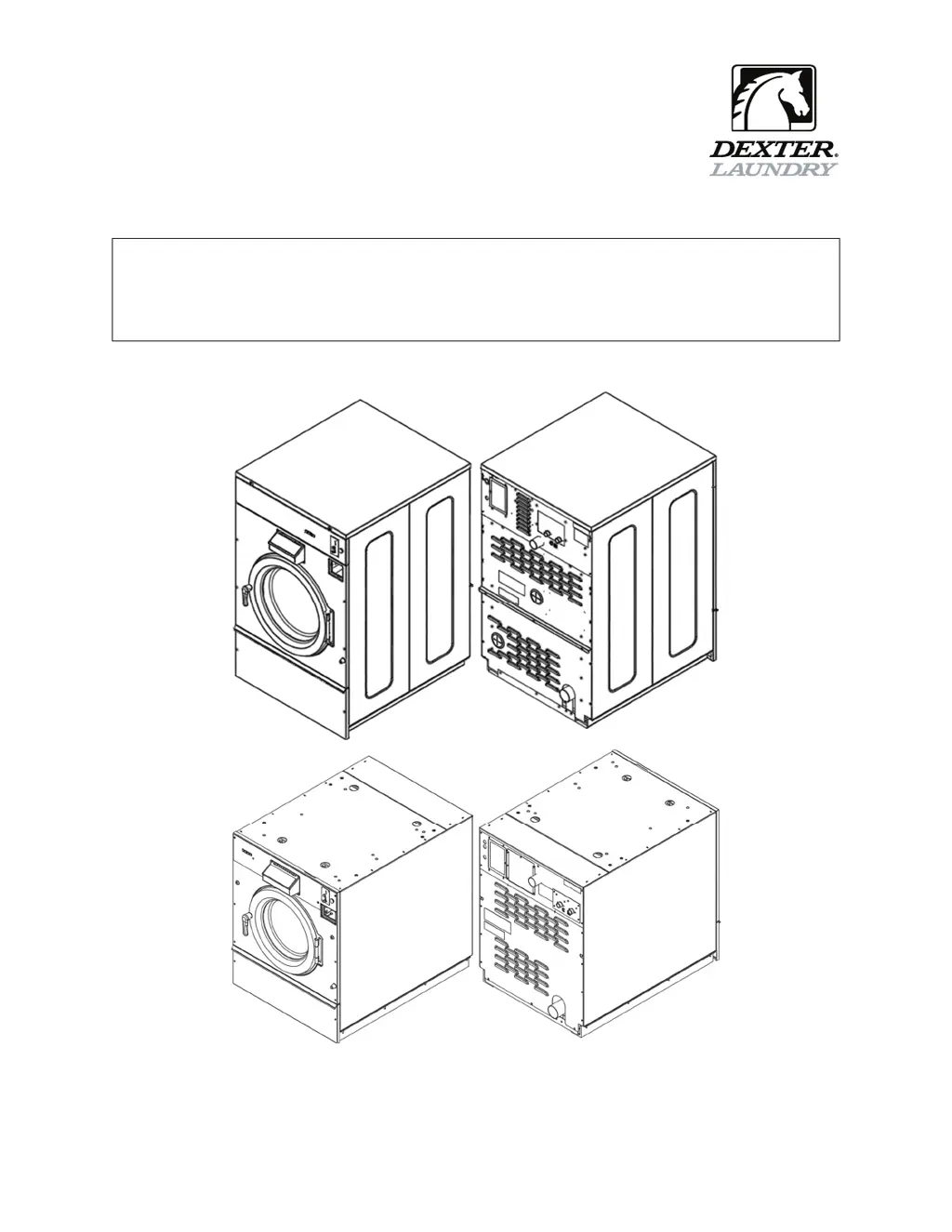
OPERATOR’S MANUAL
INSTALLATION & OPERATION INSTRUCTIONS
FOR COMMERCIAL WASHERS

Table of Contents

Other manuals for Dexter Laundry T-300

Questions and Answers

  • G
    Gregory JohnsonSep 12, 2025
    Why Dexter Laundry T-300 Washer machine does not stop?
    • M
      Megan BatesSep 12, 2025
      If your Dexter Laundry Washer isn't stopping, the main PCB, which controls the time cycle at the end of the cycle, may be the issue. Also, check the braking resistors for continuity and verify their ohms resistance by Molex.
  • J
    Justin PerkinsAug 25, 2025
    Why is my Dexter Laundry T-300 Washer vibrating excessively?
    • H
      hbrooksAug 26, 2025
      Excessive vibration in your Dexter Laundry Washer can stem from a few key areas. First, check the mounting system's strength, including the concrete or base, and ensure the mounting bolts are tightened. A worn drive belt can also cause vibration and noise, so inspect its condition. Lastly, be aware that small loads can contribute to out-of-balance loading, increasing vibration.
  • C
    cummingstaylorAug 26, 2025
    What to do if my Dexter Laundry T-300 Washer door does not lock?
    • M
      Maria EvansAug 26, 2025
      If the door of your Dexter Laundry Washer isn't locking, first check the display for a fault code, specifically 'DOOR LOCK ERROR,' and follow the tests described in the fault code section if it appears. Next, verify that the door locking motor is receiving 24 VAC (50 Hz) from the main relay PCB; if it is, replace the motor. Also, check for continuity through the door latch switch when the door is closed; adjust or replace the switch if there's no continuity.
  • G
    gordonstephanieSep 23, 2025
    How to reduce excessive vibration in Dexter Laundry Washer?
    • R
      rthompsonSep 23, 2025
      If your Dexter Laundry Washer is experiencing excessive vibration, check the strength of the mounting structure (concrete or base) for any cracks. Verify that the recommended thickness of concrete was used and that the concrete floor meets all factory recommendations. Ensure the mounting bolts are tightened. Check if grouting was used and is still in place. A worn drive belt can also cause vibration and noise. Note that small loads can contribute to out-of-balance loading and increase vibration. Confirm that all bolts inside the frame structure are tightened to the proper torques.
  • K
    Kimberly IbarraSep 12, 2025
    What to do if Dexter Laundry Washer water comes in but level does not rise?
    • D
      daniel68Sep 12, 2025
      If water enters your Dexter Laundry Washer but the level doesn't rise, check the drain valve for blockages and inspect the drain valve motor and gear train. If there is power but the drain valve does not close, replace the valve. Also, check for power to the drain valve; if there's no power, check the brown/yellow circuit for power. Finally, check the black and white wires at the Molex plug on the main PCB controller and at the main relay PCB.
  • D
    Danny MullinsSep 16, 2025
    What to do if water level is too high in Dexter Laundry Washer?
    • N
      Nicholas ShawSep 16, 2025
      If the water level in your Dexter Laundry Washer is too high, the issue is likely with the pressure switch. Start by checking the pressure switch hose for any blockages. Then, check if the pressure switch is opening the circuit across its terminals. If the contacts do not open, it's time to replace the switch.
  • L
    Laura StevensSep 5, 2025
    What to do if Dexter Laundry T-300 door does not lock?
    • L
      lindsay43Sep 5, 2025
      If the door on your Dexter Laundry Washer isn't locking, check the display for any fault codes. Specifically, if F1 is displayed, consult the fault code section for further instructions. Verify that the door locking mechanism is receiving the appropriate voltage from the main relay PCB; if it is, consider replacing the mechanism. Also, check the door latch switch for continuity when the door is closed; adjust or replace the switch if there is no continuity.
  • C
    Chris MckenzieSep 6, 2025
    What to do if Dexter Laundry T-300 door will not open?
    • R
      Robert Krueger MDSep 6, 2025
      If the door of your Dexter Laundry Washer won't open, examine the thermoactuator and its mechanism for any sticking or binding that may prevent the door lock mechanism from opening. Ensure the locking thermoactuator isn't receiving 120VAC (60 Hz) or 24 VAC (50 Hz) during the last 1 1/2 minutes of the cycle, and that the unlocking thermoactuator is receiving the correct voltage during the last minute. If the timing and voltage are correct, replace the thermoactuator. Also, check the door rod from the mechanism to the lock assembly to ensure it's long enough to allow the lock assembly to disengage; adjust the rod if necessary. Finally, check that the door lock mechanism isn't stuck closed; replace it if it is.
  • C
    Cody GreenNov 22, 2025
    What to do if my Dexter Laundry T-300 does not start?
    • R
      Renee WattsNov 23, 2025
      If your Dexter Laundry Washer doesn't start, several factors could be at play. Begin by examining the power supply, focusing on circuit breakers, voltage levels, power leads, and connections. Check if the front display LED shows a dollar amount. Next, inspect the door switch for continuity when the door is closed; adjust or replace it if there's no continuity. Also, check the secondary control transformer breaker (50 Hz: 7 amp) and reset it if tripped. Examine the primary control transformer fuse (50 Hz: 2.0 amp) for continuity, replacing it if necessary. Verify the voltage output from the control transformer for 24VAC (50 Hz); replace the transformer if the voltage is incorrect. Inspect the coin acceptor for blockages or damage, cleaning, adjusting, or replacing it as needed. Check all wi...
  • J
    James BeckAug 30, 2025
    What to do if water comes in but the level does not rise in my Dexter Laundry T-300 Washer?
    • L
      laura45Aug 31, 2025
      If water enters your Dexter Laundry Washer but the level doesn't rise, check the drain valve for blockages and inspect the drain valve motor and gear train. If there is power to the valve but the drain valve does not close, replace the drain valve and motor. Check for power to the drain valve; if there's no power, check the (brn/yel) wire at the PCB relay board. If there's no power on the (brn/yel) wire when the washer is in a wash cycle, replace the relay board. Also, check the black and white wire at the Molex plug on the main PCB controller P21 connection and at the PCB relay board P20 connection.

Summary

Safety Information

Safety Symbol Meaning

Do Not Warning Symbols

Defines symbols indicating prohibited actions and safety mandates.

Warning and Danger Symbols

Explains symbols related to general caution, hazards, and potential dangers.

Informative and Reminder Symbols

Defines symbols providing additional information or reminders for users.

Introduction

Model Identification

Lists and identifies different Dexter washer models and their designations.

Washer Characteristics

Describes the general features, materials, and operational aspects of the washers.

Definitions

Clarifies technical terms and acronyms used in the manual for user understanding.

Unit Specifications

Vended Washer Specifications

Technical data for standard vended washer models, including dimensions and capacity.

Express Vended Washer Specifications

Technical data for express vended washer models, including dimensions and capacity.

SWD Vended Washer Specifications

Technical data for Stacked Washer/Dryer (SWD) models, including dimensions and capacity.

Instructions

Installation

Step-by-step instructions for properly installing the washing machine, including foundation and connections.

Use, Operation, and Misuse

Guidelines for operating the washer, selecting cycles, and avoiding improper use.

Maintenance

Procedures for daily and quarterly checks and cleaning to ensure machine reliability.

Programming

Instructions for setting up and customizing washer features, cycles, and pricing.

Displayed Washer Faults

Information on error codes and their meanings for troubleshooting washer issues.

Servicing and Troubleshooting

Guidance for qualified personnel on repair, maintenance, and problem-solving.

Accessories

Lists available accessories and common service parts for the washing machines.

Disposal of Unit

WEEE Symbol

Explains the symbol for Waste Electrical and Electronic Equipment and its disposal significance.

Declarations of Conformity

Manufacturer and Authorized Representative

Identifies the manufacturer and their authorized representative for compliance matters.

Conforming Models

Lists the specific washer models covered by the declaration of conformity.

References to directives and standards

Cites the directives and standards to which the product conforms.

Dexter Laundry T-300 Specifications

General IconGeneral
BrandDexter Laundry
ModelT-300
CategoryWasher
LanguageEnglish

Related product manuals