EasyManua.ls Logo

Dexter Laundry T300 - User Manual

Dexter Laundry T300
87 pages
Print Icon
To Next Page IconTo Next Page
Loading...
8533-080-001 12/15Serial # W1.15244.001
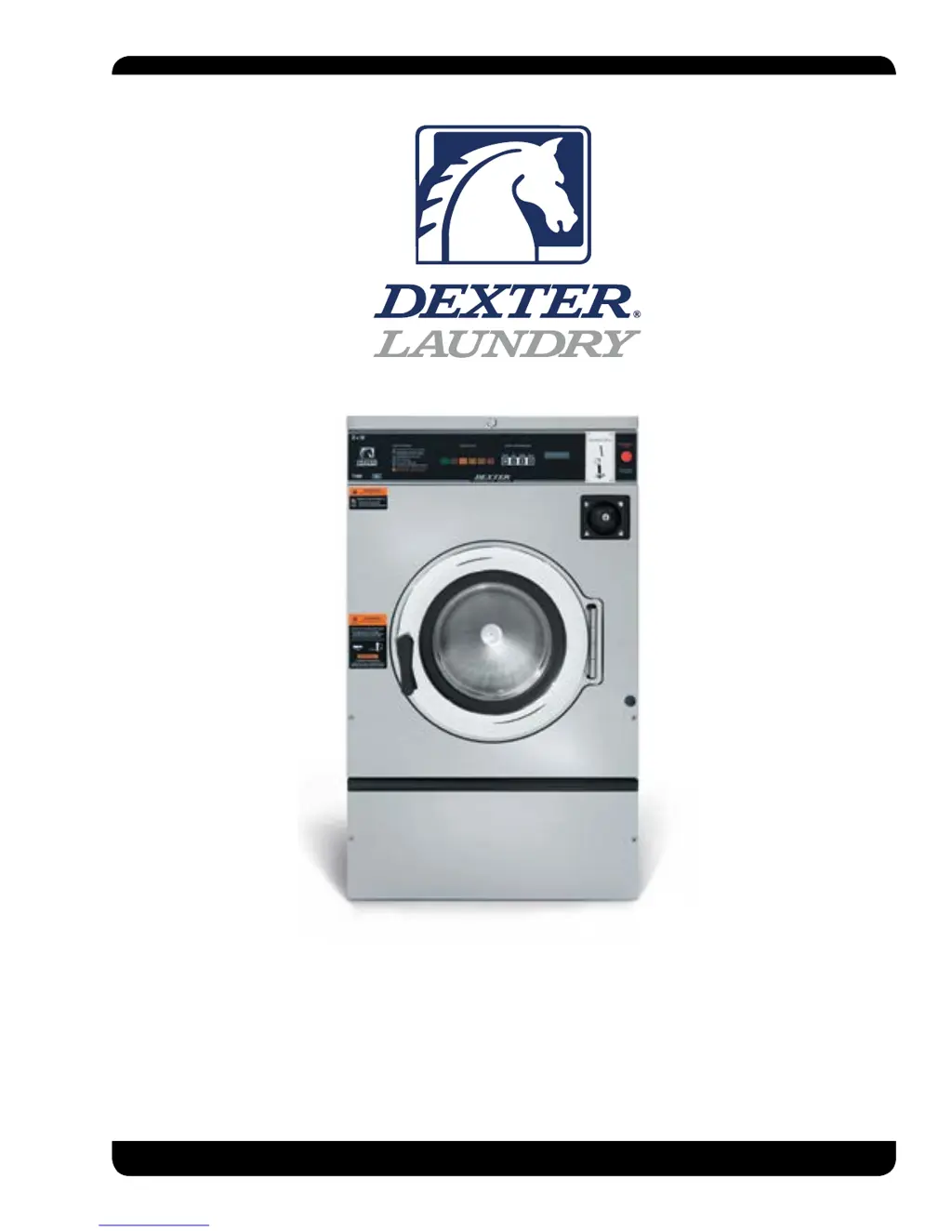
C-Series Vended Washers
T300, T400, T600 (100G)
& T350, T450 (Express Washers 200G)
Parts & Service Manual

Table of Contents

Questions and Answers

  • R
    Rodney HughesNov 21, 2025
    Why Dexter Laundry T300 machine does not start?
    • C
      Christopher JonesNov 21, 2025
      If your Dexter Laundry Washer doesn't start, here's what to check: * **Power Supply:** Ensure circuit breakers are on, check the voltage, power leads, and connections. See if the front display LED shows a dollar amount. * **Door Switch:** Verify continuity through the door switch when the door is closed. Adjust or replace the switch if there's no continuity. * **Control Breaker or Fuse:** Check the 1.5 amp breaker or fuse (2.5 amp for T-950 and T-1200 models) for continuity; replace if needed. * **Control Transformer:** Check the voltage output from the control transformer for 120VAC; replace the transformer if the voltage is incorrect. * **Coin Acceptor:** Inspect the coin acceptor for blockages or damage; clean or replace it. * **PCB Board:** Check all wire connections for s...
  • L
    laurengilbertAug 25, 2025
    What to do if Dexter Laundry T300 Washer machine will not accept coins?
    • C
      Christina DavisAug 25, 2025
      If your Dexter Laundry Washer isn't accepting or counting coins, check these areas: * **Coin Acceptor:** Look for blockages or damage in the coin acceptor switch. Clean, adjust, or replace it as needed. * **Power Supply:** Check circuit breakers, voltage, power leads, and power connections. * **Door Closed Safety Switch:** Verify the door closed switch at the door hinge is working correctly. * **Door Handle Closed Switch:** Ensure the single door closed switch on the left side of the door handle closes when the handle is vertical. * **Control Breaker or Fuse:** Check the breaker or fuse for continuity and replace if necessary. (Use a 1.5 amp fuse for T-300 through T-950 models, and a 2.5 amp fuse for T-1200 and T-1450 models.) * **Main PCB:** Consider replacing the main PCB.
  • P
    Patrick LewisAug 27, 2025
    How to reduce excessive vibration in Dexter Laundry T300 Washer?
    • T
      Todd RamirezAug 27, 2025
      If your Dexter Laundry Washer is vibrating excessively, consider the following: * **Mounting System:** Check the strength of the mounting structure (concrete or base) and ensure mounting bolts are tight. * **Drive Belt:** A worn drive belt can cause vibration and noise, so inspect it. * **Loading:** Small loads can contribute to imbalance and increase vibration.
  • P
    Pamela AdamsAug 27, 2025
    Why Dexter Laundry T300 door does not lock?
    • R
      robert68Aug 28, 2025
      If the door on your Dexter Laundry Washer isn't locking, try these steps: * **Check Display:** See if a Door Lock Error is displayed. If so, follow the tests in the fault code section. * **Door Locking Motor:** Make sure the motor is receiving 120VAC from the main relay PCB. If it is, replace the solenoid. * **Door Switch:** Check for continuity through the door latch switch when the door is closed. Adjust or replace the door switch if there's no continuity.
  • A
    Amanda MckinneyAug 29, 2025
    Why hot water does not enter tub in Dexter Laundry T300?
    • C
      Christopher MasonAug 29, 2025
      If hot water isn't entering the tub during the wash cycle of your Dexter Laundry Washer, check these items: * **Water Valve Coil:** Check the coil continuity at the terminals and replace if there's no continuity. Also, check for 120V power from the main relay PCB. * **Water Inlet:** Check the water inlet screens for blockage and clean them if necessary. * **Water:** Ensure the water is turned on and operating. * **Wiring:** Check the black or white wires at the Molex plug on the PCB at the main controller and at the relay PCB. * **Pressure Switch:** Check pressure switch continuity between terminals. If there's no continuity, check the pressure switch hose for obstructions. If the hose is okay, replace the pressure switch.
  • T
    Travis MccarthySep 23, 2025
    Why does the door on my Dexter Laundry T300 not lock?
    • M
      Madison DuncanSep 23, 2025
      If the door on your Dexter Laundry Washer isn't locking, check the display for a fault code. If F1 is displayed, follow the tests described in the fault code section. Also, check if the door locking solenoid is receiving 120VAC from the main relay PCB; if it is, replace the solenoid. Finally, check the door latch switch for continuity when the door is closed; adjust or replace the door switch if there's no continuity.
  • J
    Joshua McdanielSep 16, 2025
    Why Dexter Laundry T300 starts goes directly to end of cycle?
    • M
      Michael LangSep 16, 2025
      If your Dexter Laundry Washer starts and immediately goes to the end of the cycle, displaying 'PUSH' then '0' or '00', the E-Stop button or switch may be faulty. Replace the switch assembly.
  • A
    Aaron WilcoxSep 18, 2025
    What to do if my Dexter Laundry T300 Washer does not start?
    • A
      Ashley SimmonsSep 18, 2025
      If your Dexter Laundry Washer isn't starting, begin by checking the power supply: inspect the circuit breakers, voltage, power leads, and power connections. See if the front display LED is showing a dollar amount. Then check the door switch for continuity when the door is closed; adjust or replace it if there's no continuity. Also, check the 1.5 amp breaker or fuse for continuity (T-1200 uses 2.5amp); replace it if necessary. Verify the voltage output from the control transformer is 120VAC; replace the transformer if the voltage is incorrect. Additionally, inspect the PCB board, the wiring between PCB, the Relay PCB and the Door Solenoid.
  • M
    Michael JacobsSep 8, 2025
    Why Dexter Laundry T300 Washer tumbles in one direction?
    • B
      Benjamin EvansSep 8, 2025
      If your Dexter Laundry Washer only tumbles in one direction, you can check the following: * **VFD:** Remove the top cover and note if the power light or fault lights are displayed. Check the front control for related codes and refer to the fault code section for more information. * **Wiring:** Inspect the yellow enable wires from the main relay PCB and at the VFD.
  • B
    Bryan ThompsonSep 5, 2025
    What to do if Dexter Laundry T300 Washer machine does not turn?
    • S
      Susan LewisSep 5, 2025
      If your Dexter Laundry Washer isn't turning, check the VFD by removing the top panel and noting if any power or fault lights are illuminated. If the fault light is on, turn off the power to the machine at the breaker for 2 minutes, then turn it back on to reset. If there's still no display, replace the VFD.

Summary

Equipment Safety Warnings

Safety Symbols and Terminology

Explains hazard symbols like DANGER, WARNING, CAUTION, NOTICE, and their meanings.

Section 2: Machine Installation & Operation

Mounting and Foundation Requirements

Covers base, floor requirements, and grout installation for stability.

Plumbing and Electrical Connections

Details water supply and electrical power connection guidelines.

Operating Instructions and Safety Features

Guides on starting, detergent use, emergency stop, and door lock.

Section 3: Machine Programming Instructions

DexterLive Account Creation

Step-by-step guide for creating a DexterLive account.

DexterLive Programming Configuration

Steps to configure settings and program machines via DexterLive.

Pricing, Cycles, and Promotions

How to program prices, cycles, and optional store promotions.

USB Programming Procedures

Steps to save and upload programming files using USB.

Manual Programming and Options

Manual programming, Quick Test, Rapid Advance menu.

Section 4: Trouble Shooting

Common Troubleshooting Solutions

Table of common symptoms, probable causes, and suggested remedies.

Machine Fault Errors: COMM ERROR 1-3

Detailed descriptions and customer actions for COMM errors 1-3.

Machine Fault Errors: COMM ERROR 7, PCB ERROR 1-2

Detailed descriptions and customer actions for COMM error 7 and PCB errors 1-2.

Machine Fault Errors: DRIVE VFD OC, OV, GFI, LV, IF

Detailed descriptions and customer actions for DRIVE VFD errors.

Machine Fault Errors: INVALID DRIVE, FUSE ERRORS, DELAY

Detailed descriptions and customer actions for drive and fuse errors.

Section 5: Machine Service Procedures

Section 6: Service Electrical Components

Section 7: Electrical Wiring Diagrams & Schematics

T300, 208-240 V, T350 Wiring Diagrams

Schematics and diagrams for T300, T350 models across different voltages.

T400, T450, T600 Wiring Diagrams

Schematics and diagrams for T400, T450, T600 models.

Section 8: Parts Data

Section 11: Maintenance

Preventative Maintenance Schedule

Daily, monthly, quarterly, biannually, and annually maintenance tasks.

Dexter Laundry T300 Specifications

General IconGeneral
BrandDexter Laundry
ModelT300
CategoryWasher
LanguageEnglish

Related product manuals