Using the Hardware Monitor for Windows Utility
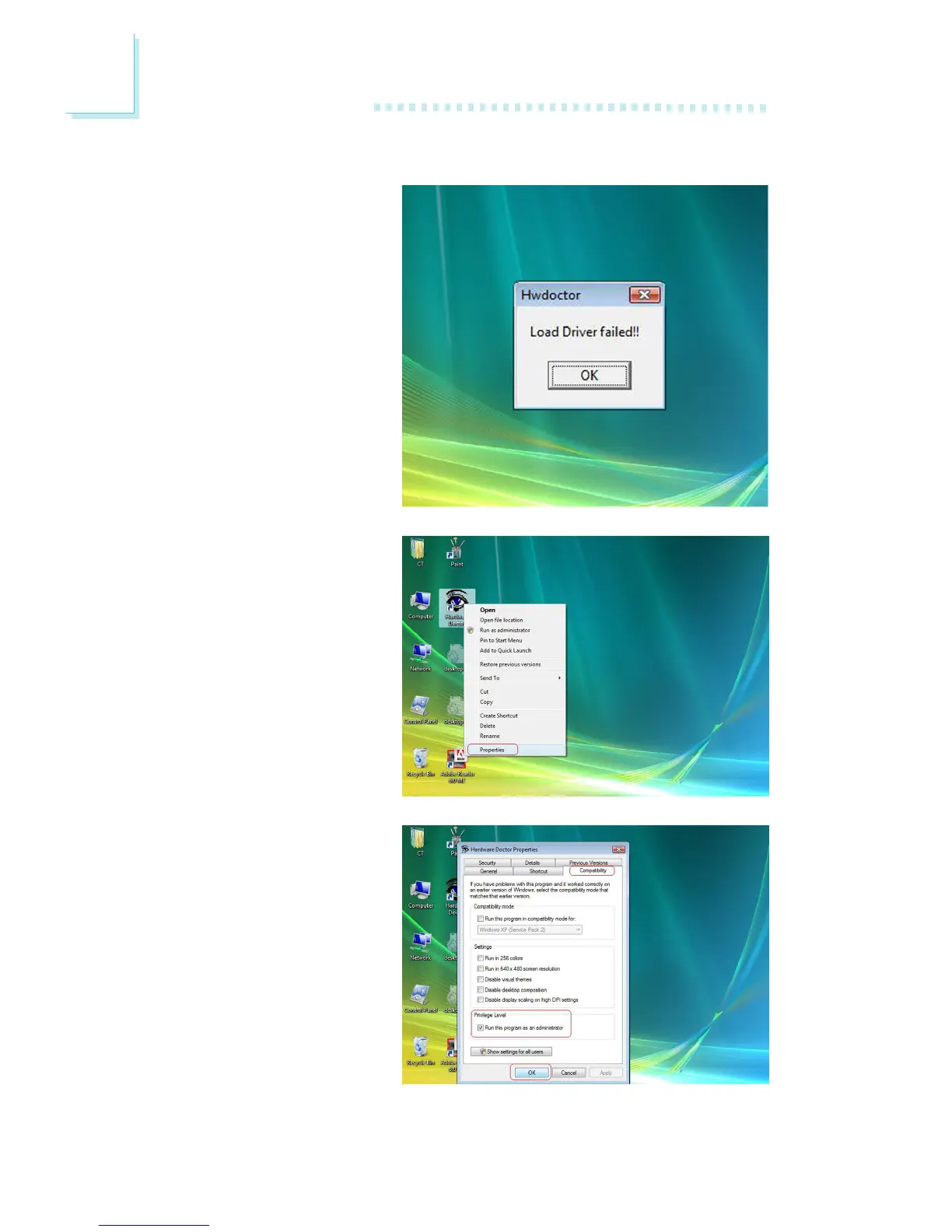
1. When you try to run the
utility, which is usually done
by double-clicking the Hard-
ware Doctor shortcut, an
error message will appear.
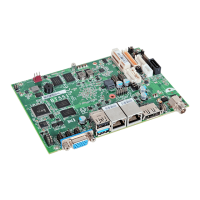
2. To solve this problem, right-
click the Hardware Doctor
shortcut. then select Prop-
erties.
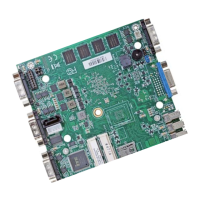
3. Select the Compatibility
tab, click “Run this program
as an administrator” then
click OK.


 To Next Page