25
2
Hardware Installation
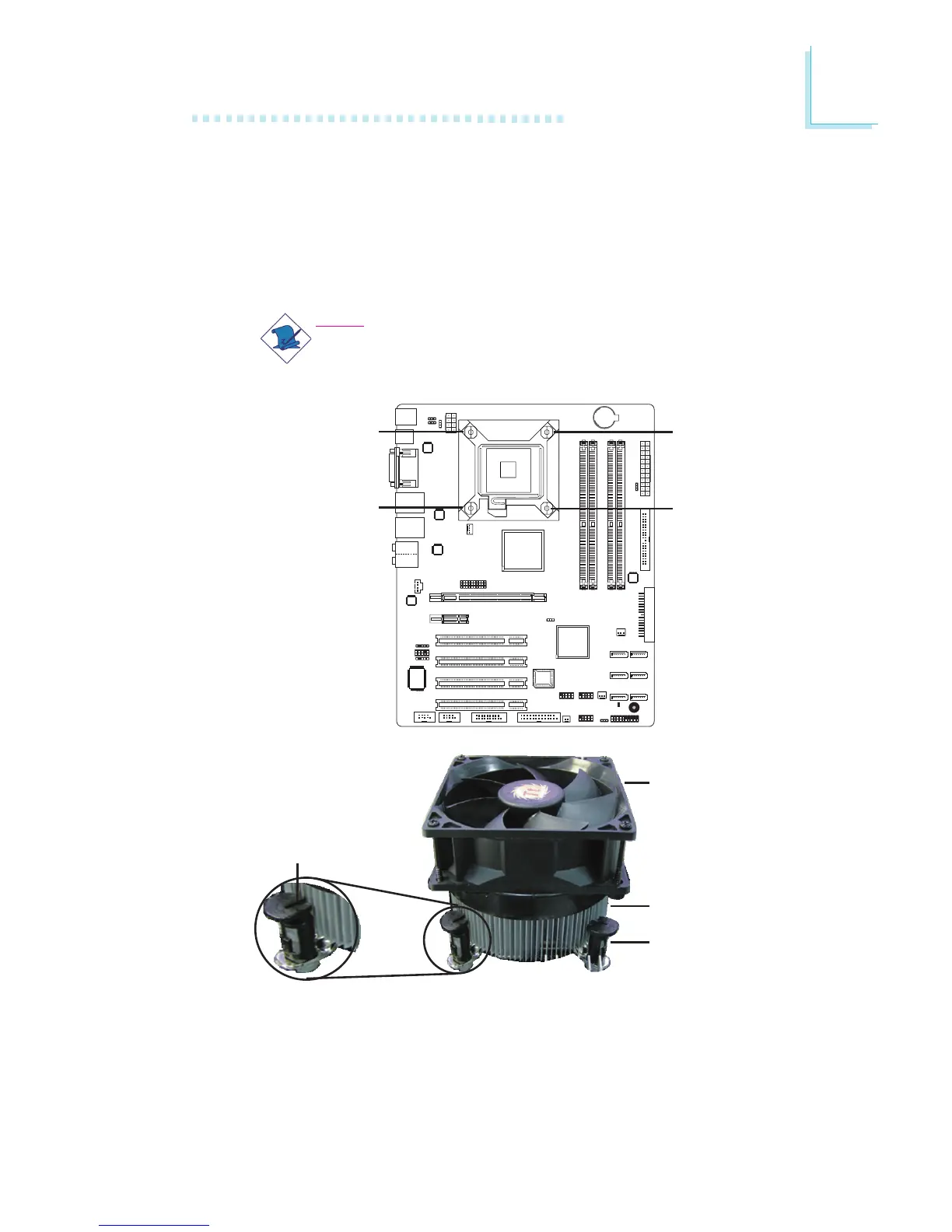
3. Connect the CPU fan’s cable connector to the CPU fan con-
nector on the system board.
Heat sink
Fan
Stud
Groove
2. Place the heat sink on top of the CPU. The 4 studs around the
heat sink which are used to secure the heat sink onto the sys-
tem board must match the 4 mounting holes around the socket.
Position each stud so that the groove faces the heat sink then
push it down firmly until it clicks into place.
Note:
You will not be able to secure the fan and heat sink as-
sembly in place if the groove is not facing the heat sink.
Mounting
hole
Mounting
hole
Mounting
hole
Mounting
hole



 To Next Page