www.dfi .com
21
Chapter 2 Hardware Installation
Chapter 2
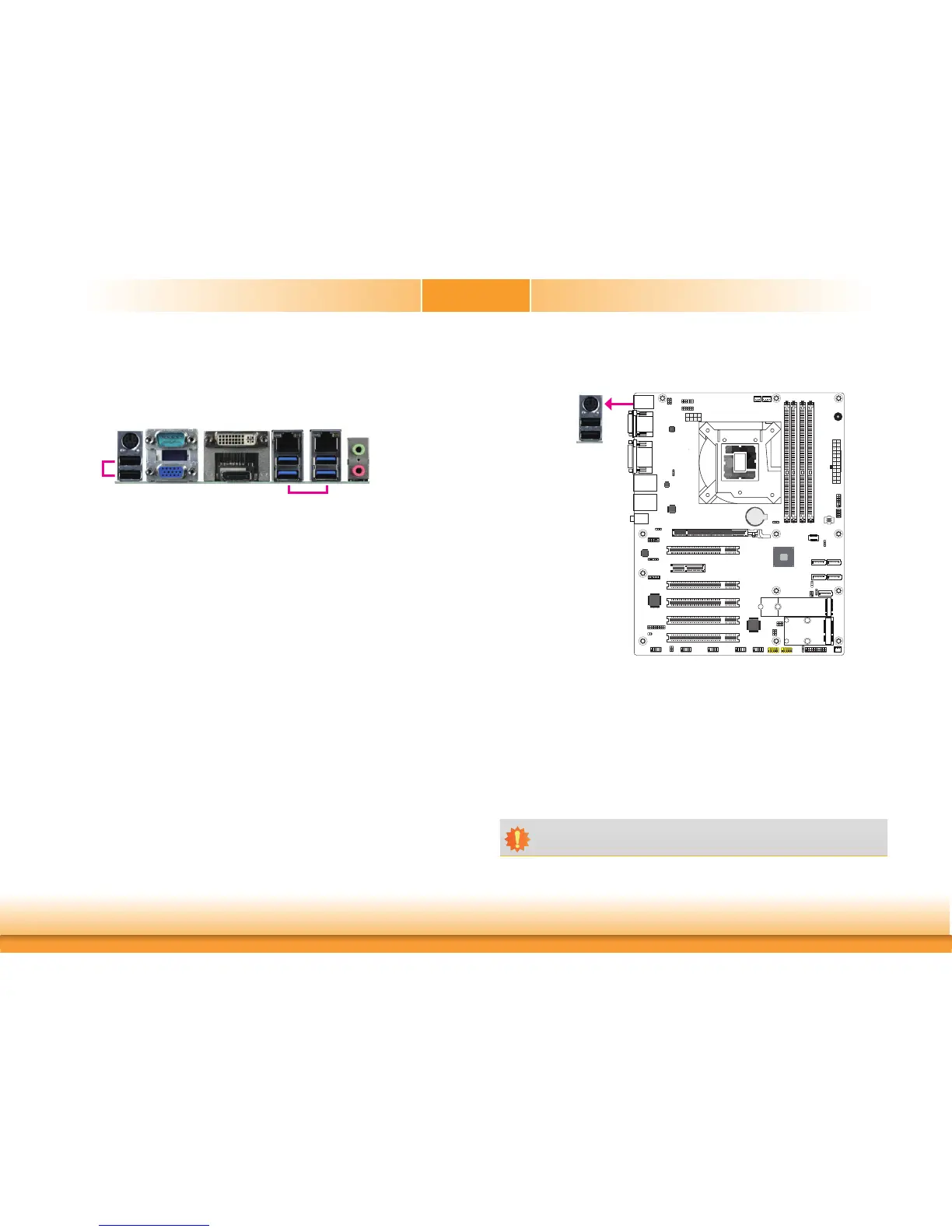
Rear Panel I/O Ports
PS/2 Keyboard/Mouse Port
PS/2 Keyboard/Mouse
Important:
The +5V_standby power source of your power supply must support ≥720mA.
A61
Battery
A61
This rear I/O port is used to connect a PS/2 keyboard/mouse. The PS/2 mouse port uses
IRQ12.
Wake-On-PS/2 Keyboard/Mouse
The Wake-On-PS/2 Keyboard/Mouse function allows you to use the PS/2 keyboard or PS/2
mouse to power-on the system. To use this function:
• BIOS Setting
Configure the wake-up function of PS/2 keyboard/mouse in the Advanced menu (“ACPI Con-
figuration” submenu) of the BIOS. Refer to the chapter 3 for more information.
The rear panel I/O ports consist of the following:
• 1 PS/2 Keyboard/Mouse port
• 2 USB 2.0 ports
• 1 Serial COM port
• 1 VGA port
• 1 DVI-I (DVI-D signal) port
• 1 DP++ port
• 2 RJ45 LAN ports
• 4 USB 3.1 Gen 1 ports
• 1 Line-in jack (optional)
• 1 Line-out jack
• 1 Mic-in jack
VGA
DVI-I
(DVI-D signal)
Line-out
Mic-in
LAN 1
COM 1
DP++
PS/2 KB/MS
USB 3.1 Gen 1
USB 2.0
LAN 2



 To Next Page