www.dfi .com
53
Chapter 4 Supported Software
Chapter 4
Chapter 4 - Supported Software
Please download drivers, utilities and software applications required to enhance the perfor-
mance of the system board at https://www.dfi.com/DownloadCenter .
Intel Chipset Software Installation Utility
The Intel Chipset Software Installation Utility is used for updating Windows
®
INF files so that
the Intel chipset can be recognized and configured properly in the system.
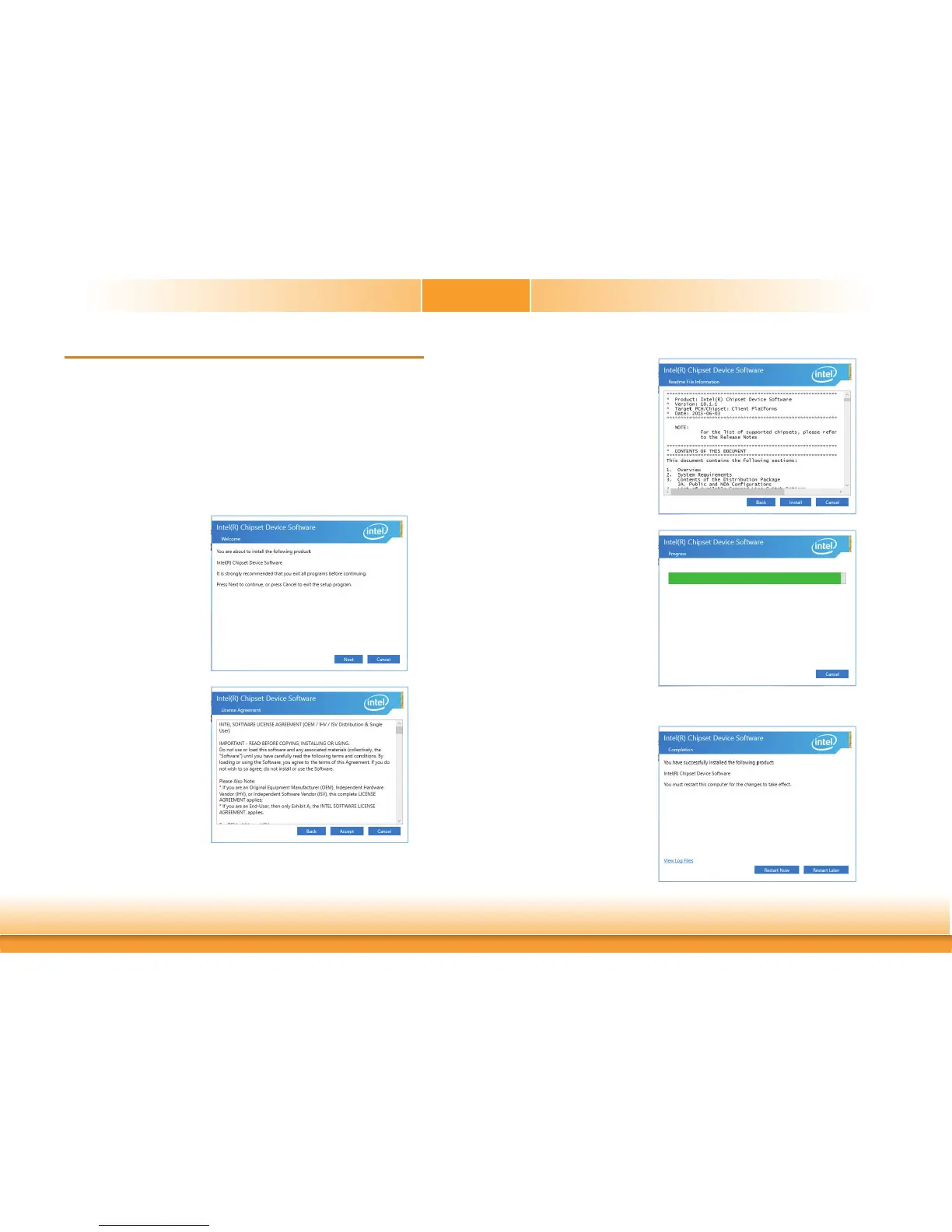
To install the utility, download “CS630 Chipset Driver” zip file at our website.
1. Setup is ready to install the
utility. Click “Next”.
2. Read the license agreement
then click “Accept”.
3. Go through the readme
document for more installa-
tion tips then click “Install”.
5. After completing installa-
tion, click “Restart Now” to
exit setup.
Restarting the system will
allow the new software
installation to take effect.
4. The step displays the
installing status in the prog-
ress.



 To Next Page