www.dfi .com
23
Chapter 2 Hardware Installation
Chapter 2
Graphics Interfaces
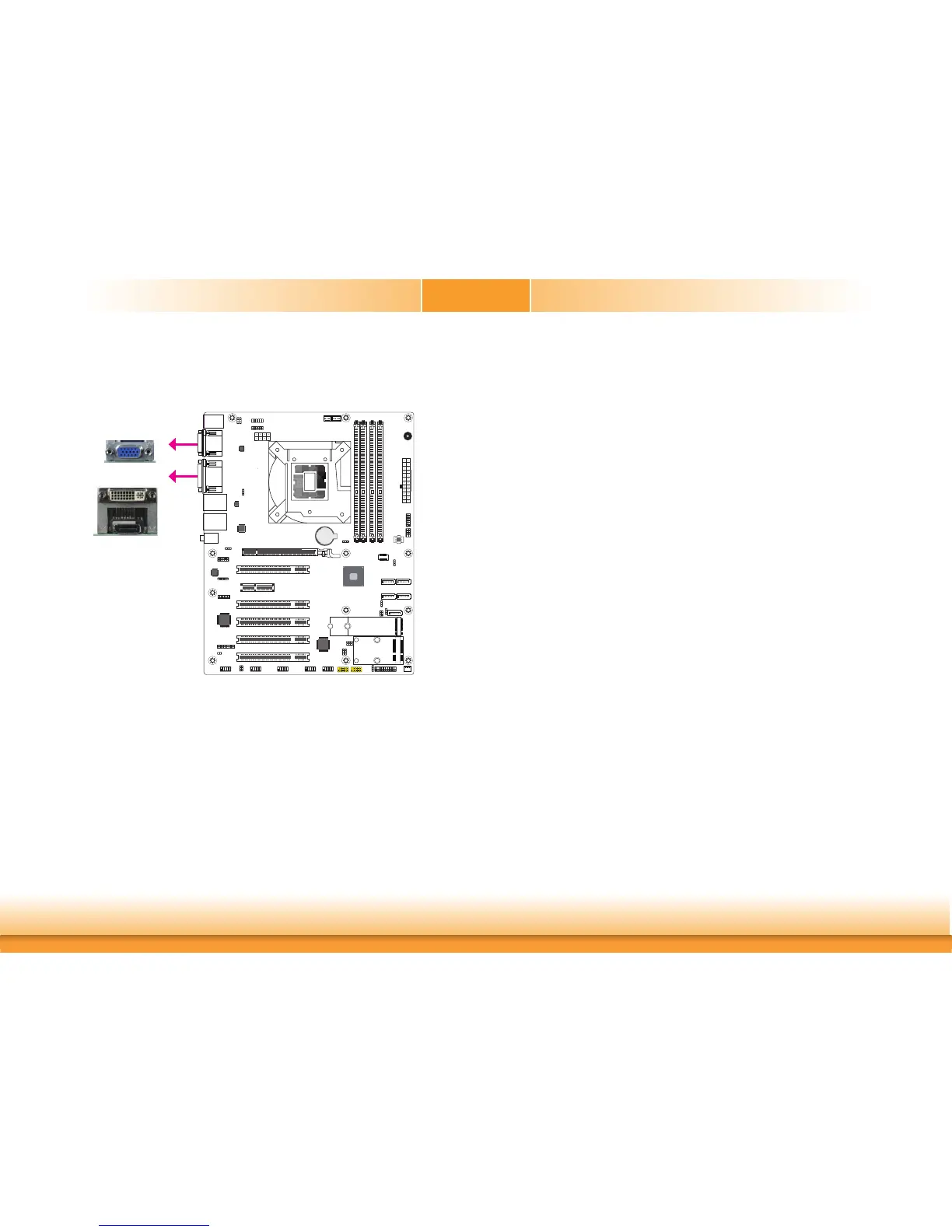
The display ports consist of the following:
• 1 VGA port
• 1 DVI-I (DVI-D signal) port
• 1 DP++ port
A61
Battery
A61
VGA
Driver Installation
Install the graphics driver. Refer to the chapter 4 for more information.
DVI-I (DVI-D signal)
DP++
VGA Port
The VGA port is used for connecting a VGA monitor. Connect the monitor’s 15-pin D-shell cable
connector to the VGA port. After you plug the monitor’s cable connector into the VGA port,
gently tighten the cable screws to hold the connector in place.
DVI-I (DVI-D Signal) Port
The DVI-I port is used to connect a LCD monitor. This port supports DVI-D signal only. Con-
nect the display device’s cable connector to the DVI-I port. After plugging the cable connector
into the port, gently tighten the cable screws to hold the connector in place.
DP++ Port
The DP++ port which carries both digital audio and video signals is used to connect a LCD
monitor or a digital TV that has the DP++ port.
BIOS Setting
Configure the display devices in the advanced menu (“Video Configuration” submenu) of the
BIOS. Refer to the chapter 3 for more information.



 To Next Page