www.dfi .com
57
Chapter 4 Supported Software
Chapter 4
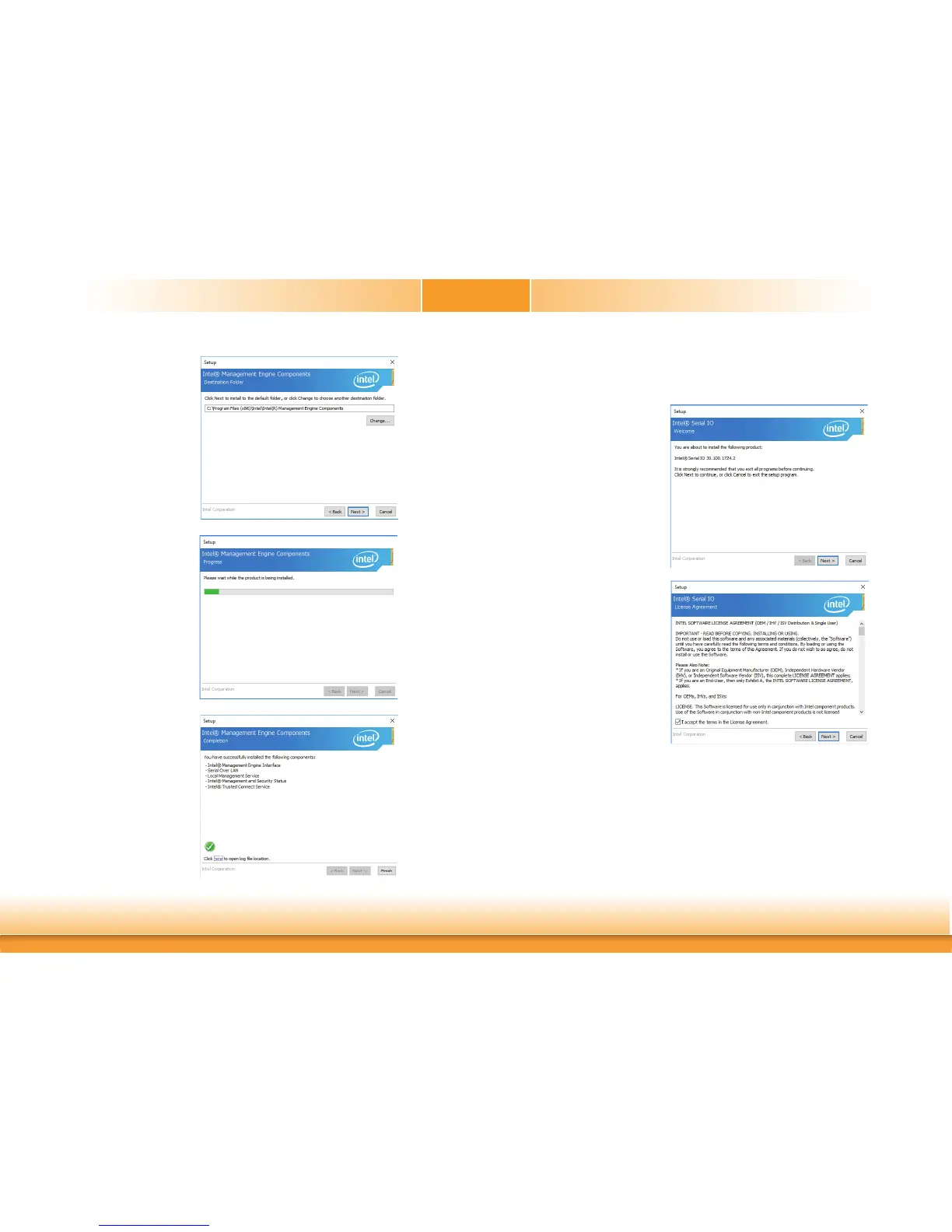
3. Click “Next” to install to
the default folder, or click
“Change” to choose another
destination folder.
4. Please wait while the prod-
uct is being installed.
5. After completing installa-
tion, click “Finish”.
SIO Driver
To install the driver, download “CS630 SIO Driver” zip file at our website.
1. Setup is ready to install the driver.
Click “Next”.
2. Read the license agreement care-
fully.
Tick “I accept the terms in the Li-
cense Agreement” then click “Next”.



 To Next Page