EasyManua.ls Logo

DFRobot YDLIDAR GS2 - Split Screen; Linux Ros Operation; Device Connection; Compile and Install Ydlidar-SDK

Default Icon
13 pages
Print Icon
To Next Page IconTo Next Page
To Previous Page IconTo Previous Page
Loading...
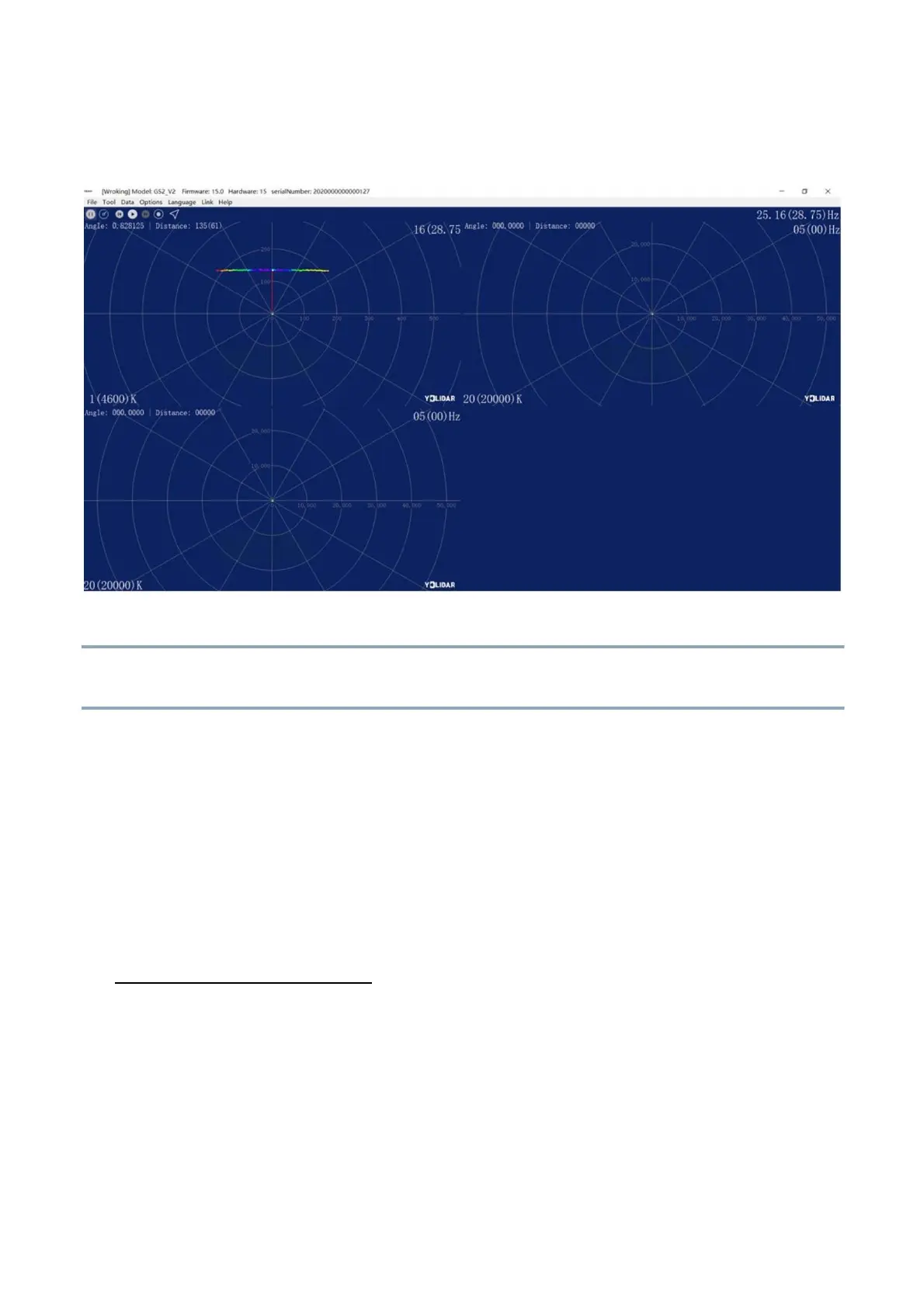
2.3.6Split Screen
Right-click the pop-up menu and select [Split Screen Display] to display up to 3 GS2
cascaded point cloud data.
SPLIT SCREEN DISPLAY
Note: For more functions of LidarViewer, please click [Help], select [More Information], and learn more about
how to use it.
3 LINUX ROS OPERATION
There are many Linux versionsthis article only uses Ubuntu 18.04, Melodic version ROS as
an example.
3.1 Device Connection
Under Linux, the GS2 and PC interconnect processes are consistent with those under Windows.
See Device Connection under Window.
3.2 Compile and Install YDlidar-SDK
3.2.1SDK compilation
In the SDK directory, run the following command to compile the project:
8 / 11