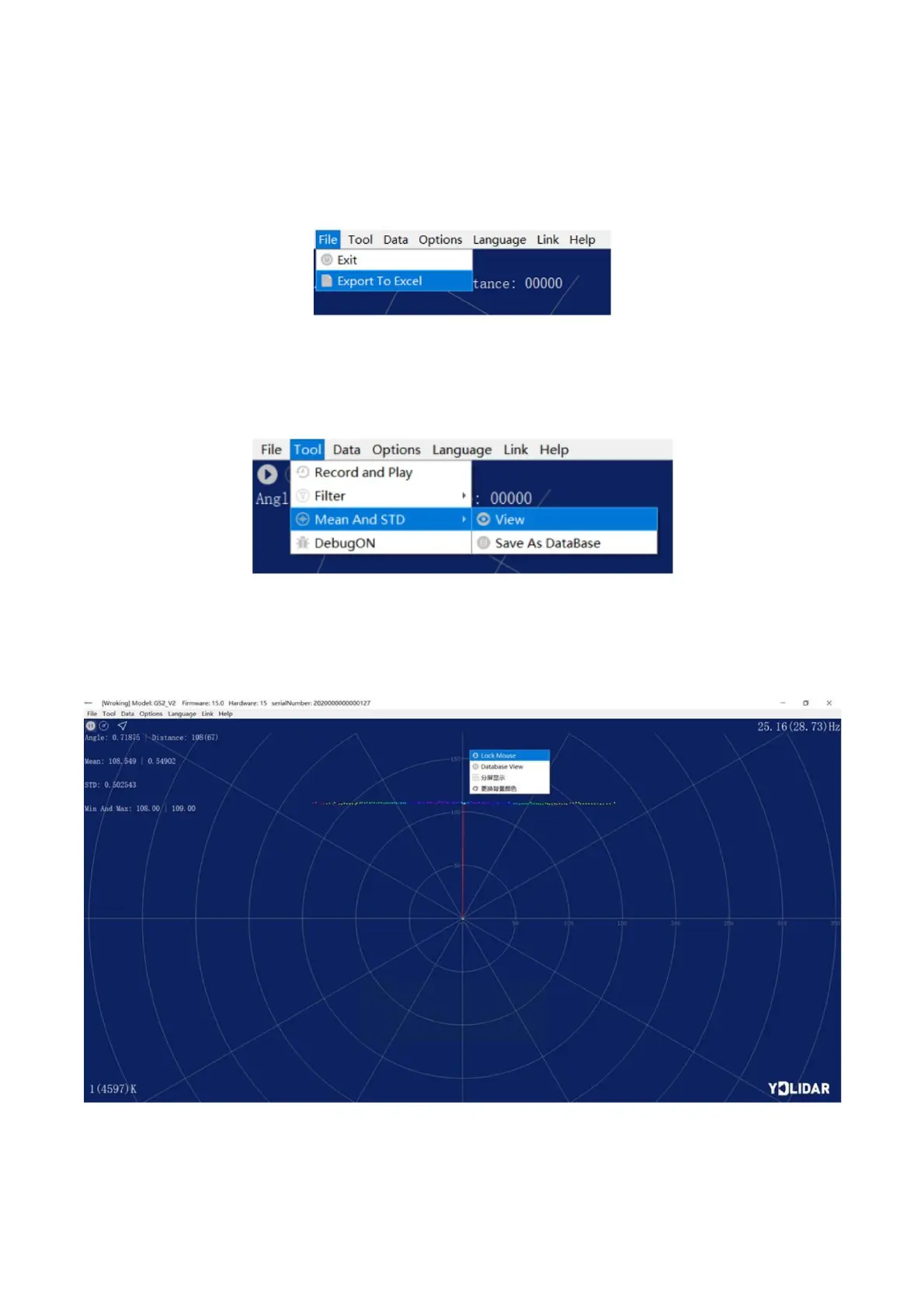
During lidar scanning, click [File] in the main menu, select [Export to Excel], and save point
cloud data according to the prompts. Then the system will save the point cloud information scanned
in a circle in Excel format.
2.3.3 Display Mean and Standard Deviation
Click [Tools] in the main menu, then select [Mean And STD] - [View].
GS2 DISPLAY MEAN AND STANDARD DEVIATION
Choose one according to needs, move the mouse to the test position, right-click the pop-up
menu, and select [Lock Mouse Tracking].
Click [Tools] in the main menu, then select [Record and Play].



 To Next Page