6
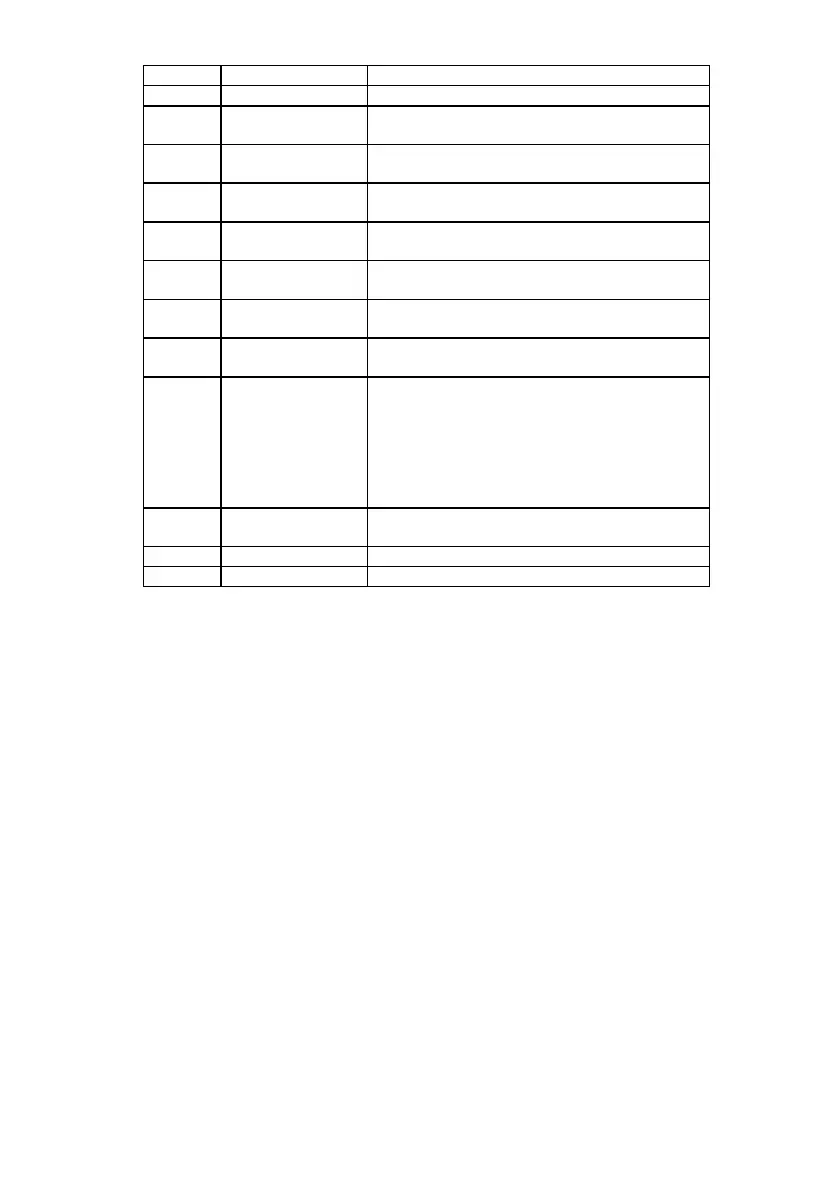
Option Name Settings
3 Rapid/Blitz (No extra settings)
5 1 Period +
Guillotine
1. Guillotine period for both players
7 2. Periods +
Guillotine
1. Second period for both players
2. Guillotine period for both players
9 Repeat second
period
1. Repeat periods for both players
14 FIDE Rapid 1. Added time per move (left-hand player)
2. Added time per move (right-hand player)
17 FIDE
Tournament
1. Second period for both players
2. Added time for both players
20 Bronstein 1. Free time per move (left-hand player)
2. Free time per move (right-hand player)
23 FischerRapid 1. Extra time per move (left-hand player)
2. Extra time per move (right-hand player)
25 Fischer
Tournament
1. Extra time per move for both players
2. Number of moves in the 1st period
3. Second period for both players
4. Number of moves in the 2nd period
5. Third period for both players
6. Number of moves in the 3rd period
7. Fourth period for both players
28 Go with byo-yomi 1. Byo-yomi time per move for both players
2. Number of byo-yomi periods
30 Hourglass (No extra settings)
32 Gong Elapsed time before gong sounds
10. Skipping manual settings or time changes
Sometimes you may begin to make a manual time setting, or begin to change
a time during a game, then change your mind. Simply press Start/Stop button
when the first digit is flashing.
11. Display symbols
In addition to the digits, the timer's display shows the following symbols:
BAT Indicates that the batteries must be changed.
Indicates that a point in the game has been reached when time-
per-move is added. This occurs in Bronstein and Fischer
options (from the start of the game) and in FIDE and byo-yomi
options (after a traditional starting period has elapsed).
— The interim flag; indicates that this player has first gone to the
next time period. Disappears after 5 minutes.
—
flashing
The ultimate flag; indicates a player who has run out of time.
: The colon indicates that the times displayed are in hours and
minutes (for instance 1:45).
. The period indicates that the times displayed are in minutes and
seconds (for instance 17.22).
12. Time display
For times over 20 minutes, the DGT 2000 displays hours and minutes. For
times under 20 minutes, the clock displays minutes and seconds.


 To Next Page