Menus (Cont.)
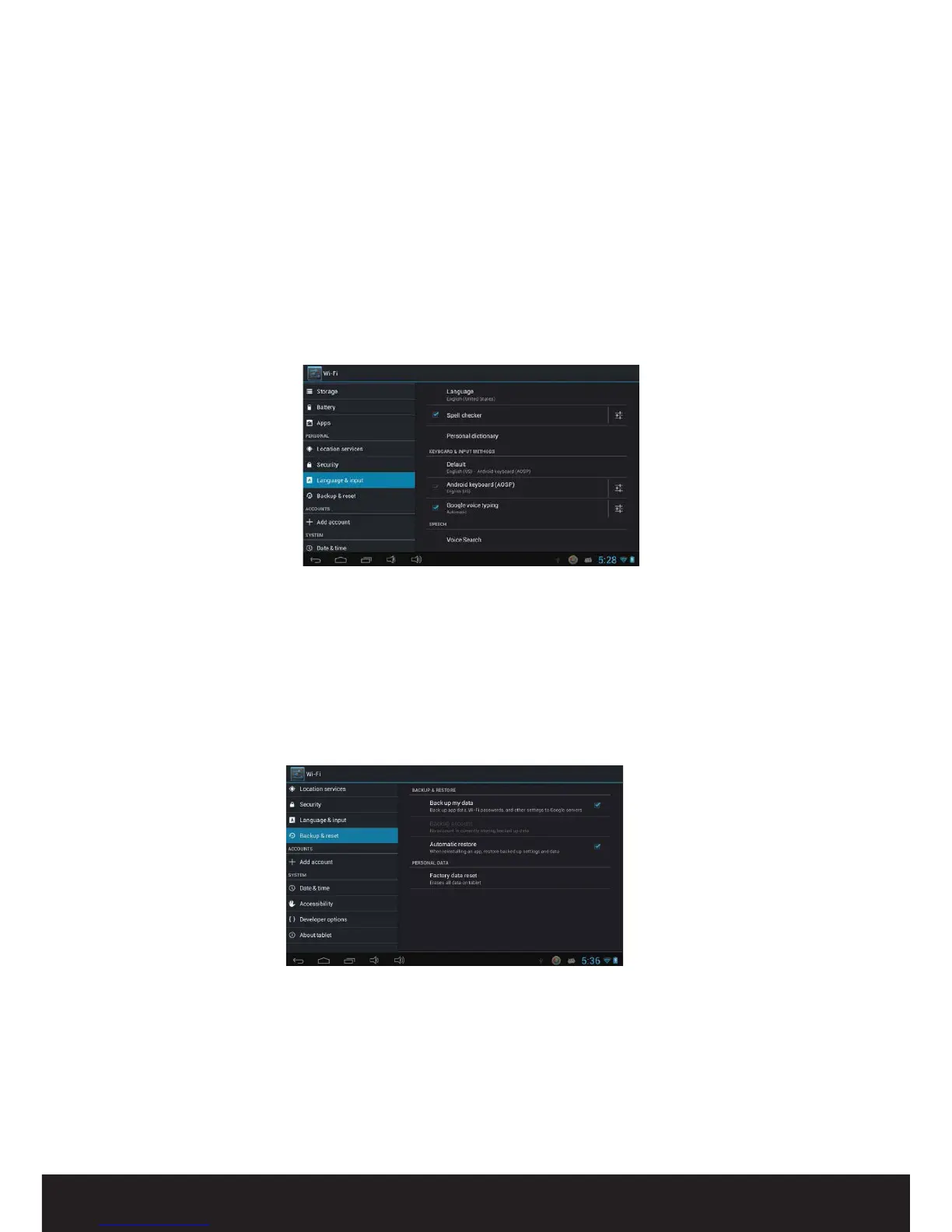
Language and input
In this area you can change the system language and change settings for the keyboard.
Unknown sources: Enable this if you wish to install applications (APK les) that are not
from the Play Store.
NOTE: If you forget the screen lock password, PIN or pattern, you must perform a rmware
reset on the device. Passwords cannot be recovered.
Backup and reset
When some applications or the device itself cannot work properly, you can use this
function to return the tablet to factory default settings (reset to factory settings). But
you will lose all user installed applications and data. It is therefore important that you
back up important data rst. (See pages 9-10 for more on resetting.)


 To Next Page