Using a Micro SD card
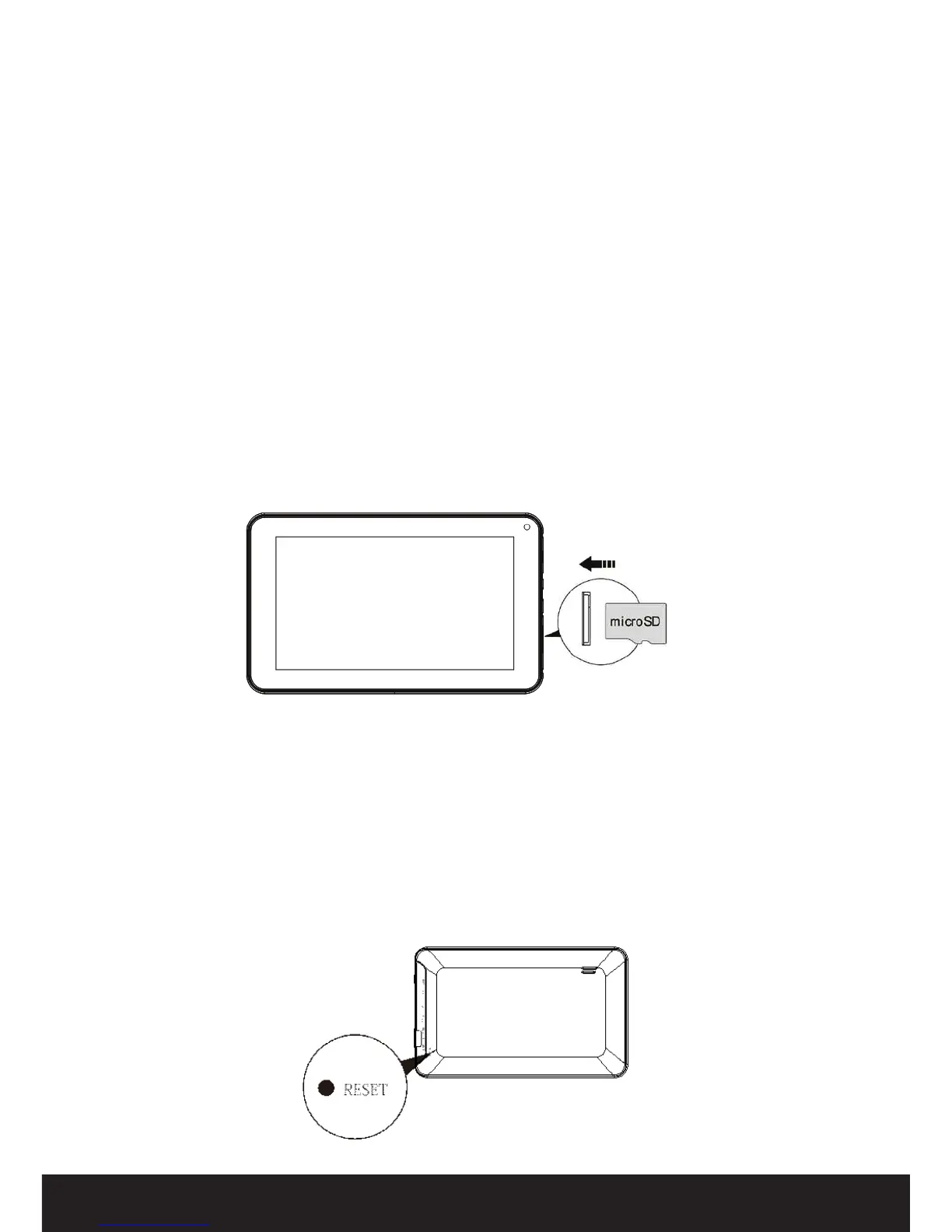
Inserting a Micro SD card
You may install a Micro SD card to expand your device’s storage space.
• Turn o the device by pressing and holding the power button.
• Insert the Micro SD card as shown.
NOTE: Ensure that the card is inserted all the way into the card slot. It will ‘click’ into
place.
Removing a Micro SD card
CAUTION: Before removing a Micro SD card, make sure your device is not accessing
data on the card. Press the SD card slightly and you should hear or feel a light
‘click. The SD card will now pop out automatically.
Resetting the device
You may have to perform a reset if your device fails to respond when buttons are pressed
or the screen is tapped. There are two ways to reset the device, the quick way using the
reset button (see below) or step by step (see page 10).
Reset option 1
If your device does not respond to screen input, reset it using a small thin object (such as a
paperclip) to press the recessed reset button.
Getting Started (Cont.)


 To Next Page