Version 1.8.0 - 16.06.2008
19
Configuration and Operation of an 52/XR MADI Router
Änderungen vorbehalten / Subject to change without notice.
7.1.1 Add Devices
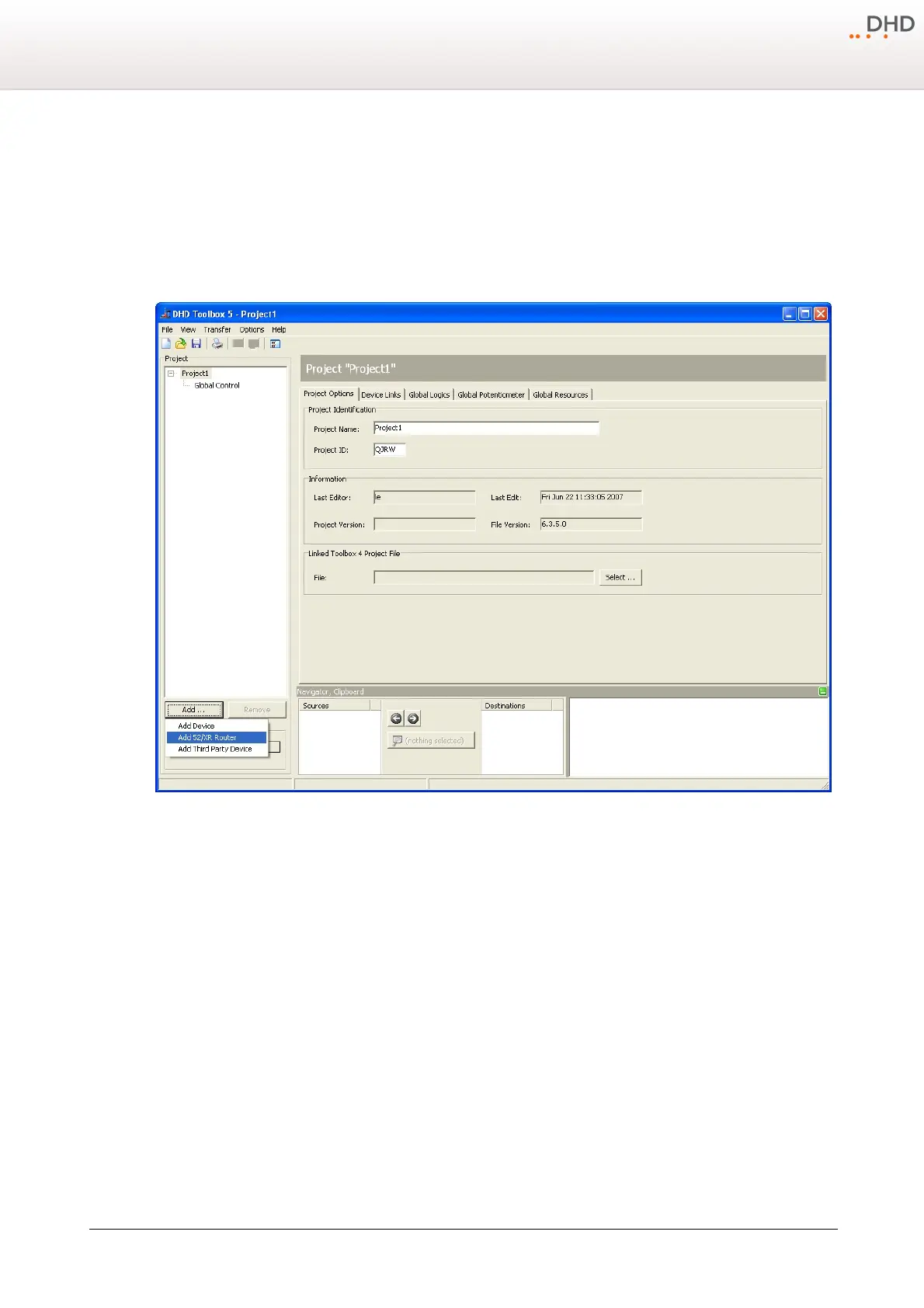
Below the project tree you can find the
Add...
button. A menu with devices - which can be added to the project -
appears after clicking this button. Choose the entry
Add 52/XR Router
from this menu to add an 52/XR routing device
to the project. Press
Remove
if you want to delete a device of the project tree.
Alternatively, you can reach this function via a context menu by right-click the project tree or the area around the project
tree.
Add a routing device.
Select a 3 HU Frame (52-6063) or a 6 HU Frame (52-6066) in the pull down menu
DSP Frame Type
.



 To Next Page