Version 1.8.0 - 16.06.2008
23
Configuration and Operation of an 52/XR MADI Router
Änderungen vorbehalten / Subject to change without notice.
7.1.4 Linked 52/MB at a MADI Port
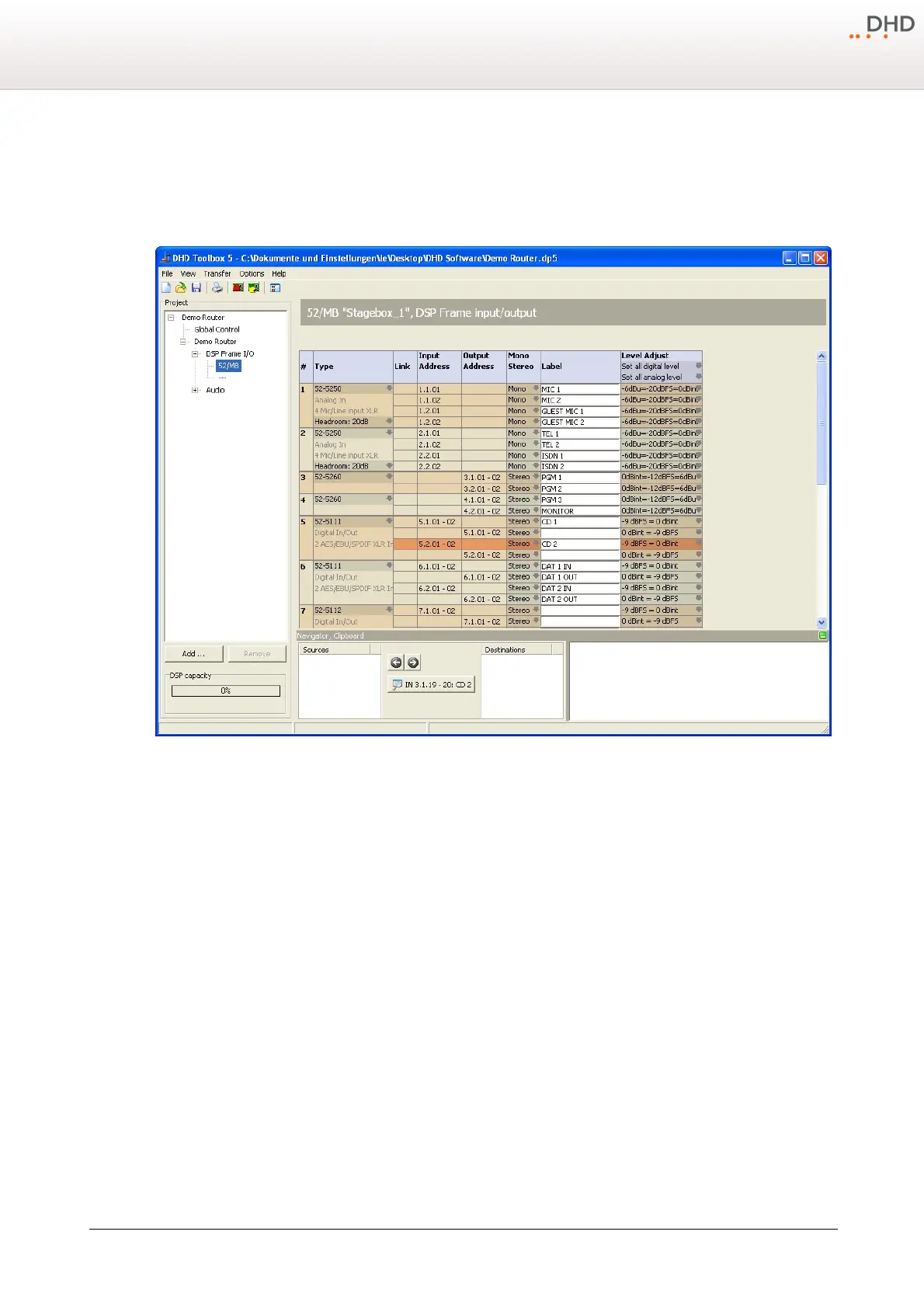
If a MADI port was linked to an 52/MB MADI Breakout System, you are able to define the layout of the connected 52/MB
device here. Basically, this part of the configuration is to make the whole configuration process easier. The 52/MB
hardware itself must not be configured.
I/O configuration of a linked 52/MB.
The following modules can be configured in an 52/MB frame:
· 52-5111 XLR Digital In/Out Module, 4ch.
· 52-5112 XLR Digital In/Out Module, 4ch.
· 52-5240 XLR Analog In/Out Module, 4ch.
· 52-5243 XLR Analog In/Out Module, 4ch.
· 52-5250 XLR 4 Mic/Line Module, isolated
· 52-5260 XLR 4 Line Out Module, isolated
The channels of the selected I/O modules can be configured to mono or stereo and you can set a label for each single
input and output here. Additionally, you can set a local level adjustment for each single input and output.
Moreover, you can adjust the headroom for the modules of the type 52-5250. Please note, that these settings influence
the internal reference level (
0 dBint
) you select in the
Level Adjust
column. If you change the headroom of an
52-5250 module and use the function
Set all analog level
afterwards, may be some misinterpretation will occur.
Therefore, check the values in the
Level Adjust
column of all 52-5250 modules and, if necessary, choose again the
wanted values for the single inputs and outputs to correct the settings.



 To Next Page