AGE Reader mu Marking on the
User Manual AGE Reader mu
25
11 Marking on the AGE Reader mu
Each device shall be accompanied by all information needed to safely install and
use the AGE Reader mu and to identify DiagnOptics as its manufacturer.
This information consists of:
1. Information on the labels, on the device.
2. Information and instructions, on packaging.
3. Information and instructions, in this user manual.
As far as practical and appropriate, the information needed to install the device
safely is set out on the labelling on the device itself and/or on the packaging for
each unit. Where possible, this information is presented in the form of symbols in
conformance with the harmonized standards.
The labelling on the device itself consists of:
1. Rear label: Identification of connector inlets, reset switch and charge
LED
2. Serial label: Serial number and contact information of the manufacturer
All necessary information for product identification, product
specification, installation, use and warnings.
3. Button label: Power button with symbol and information of power state.
4. Packaging label: Information of content and manufacturer
11.1 The rear label
The rear label is located at the back of the housing of the AGE Reader mu. This
label shows all necessary information for installation, use and applicable warnings.
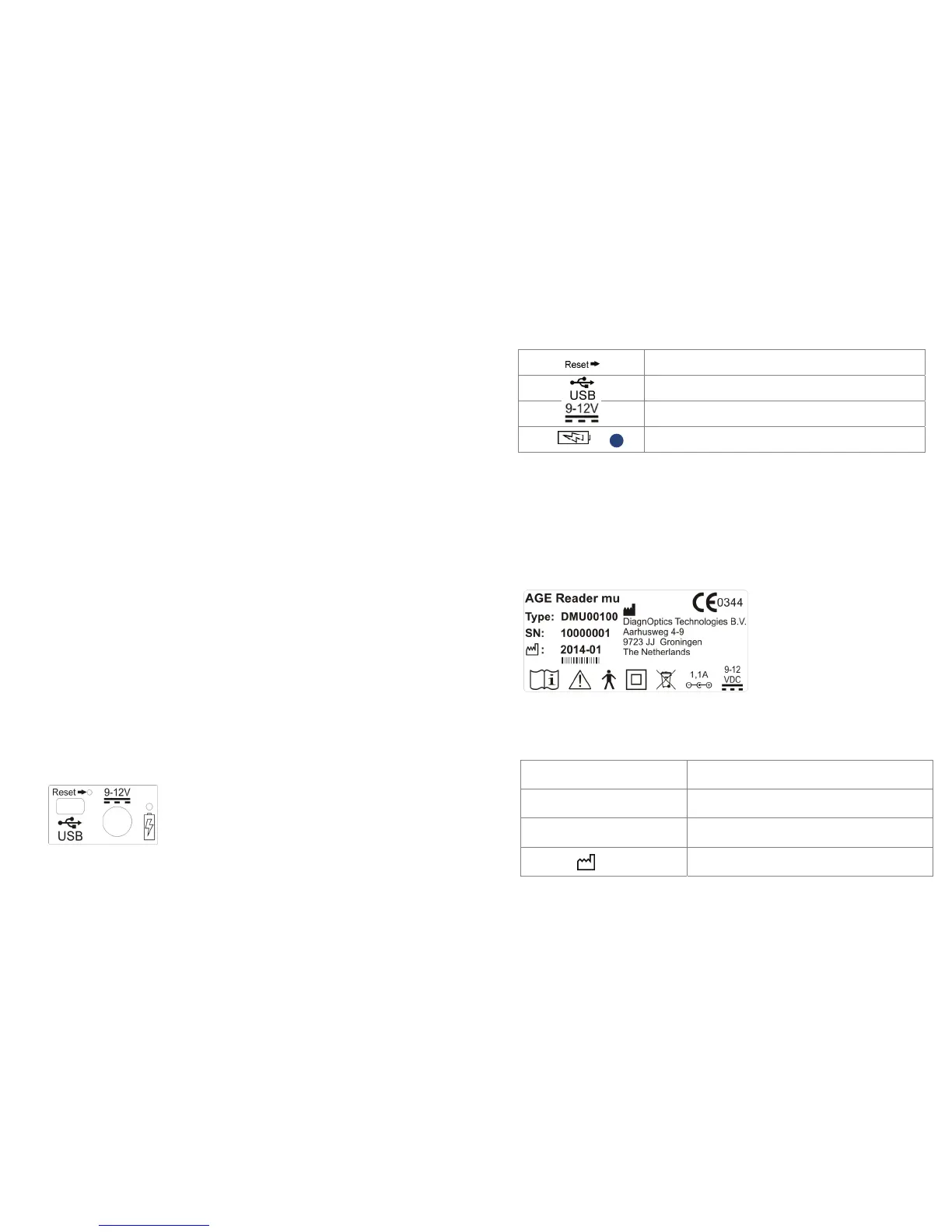
The rear label contains two connector inlets (figure 23), one inlet for the
accompanying power supply, one connector inlet for the USB connection and will
identifies them as such. A blue LED will light up when the battery is charging. A
reset switch is present to reset the device if necessary.
Figure 23. Rear label.
AGE Reader mu Marking on the
User Manual AGE Reader mu
26
Table 3. Used symbols on rear label
Identifies reset-switch
Identifies USB inlet
Identifies power supply inlet
Identifies battery charging indicator,
blue light means charging
11.2 The serial label
The serial label (figure 24) is located on the back of the front panel of the AGE
Reader mu. This label shows the serial number and contact information of the
manufacturer as well as all necessary information for product identification, product
specification, installation, use and warnings.
Figure 24. Serial label
Table 4. Used symbols on serial label
AGE Reader mu Identification of device, device name
Type: CFR00100 Type identification
SN: 100001 Serial number (NEN-EN 980).
2014-01
Date of manufacture; YYYY-MM (NEN-EN 980).


 To Next Page