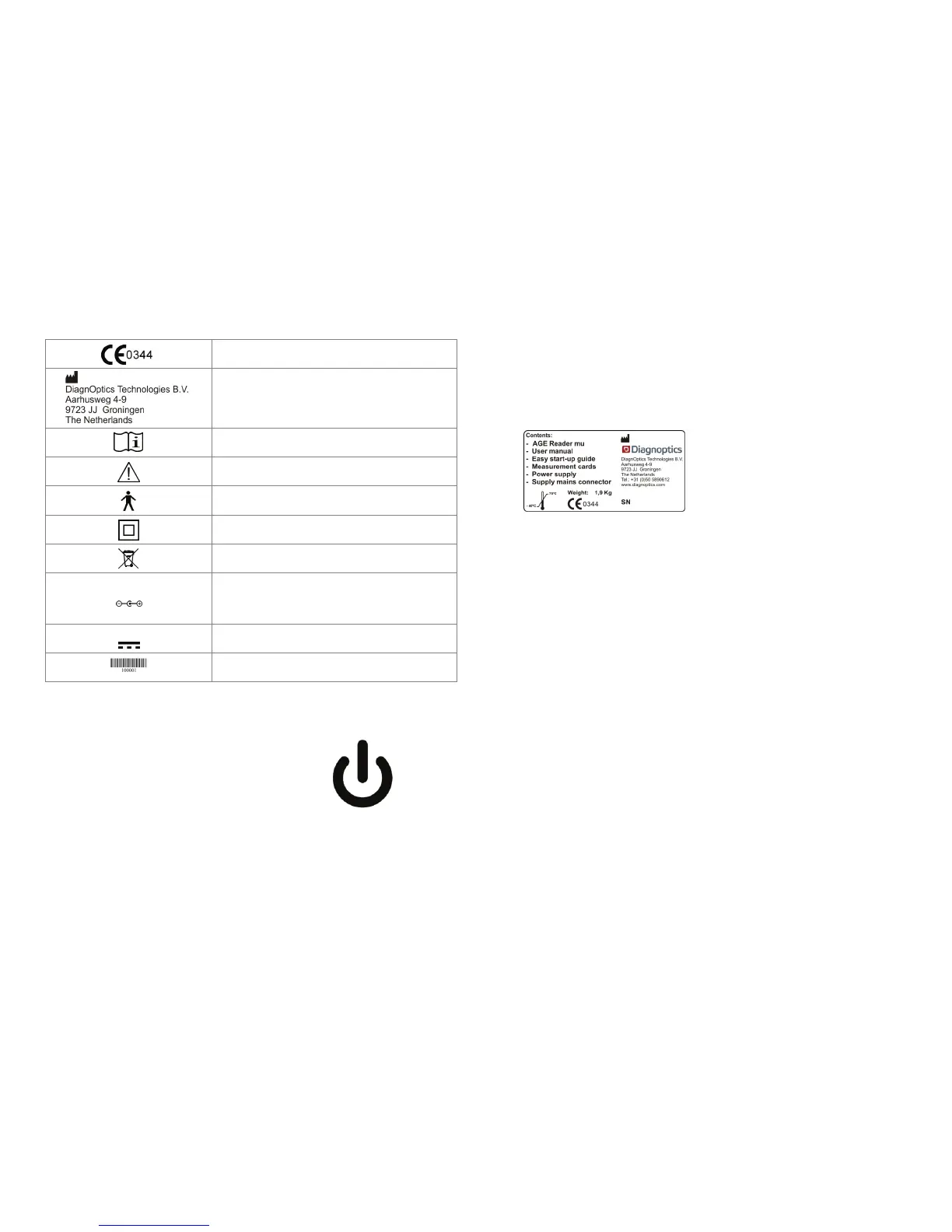
AGE Reader mu Marking on the
User Manual AGE Reader mu
27
11.3 Power button
The Power button is located at the front of the
AGE Reader mu and shows the symbol
“Stand-by condition” (figure 25).
The condition “ready for use” is indicated
by visual means; the symbol will light up green.
The conditions “device error”
will be indicated by visual means, the symbol
will light up by an red flashing indicator light.
CE-Mark & Notified body number (6 mm high)
Identifies DiagnOptics Technologies B.V. as its
manufacturer with name and contact information.
( NEN-EN 980)
Read Instructions for use (ISO 7000-1641)
Caution, read instruction for use for specific warnings (ISO
7
Type B applied part (IEC 60417-5840)
Class II equipment ( IEC60417-5172)
Indicating separate collection for electronic equipment
Polarity symbol, indicates that the centre (tip) of the power
plug is Positive (+) and the barrel of the power plug is
Negative (-).
Direct current symbol (IEC60417-5031)
Barcode for production purposes.
Figure 25. Stand-by symbol
AGE Reader mu Marking on the
User Manual AGE Reader mu
28
11.4 Packaging label
Each AGE Reader mu together with a user manual and power supply will be
packed in protective packaging right after production. This packaging should be
used for storage and shipment.
All packaging materials can be recycled if disposed of separately.
All following information is put on each package by the label as in figure 26:
DiagnOptics logo & address
Serial number
Content
Weight
Environmental conditions for transport
Figure 26. Packaging label


 To Next Page