14
The wires in this mains lead are coloured in accordance with the following code:
Green/Yellow: Earth, Blue: Neutral, Brown: Live.
The main electrical connections must be done by skilled electricians.
Start-up of the cabinet
Before use, we recommend that the cabinet is cleaned, see the section on maintenance and cleaning.
Important !
If the cabinet has been vertically placed during transport, please wait 2 hours before starting up the
cabinet.
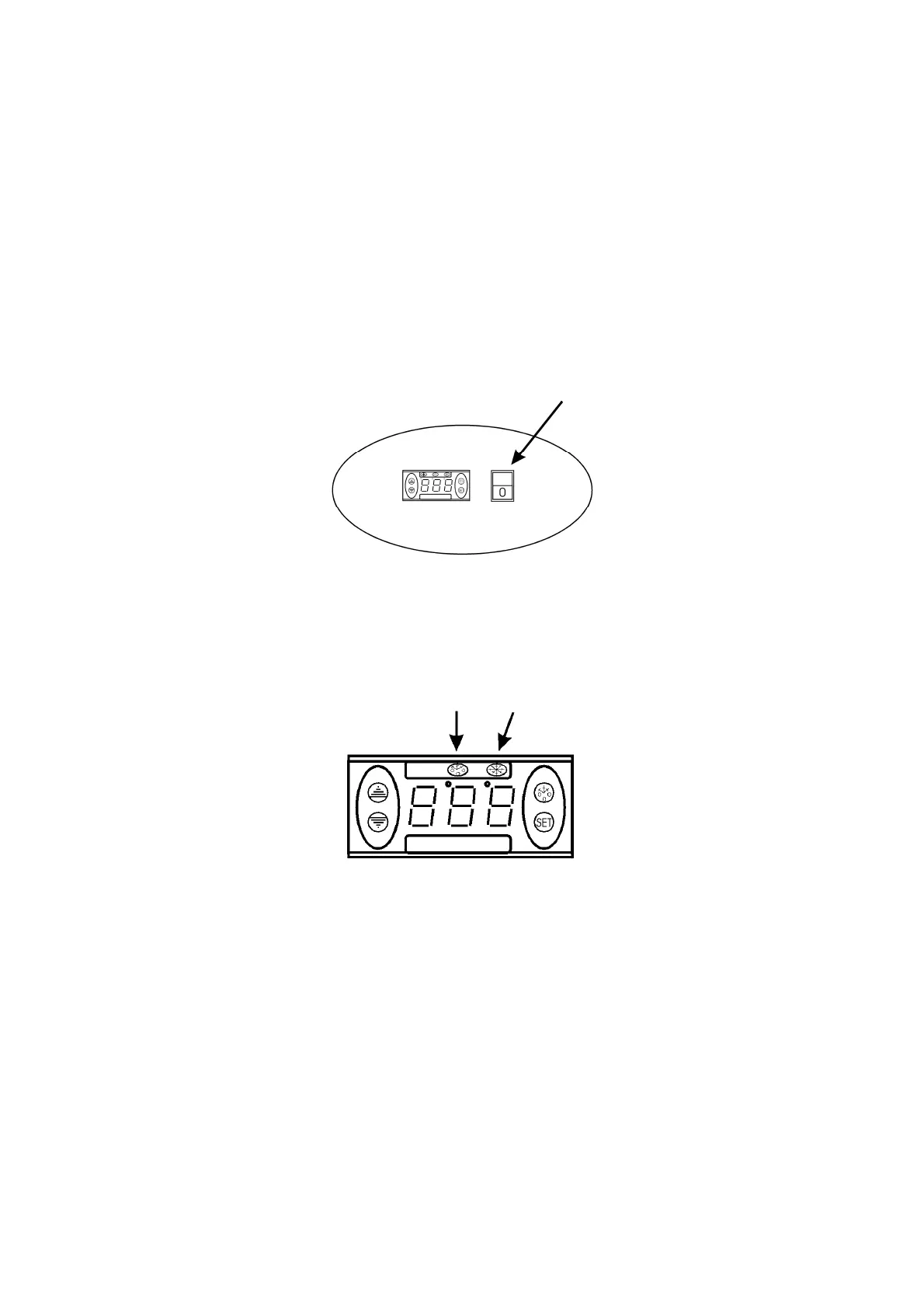
Connect the cabinet to a socket and turn on the switch on the control panel, see fig. 1.9.
Fig. 1.9
Thermostat
The thermostat is placed in the control panel, see fig. 2.0.
Fig. 2.0
DP2 DP1
The thermostat has been pre-set and in most cases it is not necessary to adjust the settings.
When turning on the cabinet the display will show the current temperature in the cabinet.
Indications LED’s:
DP1: Flashing, indicates that a parameter is being changed
Switched on, indicates that the compressor is activated
DP2: Switched on, indicates that defrosting is activated.




 To Next Page