13
地贝清洁 时尚便捷
3、
Product Operation
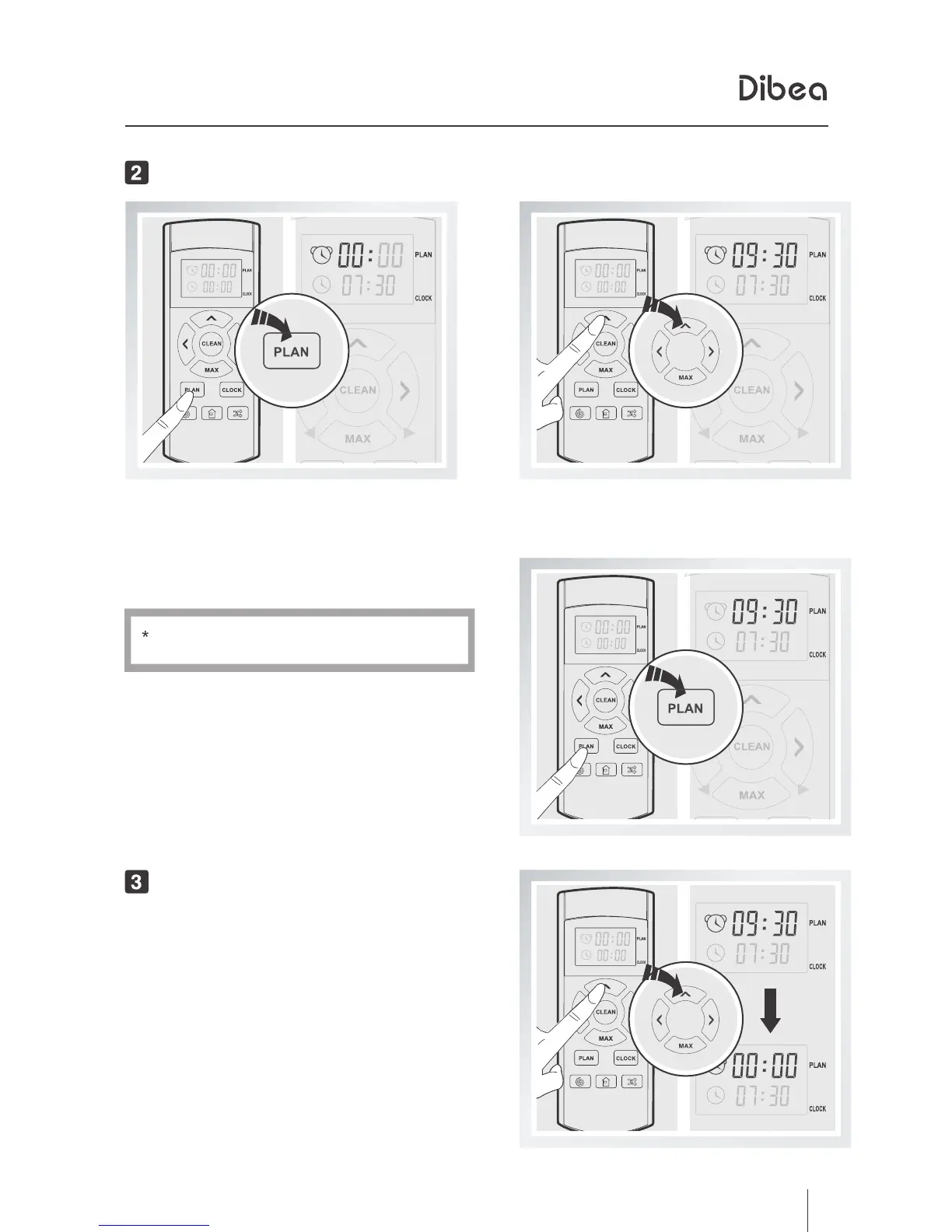
Scheduling
Short press the PLAN button,
the left 00
of 00:00 will flash.
Set the certain time, press the PLAN button
to save the settings.
If you don't press PLAN, settings won't
Change the time by pressing directial buttons.
Cancel scheduling
Set the scheduling time as 00:00, and
the scheduling will be cancelled.
be saved.



 To Next Page