12
地贝清洁 时尚便捷
3、
Product Operation
Scheduling setting
Make sure the robot is not in standby or sleeping mode. If yes, press the
ClEAN button to wake it up first. Then, you can set the scheduling time.
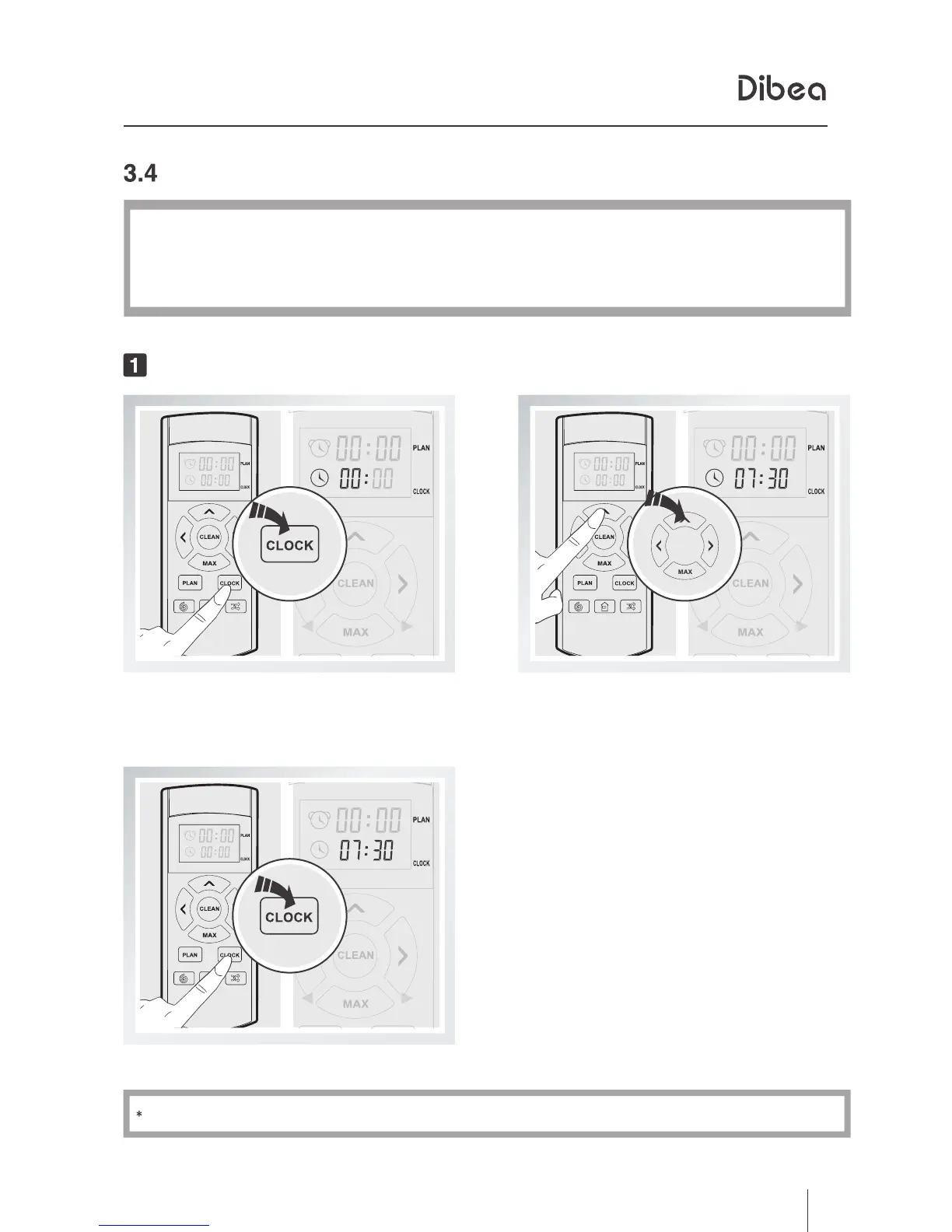
Set the clock time
Short press the PLAN button,
the left 00
of 00:00 will flash.
Change between hour an minute
by pressing the directional buttons.
If you don't press PLAN, settings won't be saved.
Press the PLAN to save the settings.



 To Next Page