OPERATOR’S MANUAL
PM100/PM100E Planter Monitor
11001-1426-200612
SYSTEM OPERATION 7
SYSTEM OPERATION
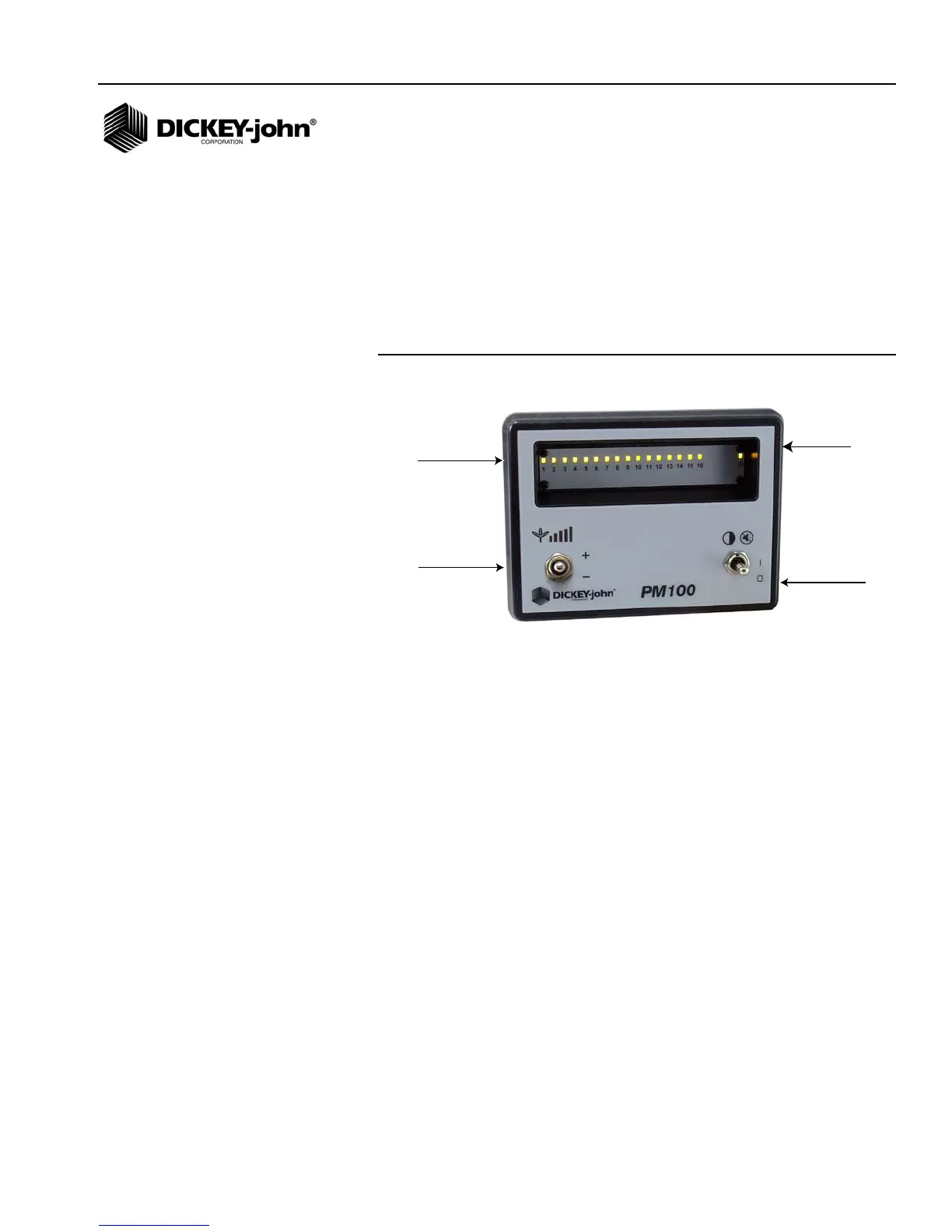
DISPLAY PANEL
The monitor can be set in monitor mode or alarm mode. In monitor mode,
the row indicator lamps will blink each time a seed is detected with a
maximum of 20 seeds per second. In alarm mode, the row light will only
illuminate when a row failure is detected.
Figure 5
Display Panel
POWER SEQUENCE
The Power Switch has three positions:
• Down - move the switch down to turn off monitor power.
• Center - move the switch to the center position to turn monitor power
on.
• Up - push the switch up to the momentary position to silence the alarm
or to change the mode during power up.
The +/- switch is used to set the minimum seeding rate settings.
INITIAL STARTUP
Move the I-O (power) switch to the center position to turn on the monitor. An
indicator lamp in the right hand corner will illuminate while power is on.
At power up, the monitor does a display test by illuminating all row indicator
lamps. The alarm will output a single chirp during the display test. The row
indicator lamps will then be off until planting begins.
The monitor automatically detects which sensors are connected. If a sensor
is disconnected, the row indicator lamp corresponding to that row will not
illuminate.
To disable a row from being monitored, turn the monitor off by moving the
power switch down. Unplug the sensor at the row unit. Turn the monitor
back on and the row indicator lamp will be disabled.
Power/
Alarm Cancel
Switch
Row
Indicators
Minimum seeding
rate settings
Power
Indicator
Lamp


 To Next Page