Page | 14
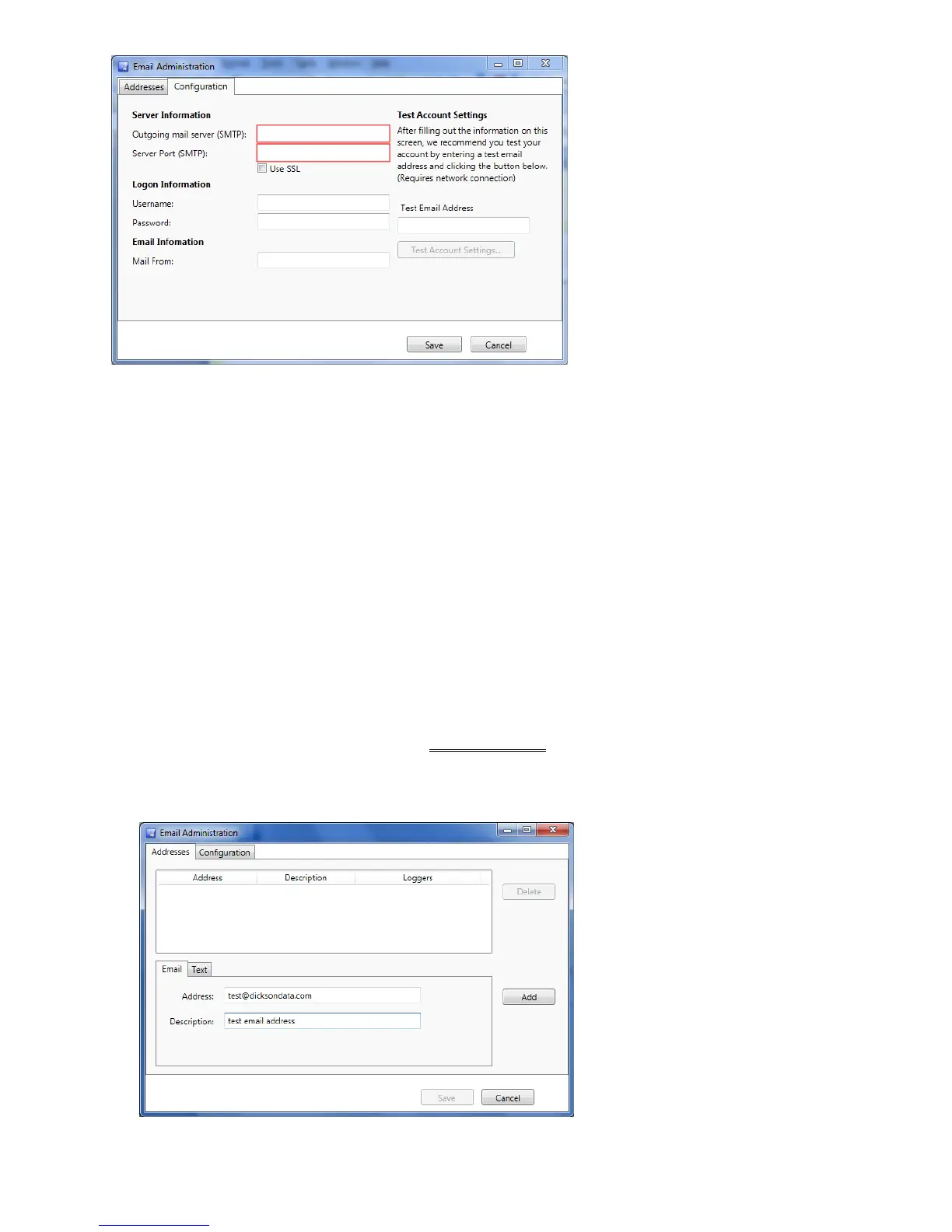
b. Server Information
o Outgoing Mail Server (SMTP): SMTP server IP address or DNS name
o Server Port (SMTP): Port address for SMTP server
o Use SSL: Security Credentials Required (will require login information)
c. Login Information
o Username: If credentials are required, this is the username to use to log in.
o Password: If credentials are required, enter password
d. Email Information: Email address of text name used to populate the From field in the alarm
emails that are sent – user customizable.
e. Test Email Address:
o Enter an email address to which you want to send an alarm notification.
o Test Account Settings will enable. Click Test Account Settings to send a test email.
You will be notified if the email was sent successfully.
o Test more than one email address to ensure that emails are getting through to
multiple locations.
f. Once complete, click Save and Reboot the PC.
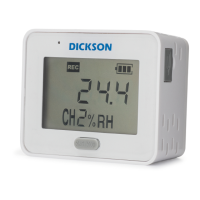
g. You can now enter your email/text address.
2. Click on the Addresses tab to enter email/text addresses



 To Next Page