Page | 15
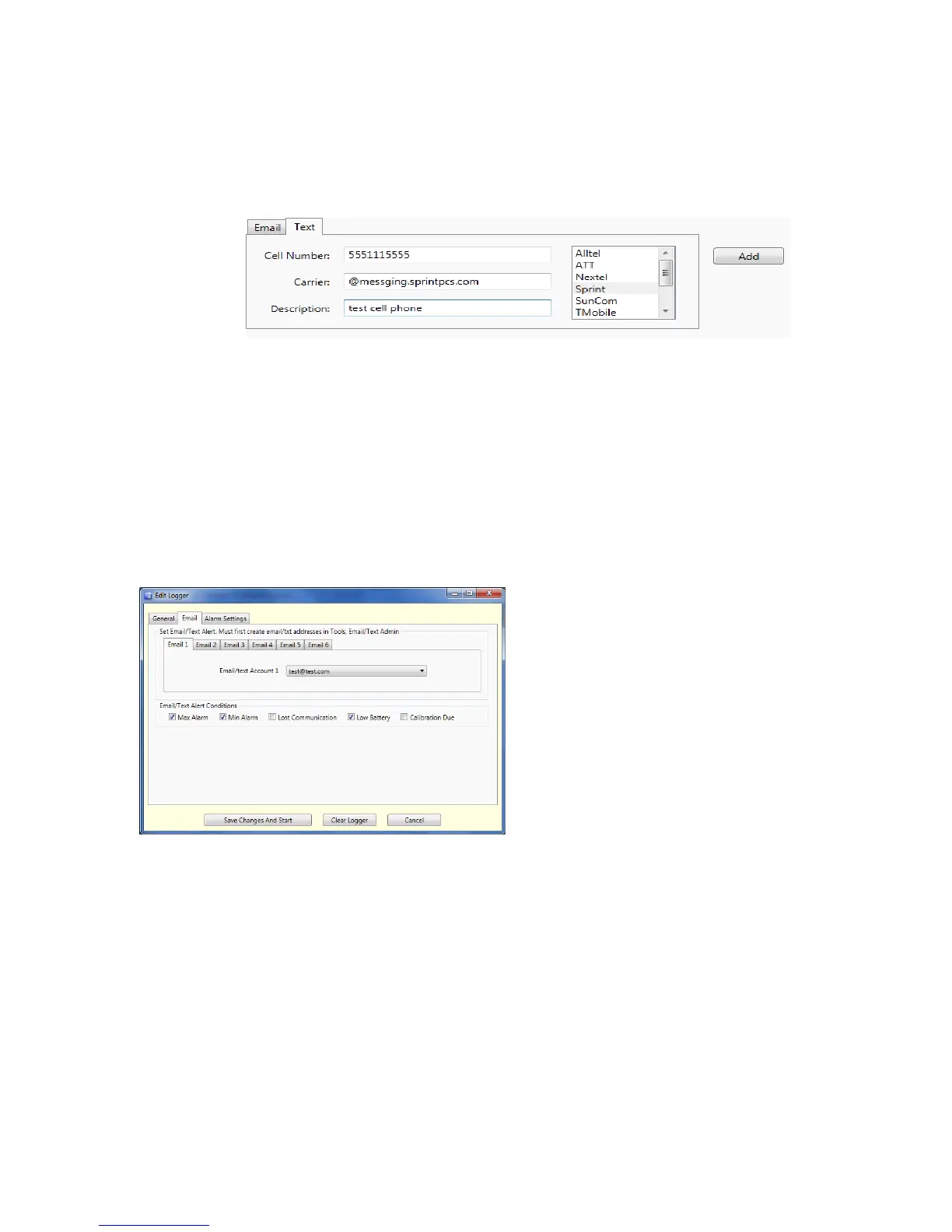
a. Select the tab Email or Text depending on the type of address you are entering.
o Email tab
1. Enter the full address as shown above
2. Enter a description for the address
3. Click Add
4. The address will be added to the list box above
o Text tab
1. Enter the cell phone number (no –, / or .’s)
2. Select a carrier from the list to the right. If your carrier is not listed, check
your phone or contact your carrier for the proper configuration values
(typically the part after the “@” symbol).
3. Enter a description for the address
4. Click Add
5. The address will be address to the list box above
6. Enter all email/text address that you plan to assign to each logger
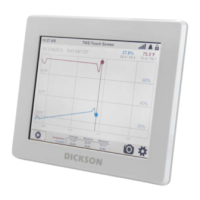
3. Assign email/text addresses to each logger:
a. From the main Loggers tab right click on a logger to open the edit window.
b. Select the Email tab
i. All entered email addresses will appear in the Email/text Account 1 box.
ii. Select an address the click on Email 2 to select a second address. Up to 6 email/text
addresses can be assigned to each logger.
iii. The Email/Text Alert Conditions boxes must be checked in order to receive
notification of that particular alarm condition. The Conditions apply to all email/text
addresses selected for that logger.
iv. Click on Save Changes and Start to save.


 To Next Page