EasyManua.ls Logo

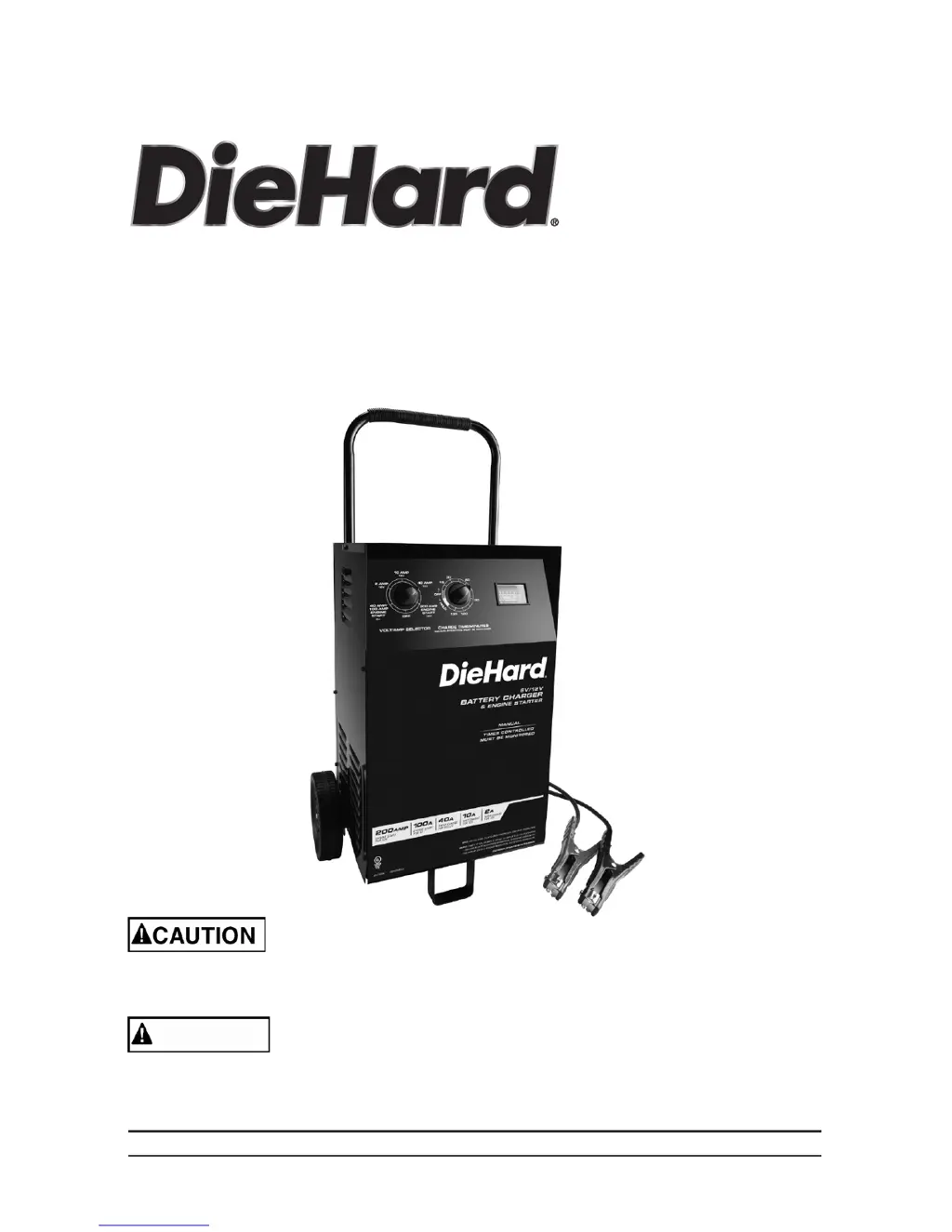
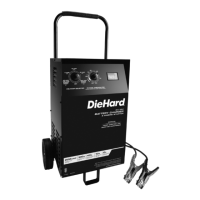
DieHard DH-200M - User Manual

DieHard DH-200M
36 pages
Print Icon
To Next Page IconTo Next Page
Loading...
00-99-001058/00




Read all Safety Rules and Operating Instructions,
and follow them with each use of this product.
ATENCIÓN
Lea todas las Instrucciones de Operación y Reglas de Seguridad,
así mismo aplíquelas a cada uso del producto.

Questions and Answers

  • J
    Jamie HoltJul 26, 2025
    What to do if my DieHard DH-200M Battery Charger is connected but not charging?
    • J
      Jay GibsonJul 26, 2025
      If your DieHard Battery Charger is on but not charging the battery, it's likely due to poor clip connections. Ensure that the connections to the battery and frame are secure and clean. Try rocking the clips back and forth to improve the connection.
  • S
    shieldsericJul 30, 2025
    What to do if my DieHard DH-200M Battery Charger is making a clicking sound?
    • D
      dtuckerJul 31, 2025
      If your DieHard Battery Charger is making a clicking sound, the circuit breaker might be cycling because the current draw is too high, or the battery may be defective, or the connections may be reversed. Here's what you can do: * Check the charger settings to ensure they are correct. * Have the battery checked. * Inspect the cables and clips for shorts, replacing them if necessary. * Allow charging to continue, as the battery may recover from its run-down state. However, if the clicking persists for more than 20 minutes, discontinue charging and have the battery checked. * Turn off the charger and correct the lead connections.
  • T
    Timothy Kaiser IIAug 3, 2025
    What to do if my DieHard Battery Charger ammeter reading stays high?
    • M
      Monica ClarkAug 4, 2025
      If the ammeter reading on your DieHard Battery Charger remains high, it could be due to the battery being severely discharged or using the wrong battery voltage. Continue charging the battery for an additional two hours. If the issue persists, have the battery inspected. Also, make sure that the voltage settings or output ratings on the charger are appropriate.
  • K
    Kenneth BellAug 8, 2025
    Why DieHard DH-200M Battery Charger won't turn on when connected?
    • S
      Samuel CampbellAug 8, 2025
      If your DieHard Battery Charger won't turn on even when properly connected, check the A.C. outlet for an open fuse or circuit breaker. Also, verify that the power cord and any extension cords are securely plugged in.
  • J
    Jennifer HoffmanAug 17, 2025
    How to troubleshoot no ammeter reading on DieHard Battery Charger?
    • C
      Crystal AdamsAug 17, 2025
      If there's no reading on the ammeter of your DieHard Battery Charger, ensure the charger is plugged into a working A.C. outlet and check for any blown fuses or tripped circuit breakers supplying the outlet. Also, inspect the connections to the battery and frame for any looseness or corrosion, clean them if necessary, and try rocking the clips back and forth to establish a better connection. Unplug the charger and reverse the clips. Have the battery checked. Note that the ammeter may not show any activity at the 2A charge rate.
  • L
    Laurie HartAug 20, 2025
    What to do if DieHard DH-200M ammeter reads less than selected charge rate?
    • J
      Jake LopezAug 21, 2025
      If the ammeter on your DieHard Battery Charger reads less than the selected charge rate when charging a discharged battery, the extension cord might be too long or have too small of a wire gauge. It could also indicate a weak cell or sulfated plate in the battery, or that the battery is only partially discharged. Try using a shorter or heavier gauge extension cord. If the battery is sulfated, it may eventually take a normal charge if left connected. If the battery doesn't charge, have it checked. Continue charging the battery.
  • R
    Russell PalmerNov 11, 2025
    Why does my DieHard DH-200M have a short start cycle?
    • S
      Shelley FranklinNov 11, 2025
      A short or no-start cycle when cranking the engine with your DieHard Battery Charger can occur for several reasons. You might be drawing more current than the engine start rate allows, or you may not be waiting the required 4 minutes between cranks. Poor clip connections, loose AC or extension cords, lack of power at the receptacle, charger overheating, or a severely discharged battery can also cause this. To resolve this: * Keep in mind that crank time varies with current draw. If the current draw exceeds the engine start rate, the crank time will be less than 5 seconds. * Allow 4 minutes of rest time between cranking attempts. * Check the battery and frame connections for any looseness. * Ensure that the power cord and extension cord are securely plugged in. * Check the A.C. ...

Summary

Important Safety Instructions

Electric Shock and Fire Hazards

Details risks of electric shock, fire, and necessary precautions for safe operation.

Explosive Gas Hazards

Addresses hazards related to explosive gases generated by batteries and necessary safety measures.

Personal Precautions

Battery Handling Safety

Covers personal safety, including avoiding sparks, metal items, and handling battery acid.

Preparing to Charge

DC Connection Precautions

Vehicle Battery Connection

Connecting Battery in Vehicle

Detailed steps for connecting the charger to a battery installed in a vehicle, including polarity and grounding.

Outside Vehicle Battery Connection

Grounding and AC Power Connections

Features and Control Panel

Operating Instructions

Engine Start Feature Usage

Guidance on using the engine start function for jump-starting a vehicle, including safety warnings.

Troubleshooting

Ammeter Reading Issues

Troubleshooting common problems related to the ammeter not showing readings or staying high.

Charger Operation Anomalies

Solutions for issues like clicking sounds, buzzing, or problems with the engine start cycle.

Power and Charging Problems

Addresses issues like the charger not turning on, not charging, or low measured current.

Before Returning for Repairs

DieHard DH-200M Specifications

General IconGeneral
BrandDieHard
ModelDH-200M
CategoryBattery Charger
LanguageEnglish

Related product manuals