EasyManua.ls Logo

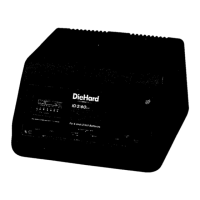
DieHard DH6L - User Manual

DieHard DH6L
20 pages
Print Icon
To Next Page IconTo Next Page
Loading...
0099001686-01
Model / Modelo:
DH6L
OPERATOR’S MANUAL / MANUAL DEL USUARIO
12V Battery Charger
Cargador de baterías 12V
CAUTION:
Read and follow all safety
rules and operating instructions
before every use of this product.
SAVE THESE INSTRUCTIONS.
ATENCIÓN:
Lea y siga todas las reglas
de seguridad e instrucciones de uso
antes de cada uso de este producto.
GUARDE ESTAS INSTRUCCIONES.
Question and Answer IconNeed help?

Do you have a question about the DieHard DH6L and is the answer not in the manual?

Summary

DieHard Limited Warranty

Important Safety Instructions

Risk of Explosive Gases

Specific warning about explosive gases generated by lead-acid batteries during operation.

Personal Safety Precautions

Battery Type and Condition Restrictions

Specifies allowed battery types (12V lead-acid, LiFePO4) and warns against charging frozen batteries.

Preparing to Charge

Battery Preparation Steps

Details steps like ventilation, cleaning terminals, checking voltage, and adding distilled water.

Charger Location

Optimal Placement Guidelines

Advises on positioning the charger away from the battery and ensuring proper ventilation.

DC Connection Precautions

Safe Connection and Disconnection Procedures

Outlines precautions for connecting and disconnecting DC output clips, emphasizing switch positions.

Follow These Steps When Battery is Installed in Vehicle

Connecting Battery in Vehicle

Detailed steps for connecting the charger to a battery installed in a vehicle, including polarity and grounding.

Follow These Steps When Battery is Outside Vehicle

Connecting Battery Outside Vehicle

Step-by-step guide for connecting the charger to a battery removed from a vehicle, emphasizing safety.

Grounding and AC Power Cord Connections

AC Power Cord and Grounding Requirements

Details the requirements for the AC power cord, grounding, and safety warnings about alterations.

Using an Extension Cord

Assembly Instructions

Features

Control Panel

Digital Display and LED Indicator

Explains the digital display's status indications and the function of the LED indicators.

Battery Type Button

Describes the button used to select the battery type for charging.

Operating Instructions

Charging a Battery in the Vehicle

Step-by-step guide for charging a battery while it is installed in a vehicle.

Charging a Battery Outside of the Vehicle

Instructions for charging a battery that has been removed from the vehicle.

Quick-Connect Cable Connectors

Battery Clamp Quick-Connect

Procedure for using the quick-connect system for battery clamps.

Ring Terminal Quick-Connect

Details on permanently attaching ring connectors for easy battery connection.

12 V Accessory Plug Quick-Connect

Guide for charging or maintaining a battery using the 12V accessory outlet.

Battery Charging Times

Automatic Charging Mode

Battery Connection Indicator

Information on how the charger indicates battery connection status and errors.

Charge Completion and Maintain Mode

Describes the transition to maintain mode and conditions for aborted charges.

Maintaining a Battery

Explains the battery maintenance function and its limitations.

Aborted Charge

Details reasons for charging abortion and how to reset the charger.

Display Messages

Maintenance and Care

Troubleshooting

Charger Not Sparking

Addresses the issue of battery clamps not sparking due to the auto-start feature.

Charger Not Turning On

Troubleshooting steps for when the charger fails to power on.

Green LED Solid, ANALYZING BATTERY

Explains the normal state when the charger is analyzing the battery's condition.

Flashing Green LED, CHARGE ABORTED-BAD BATTERY

Troubleshooting for aborted charges due to battery issues or incorrect charging.

Display Shows CONNECT CLAMPS

Guidance for when the display indicates that clamps need to be connected.

Before Returning for Repairs

Summary

DieHard Limited Warranty

Important Safety Instructions

Risk of Explosive Gases

Specific warning about explosive gases generated by lead-acid batteries during operation.

Personal Safety Precautions

Battery Type and Condition Restrictions

Specifies allowed battery types (12V lead-acid, LiFePO4) and warns against charging frozen batteries.

Preparing to Charge

Battery Preparation Steps

Details steps like ventilation, cleaning terminals, checking voltage, and adding distilled water.

Charger Location

Optimal Placement Guidelines

Advises on positioning the charger away from the battery and ensuring proper ventilation.

DC Connection Precautions

Safe Connection and Disconnection Procedures

Outlines precautions for connecting and disconnecting DC output clips, emphasizing switch positions.

Follow These Steps When Battery is Installed in Vehicle

Connecting Battery in Vehicle

Detailed steps for connecting the charger to a battery installed in a vehicle, including polarity and grounding.

Follow These Steps When Battery is Outside Vehicle

Connecting Battery Outside Vehicle

Step-by-step guide for connecting the charger to a battery removed from a vehicle, emphasizing safety.

Grounding and AC Power Cord Connections

AC Power Cord and Grounding Requirements

Details the requirements for the AC power cord, grounding, and safety warnings about alterations.

Using an Extension Cord

Assembly Instructions

Features

Control Panel

Digital Display and LED Indicator

Explains the digital display's status indications and the function of the LED indicators.

Battery Type Button

Describes the button used to select the battery type for charging.

Operating Instructions

Charging a Battery in the Vehicle

Step-by-step guide for charging a battery while it is installed in a vehicle.

Charging a Battery Outside of the Vehicle

Instructions for charging a battery that has been removed from the vehicle.

Quick-Connect Cable Connectors

Battery Clamp Quick-Connect

Procedure for using the quick-connect system for battery clamps.

Ring Terminal Quick-Connect

Details on permanently attaching ring connectors for easy battery connection.

12 V Accessory Plug Quick-Connect

Guide for charging or maintaining a battery using the 12V accessory outlet.

Battery Charging Times

Automatic Charging Mode

Battery Connection Indicator

Information on how the charger indicates battery connection status and errors.

Charge Completion and Maintain Mode

Describes the transition to maintain mode and conditions for aborted charges.

Maintaining a Battery

Explains the battery maintenance function and its limitations.

Aborted Charge

Details reasons for charging abortion and how to reset the charger.

Display Messages

Maintenance and Care

Troubleshooting

Charger Not Sparking

Addresses the issue of battery clamps not sparking due to the auto-start feature.

Charger Not Turning On

Troubleshooting steps for when the charger fails to power on.

Green LED Solid, ANALYZING BATTERY

Explains the normal state when the charger is analyzing the battery's condition.

Flashing Green LED, CHARGE ABORTED-BAD BATTERY

Troubleshooting for aborted charges due to battery issues or incorrect charging.

Display Shows CONNECT CLAMPS

Guidance for when the display indicates that clamps need to be connected.

Before Returning for Repairs

DieHard DH6L Specifications

General IconGeneral
Battery Voltage6V/12V
Charging Amperage6A
MaintainerYes
Charging ModesAutomatic
Warranty3 years
Battery TypeAGM, GEL
Amperage2 A

Related product manuals