EasyManua.ls Logo

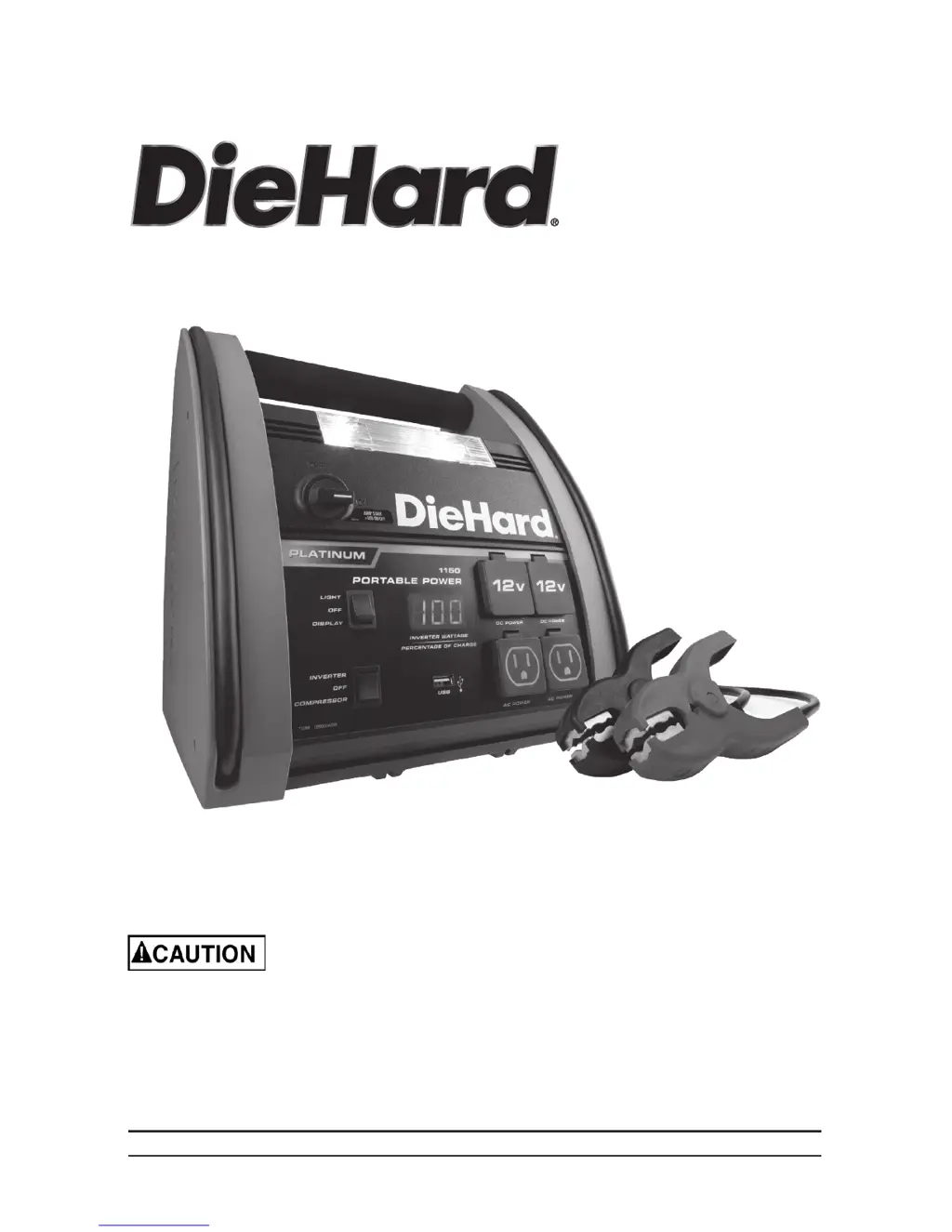
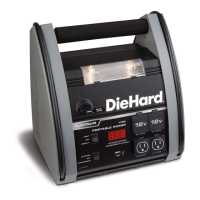
DieHard Portable Power 1150 - User Manual

DieHard Portable Power 1150
17 pages
Print Icon
To Next Page IconTo Next Page
Loading...
00-99-001002/0710
Portable Power 1150
OPERATOR’S MANUAL
Model No.
28.71988
Sears Brands Management Corporation, Hoffman Estates, IL 60179 U.S.A.
Read and follow all Safety
Rules and Operating Instructions
before Every Use of this Product.
SAVE THESE INSTRUCTIONS.

Questions and Answers

  • A
    Autumn JonesJul 26, 2025
    What to do if my DieHard Portable Power 1150 Battery Charger jump starter won’t jump start my car?
    • B
      Beverly ClarkJul 26, 2025
      If your DieHard Battery Charger jump starter isn’t jump starting your car, there are several potential causes: * Ensure the Jump Start/USB Switch is turned ON. * Check the battery connections for any issues. Clean the connection points and rock the clips back and forth to ensure a solid connection. * Verify the jump starter battery is adequately charged. Check the battery charge status by pressing the button on the front of the jump starter, and refer to the DIGITAL DISPLAY FUNCTIONS section. * The vehicle’s battery might be defective, in which case you should have it checked.
  • M
    Melanie BuckleyJul 30, 2025
    What to do if my DieHard Portable Power 1150 jump starter won’t power my 12V device?
    • T
      Terri Blankenship DVMJul 30, 2025
      If your DieHard Battery Charger jump starter isn’t powering your 12V device, consider the following: * Make sure the 12V device is turned on. * Check the jump starter battery charge status by pressing the button on the front of the jump starter. See DIGITAL DISPLAY FUNCTIONS section of this manual. * The 12V device may draw more than 15A or have a short circuit. Disconnect the 12V device. The internal breaker will automatically reset after a minute or two. Try the 12V device again. If it happens again, replace the 12V device.
  • M
    Molly BergAug 3, 2025
    Why won't my DieHard Battery Charger jump start my car?
    • D
      Donna MartinezAug 3, 2025
      If your DieHard Battery Charger won't jump start your car, there are several potential reasons: * Ensure the Jump Start/USB Switch is turned ON. * Check for poor clip connections to the battery and frame. Clean the connection points and rock the clips back and forth to improve the connection. * Verify the jump starter battery is charged. * The vehicle’s battery might be defective and needs to be checked.
  • T
    Tiffany BrownAug 8, 2025
    What to do if my DieHard Portable Power 1150 Battery Charger won’t power my 12V device?
    • B
      Brooke EvansAug 8, 2025
      If your DieHard Battery Charger won’t power your 12V device, first, make sure the 12V device is turned on. Also, check the battery charge status of the jump starter. If the 12V device draws more than 15A or has a short circuit, disconnect it, wait a minute or two for the internal breaker to reset, and try again. If the issue persists, consider replacing the 12V device.
  • C
    Carol SampsonAug 12, 2025
    Why won’t the battery in my DieHard Portable Power 1150 Battery Charger hold a charge?
    • J
      Jackie SimmonsAug 12, 2025
      If the battery in your DieHard Battery Charger won’t hold a charge, it may be defective. Have the battery checked.
  • P
    Patricia BooneAug 16, 2025
    What to do if my DieHard Portable Power 1150 alarm is on?
    • M
      Matthew ChapmanAug 16, 2025
      If your DieHard Battery Charger alarm is on, it likely means the connections are reversed. To resolve this, disconnect the jump starter and reverse the clips.
  • C
    Christine CastroAug 20, 2025
    Why is the alarm on my DieHard Portable Power 1150 Battery Charger jump starter on?
    • L
      ledwardsAug 21, 2025
      If the alarm on your DieHard Battery Charger jump starter is on, it indicates that the connections are reversed. Disconnect the jump starter and reverse the clips.

Summary

DieHard One-Year Full Warranty

Important Safety Instructions

Risk of Electric Shock or Fire

Details on avoiding electric shock and fire hazards.

Risk of Explosive Gases

Precautions regarding explosive gases from batteries.

Personal Precautions

Risk of Explosive Gases and Spark Prevention

Safety measures to prevent battery explosions.

Risk of Battery Acid Contact

Handling precautions and first aid for battery acid exposure.

Follow These Steps When Connecting to a Battery

Grounding and AC Power Cord Connections

Assembly Instructions

Features

Charging the Internal Battery of the Jump Starter

Charging with Included Wall Charger

Details on charging the jump starter using the wall charger.

Operating Instructions

Digital Display Functions

Explains the functions and readings of the digital display.

Jump Starting a Vehicle Engine

Step-by-step guide for starting a vehicle engine.

Powering a 12 V DC Device

Instructions for powering 12V DC accessories.

Using the USB Port

Guide on how to use the USB port for charging devices.

Using the Built-In Light

Steps for operating the built-in work light.

Using the Air Compressor

Instructions for using the air compressor feature.

Using the Inflator

Guide for using the inflator function with various items.

Using the Deflator

Steps for using the deflator function.

Before Using the Inverter

Important safety instructions before operating the inverter.

Using the Inverter

Detailed guide on how to use the inverter and its limitations.

Powering a 120 V AC Device

Instructions for powering 120V AC devices.

Maintenance Instructions

Moving and Storage Instructions

Troubleshooting

Specifications

Replacement Parts;Accessories

DieHard Portable Power 1150 Specifications

General IconGeneral
Voltage12V
Peak Amps1150A
Air CompressorNo
Warranty1 Year
Battery TypeLead Acid
Charging ModesAutomatic
Safety FeaturesReverse polarity alarm

Related product manuals