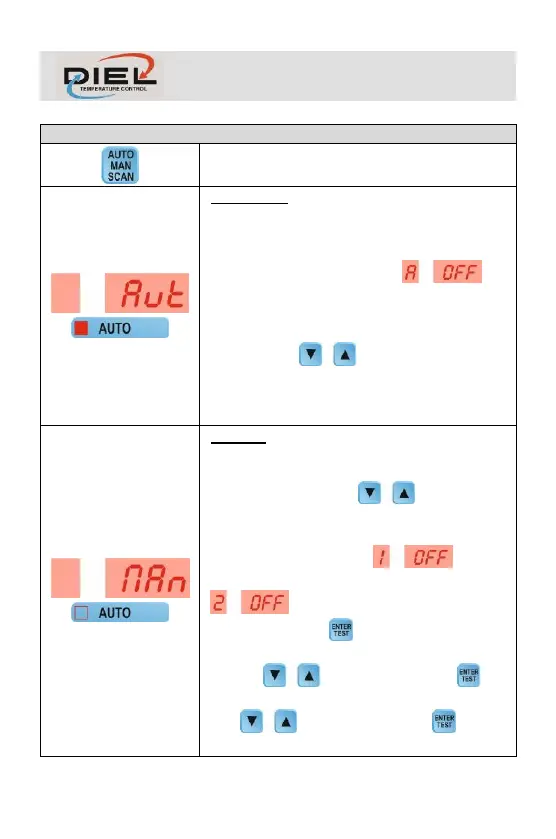
AUTOMATIC: Fans are switched on and off via
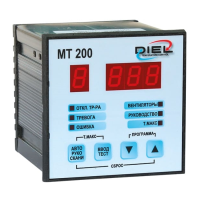
remote system (e.g. MT200 control unit) connected
to terminals 4 and 5. The display will show the initial
acronym AUT and the AUTO LED will lit. If remote
control is absent, the message will
displayed, otherwise you will see the greatest
current consumption channel and alternatively the
offset percentage referred to the calibration set.
With the keys it is possible to see the
other channel (if enabled), after which the control
unit will return to show the channel with the greatest
current consumption.
MANUAL: Fans will be switched on and off
manually by the operator. The display will indicate
the initial acronym MAN and the AUTO LED will
remain off. With the keys it is possible to
see the enabled channels and alternatively the
offset percentage referred to the calibration set. If
the first channel is off, will be
displayed or if the second channel is off,
will be displayed. To switch on the
enabled fans, press key, PROGRAM LED will
flash, and the first enabled fan will be proposed, use
the keys to switch on/off, press key
again to switch to the other fan (if enabled), use the
keys to switch on/off. Press key one
last time to return to manual view.



 To Next Page