EasyManua.ls Logo

DIEL MT 200 E - User Manual

DIEL MT 200 E
76 pages
Go to English
Print Icon
To Next Page IconTo Next Page
Loading...
MT 200 E (ETHERNET)
MANUALE DI INSTALLAZIONE ED USO
INSTALLATION AND INSTRUCTIONS MANUAL
MANUEL D’INSTRUCTION
BEDIENUNGSANLEITUNG
MANUAL DE INSTALACION Y USO
Question and Answer IconNeed help?

Do you have a question about the DIEL MT 200 E and is the answer not in the manual?

Summary

Safety Information

Safety Information

Crucial safety warnings and precautions before installing and operating the control unit.

Control Unit Operation

Control Unit Operation

Overview of the MT200 E control unit's functions and monitoring capabilities.

Electrical Characteristics

Unit Dimensions and Power Supply

Details on physical dimensions, weight, and universal power supply specifications.

Inputs and Outputs

Specifications for analogue inputs and relay outputs of the control unit.

Unit Features and Protection

Describes features like container material, IP protection, display type, and signal outputs.

Precautions and Warranty

Usage Precautions

Important warnings regarding electrical testing and voltage surges to protect the equipment.

Warranty Conditions

Information on the 3-year warranty, valid conditions, and exclusions for the control unit.

Installation and Connections

Unit Assembly

Instructions for physically mounting the control unit by creating a panel hole.

Electrical Connections and Terminals

Details on connecting probes, power supply to terminals, and relay functions.

Front Panel Interface

Display and Indicator Lights

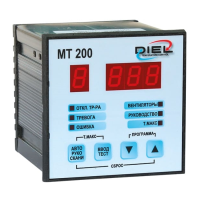
Explains the main display and indicator LEDs (PRE ALARM, ALARM, FAN, FAULT).

Control Buttons and Navigation

Describes the function of buttons (AUTO/MAN/SCAN, T.MAX, ENTER/TEST) and navigation keys.

Operational Modes and Functions

Programming Menu

Guide to entering the programming menu and selecting initial configurations for the unit.

Auto;Man;Scan Selection

How to select between automatic, manual, and scan display modes for temperature readings.

T. MAX Functionality

Function to view and reset maximum temperatures recorded by each channel.

Display and Relay Testing

Procedure for testing the display and individual relays for proper operation.

Advanced Configuration and Diagnostics

Advanced Programming Options

How to program independent thresholds for channels and advanced fan control settings.

Probe Fault Diagnostics

Identifies fault conditions like probe interruption (ICF) or short circuit (SCF).

Reset and Ethernet Configuration

Reset Procedures

Procedures for resetting alarms or restoring default factory settings.

Ethernet Network Settings

Information on the Ethernet port for network communication and parameter configuration.

Summary

Safety Information

Safety Information

Crucial safety warnings and precautions before installing and operating the control unit.

Control Unit Operation

Control Unit Operation

Overview of the MT200 E control unit's functions and monitoring capabilities.

Electrical Characteristics

Unit Dimensions and Power Supply

Details on physical dimensions, weight, and universal power supply specifications.

Inputs and Outputs

Specifications for analogue inputs and relay outputs of the control unit.

Unit Features and Protection

Describes features like container material, IP protection, display type, and signal outputs.

Precautions and Warranty

Usage Precautions

Important warnings regarding electrical testing and voltage surges to protect the equipment.

Warranty Conditions

Information on the 3-year warranty, valid conditions, and exclusions for the control unit.

Installation and Connections

Unit Assembly

Instructions for physically mounting the control unit by creating a panel hole.

Electrical Connections and Terminals

Details on connecting probes, power supply to terminals, and relay functions.

Front Panel Interface

Display and Indicator Lights

Explains the main display and indicator LEDs (PRE ALARM, ALARM, FAN, FAULT).

Control Buttons and Navigation

Describes the function of buttons (AUTO/MAN/SCAN, T.MAX, ENTER/TEST) and navigation keys.

Operational Modes and Functions

Programming Menu

Guide to entering the programming menu and selecting initial configurations for the unit.

Auto;Man;Scan Selection

How to select between automatic, manual, and scan display modes for temperature readings.

T. MAX Functionality

Function to view and reset maximum temperatures recorded by each channel.

Display and Relay Testing

Procedure for testing the display and individual relays for proper operation.

Advanced Configuration and Diagnostics

Advanced Programming Options

How to program independent thresholds for channels and advanced fan control settings.

Probe Fault Diagnostics

Identifies fault conditions like probe interruption (ICF) or short circuit (SCF).

Reset and Ethernet Configuration

Reset Procedures

Procedures for resetting alarms or restoring default factory settings.

Ethernet Network Settings

Information on the Ethernet port for network communication and parameter configuration.

DIEL MT 200 E Specifications

General IconGeneral
BrandDIEL
ModelMT 200 E
CategoryControl Unit
LanguageEnglish

Related product manuals