with relative channel number and LED diode
lighting.
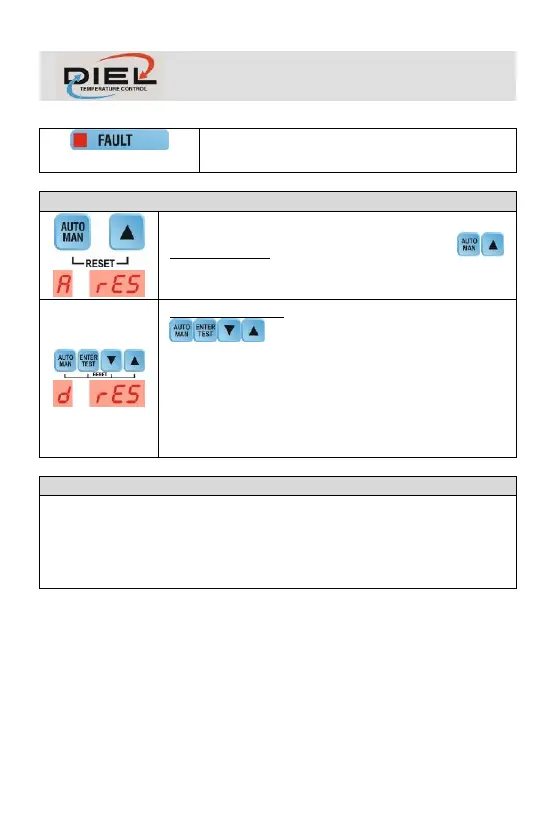
RESET ALARMS: Simultaneously press the keys
to reset the alarms.
RESET DEFAULT: Simultaneously press the keys
to:
- Reset the alarms
- Restore factory settings
(P=140, A=160, H=110, L=90, C=1)
IP address:192.168.1.205
Subnet mask 255.255.255.0
Gateway:192.168.1.1
The control unit has its own internal server from which it is possible to query
and set the communication parameters (TAB 2) via the browser (TAB 3)
It can be reached by entering the IP address of the control unit.
If you want to restore the communication settings to the factory settings, refer
to the paragraph RESET.


 To Next Page