interrupted and not saved (therefore the previously set parameters remain
active) after which it returns to automatic display mode.
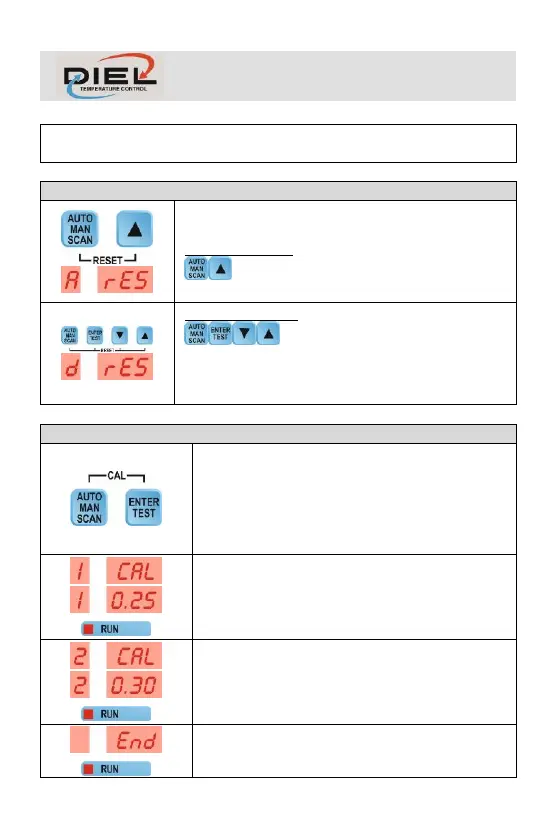
RESET ALARMS: Simultaneously press the keys
to reset the alarms.
RESET DEFAULT: Simultaneously press the keys
to:
- Reset the alarms
- Restore factory settings
(PTC=0, P=10, d=10, E=5, CH1=1, CH2=1)
Activating it by pressing and holding both buttons
simultaneously, it runs control unit auto calibration,
reading and saving fans current consumption to use
as reference for alarm management. The operation
is completely automatic in all its phases for a
maximum period of about 2 minutes.
Phase 1: Reading and saving current values in
channel 1 (if enabled). Example (Channel 1 - 0.25
A). Fan 1 is running.
Phase 2: Reading and saving the current values in
channel 2 (if enabled). Example (Channel 2 - 0.30
A). Fan 2 is running.
End of the calibration procedure. The control unit
goes into automatic operating mode.



 To Next Page