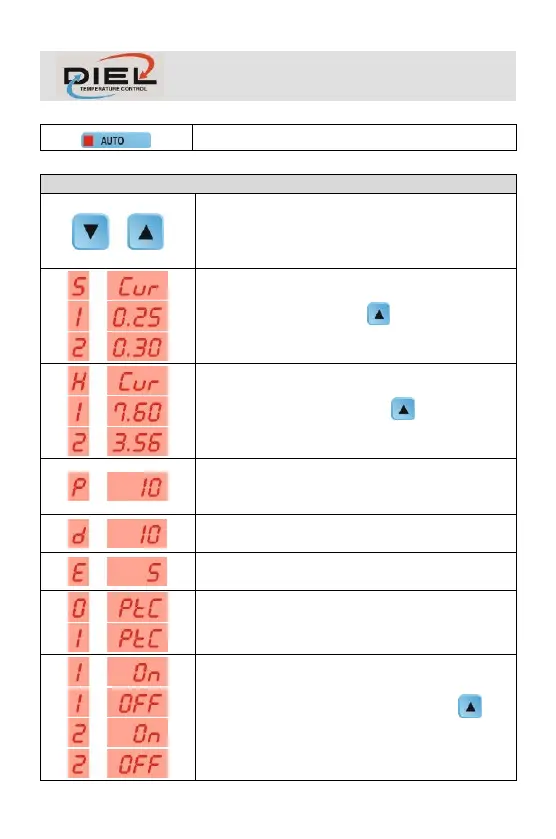
By pressing the navigation keys, you can always
view the values measured by the controller. After a
few seconds after the last pressure the control unit
returns to display the channels.
CURRENT SET: It indicates the initial SET stored
upon calibration, pressing the values for the
enabled channels are displayed.
MAX OVERCURRENT: It indicates the maximum
overcurrent reached, pressing the values for
the enabled channels are displayed.
ADMITTED CURRENT OFFSET:
>> Paragraph PROGRAMMING > CURRENT
OFFSET
INITIAL DELAY:
>> Paragraph PROGRAMMING > INITIAL DELAY
ALARM DELAY:
>> Paragraph PROGRAMMING > ALARM DELAY
PTC SENSORS USE:
>> Paragraph PROGRAMMING > PTC SENSORS
USE
ENABLED CHANNELS: It indicates the channels
enabled during programming, pressing all
channels are displayed.
>> Paragraph PROGRAMMING > CHANNEL 1-2



 To Next Page