24
12. RAIN DELAY SETTING
The Rain Delay setting is used to temporarily suspend all irrigation for a defined
number of days. For example, during rainy weather regularly scheduled programs
can be turned off from 1-99 days. At the end of the designated period, regularly
scheduled programming will resume automatically.
To set a temporary suspension of the program:
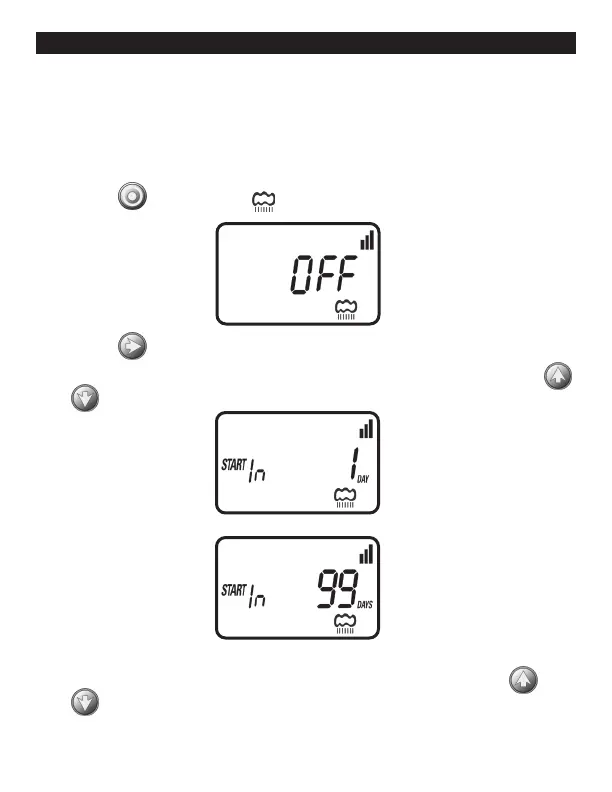
1. Press the button until the icon appears and OFF appear.
2. Press the button and OFF starts blinking.
3. To set the desired temporary suspension of the program (1-99 days), press
or .
4. The temporary suspension of the program can be cancelled at any time by
re-entering Rain Delay screen and changing the setting to OFF. (Press
or until OFF appears.)


 To Next Page