28
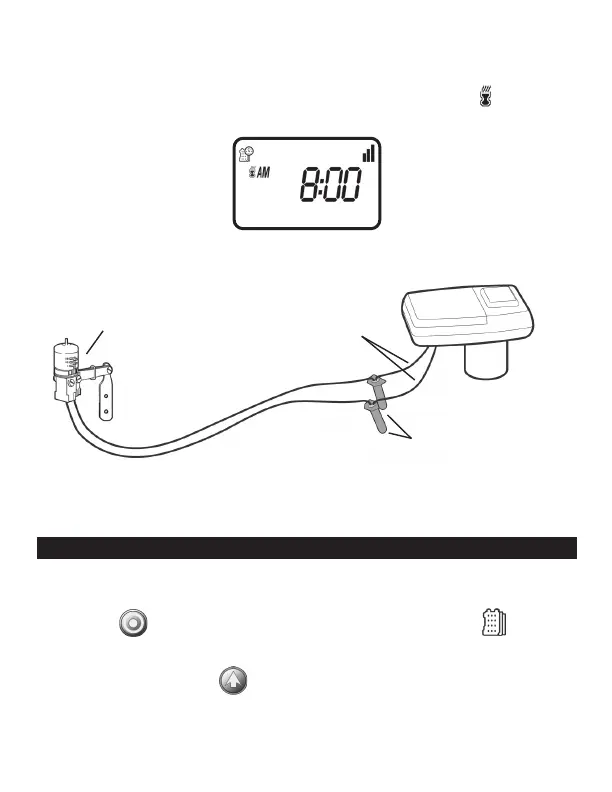
Use waterproof wire connectors to secure the connections.
4. Follow the sensor manufacturer’s instructions for calibrating the sensor.
5. When the sensor is active and preventing automatic operation, a icon will
appear on the display.
Icon will only appear when sensor is active.
Recommended rain sensors are the Rain Bird RSD and Hunter Mini-Clik
Recommended soil moisture sensor is the Irrometer WEM-B
16. MAINTENANCE, TROUBLESHOOTING AND REPAIRS
To restore the controller to the default settings (Budgeting and Rain Delay settings
will remain):
1. Press the button until the START EVERY is displayed and the icon
appears on the bottom left of the screen.
2. Press and hold down the for three seconds.
3. The screen returns to the home screen (clock) and all the default settings are
restored. The current time and date is retained.
SENSOR
WATERPROOF
WIRE CONNECTORS
YELLOW SENSOR
WIRES


 To Next Page