EasyManua.ls Logo

Digi SM-5300 Series - Page 26

Digi SM-5300 Series
104 pages
Print Icon
To Next Page IconTo Next Page
To Previous Page IconTo Previous Page
Loading...
M o d e l S M - 5 3 0 0 U s e r M a n u a l | 25
Typical Operation
––––––––––––––––––––––––––––––––––––––––
2.2 Date and Time Setup
OPERATION
DISPLAY
4.
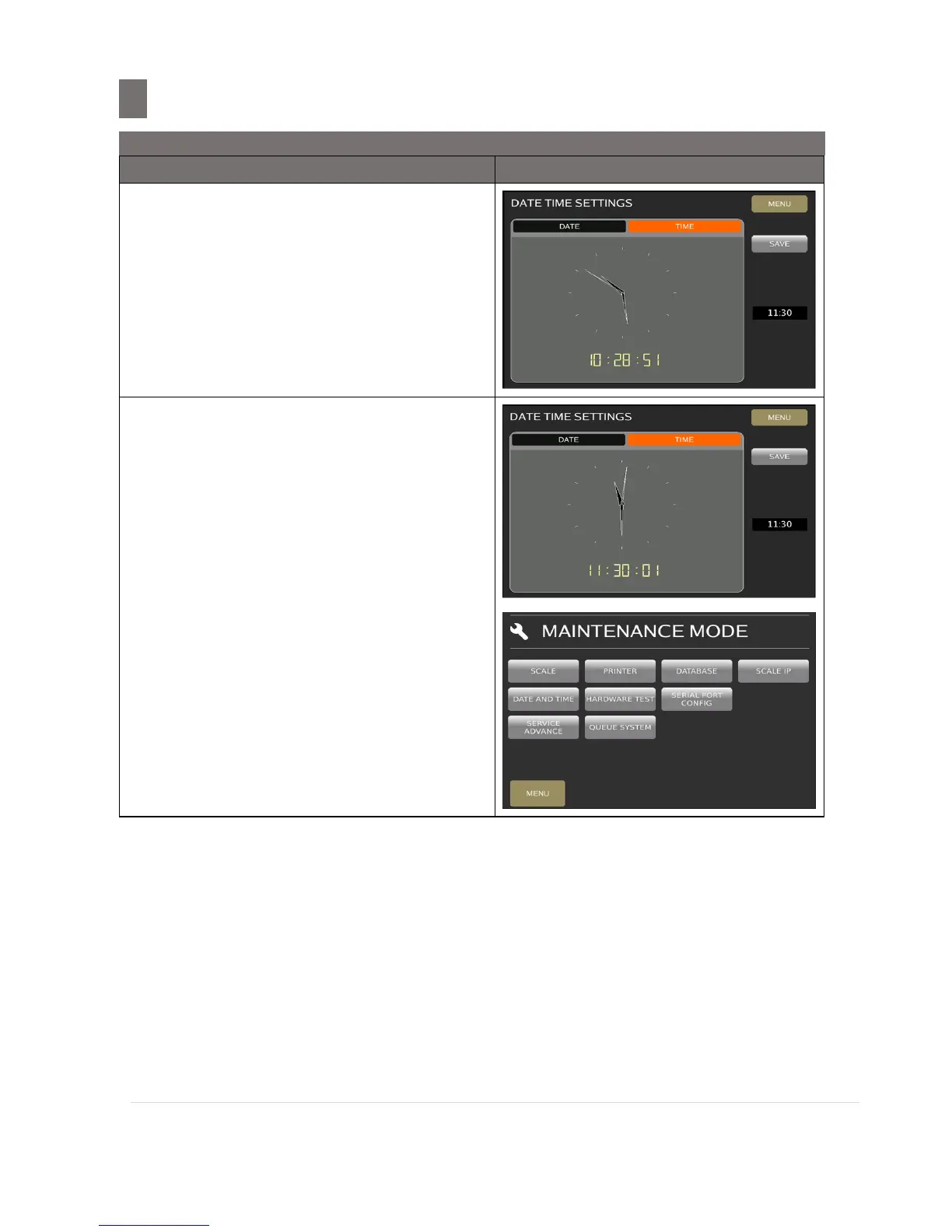
Touch [TIME] tab
Then enter current Time by numeric
keypad.
(e. g. 1130 = 11:30 AM)
5.
Touch [SAVE] key or press [PLU] button
to save the programming data and time
and the screen will return to MAINTENANCE
MODE.
Note: When save date (by pressing [SAVE]
or [PLU] key), it will exit Date and Time
Screen.
Note: Touch [MENU] key to exit without save
the data. A message will appear "SAVE
CHANGES?” select desire choice.


Related product manuals