
 Need help?
Do you have a question about the digico DQ-Rack and is the answer not in the manual?
Details the physical dimensions, weight, and mounting of the Q-Rack unit.
Specifies the requirement for earthing the Q-Rack unit to the mains earth for safety.
Lists the types of connections available on the rack's control panel, including MADI and USB.
Describes the configuration of input and output slots, including analogue and switchable AES.
Explains the Q-Rack's dual redundant power supplies and optimal operation.
Details how the Q-Rack syncs to the console clock or uses its internal clock.
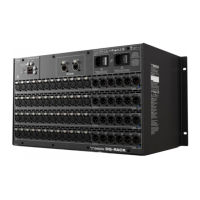
Overview of the 48 mic inputs and 24 line outputs, with switchable AES/line functionality.
Focuses on the 4 switchable output sockets and their LED indicators for AES mode.
Provides a detailed map of the MQ-Rack menu pages and navigation controls.
Provides a detailed map of the DQ-Rack menu pages and navigation controls.
Explains the main display information for MQ-Rack and DQ-Rack in a locked state.
Describes the Status menu, showing sample rate, link status, and temperature.
Details changing the state of the 4 switchable Line/AES outputs and their LED indicators.
Explains how to enable and configure the internal oscillator for output testing.
Displays readings for all rack PSU voltages without allowing adjustments.
Lists the software versions for Host, FPGA, DNT, and Dante on the rack.
Allows adjustment of the LCD system settings screen brightness.
Enables resetting all rack parameters to their factory default values.
Allows selection and prioritization of sync sources for the MQ-Rack.
Selects which MADI inputs are routed to the MQ-Rack's physical outputs.
Allows selection of the rack's sample rate when using the internal clock.
Configures DANTE network connectivity for the DQ-Rack, including mode and IP addresses.
Details the MADI BNC cable connections for a single console to a rack at 48KHz.
Details the MADI BNC cable connections for a single console to a rack at 96KHz.
Explains rack sharing between two consoles using MADI, including gain tracking.
 General
| Audio Inputs | Up to 64 |
|---|---|
| Audio Outputs | Up to 64 |
| Mic Preamps | 32 |
| Sample Rate | 96 kHz |
| Bit Depth | 24-bit |
| Word Clock | Yes |
| Redundant PSU | Yes |
| Control Surface | No |
| FPGA Processing | Yes |
| Power Supply | 100-240V AC |
| Form Factor | Rackmount |

 To Next Page