DQ & MQ-Rack User Guide 1.5 Using the Q-Rack Menu System
9
1.5 Using the Q-Rack Menu System
The LCD Menu System on the rack is normally in a locked state and cannot be accessed.
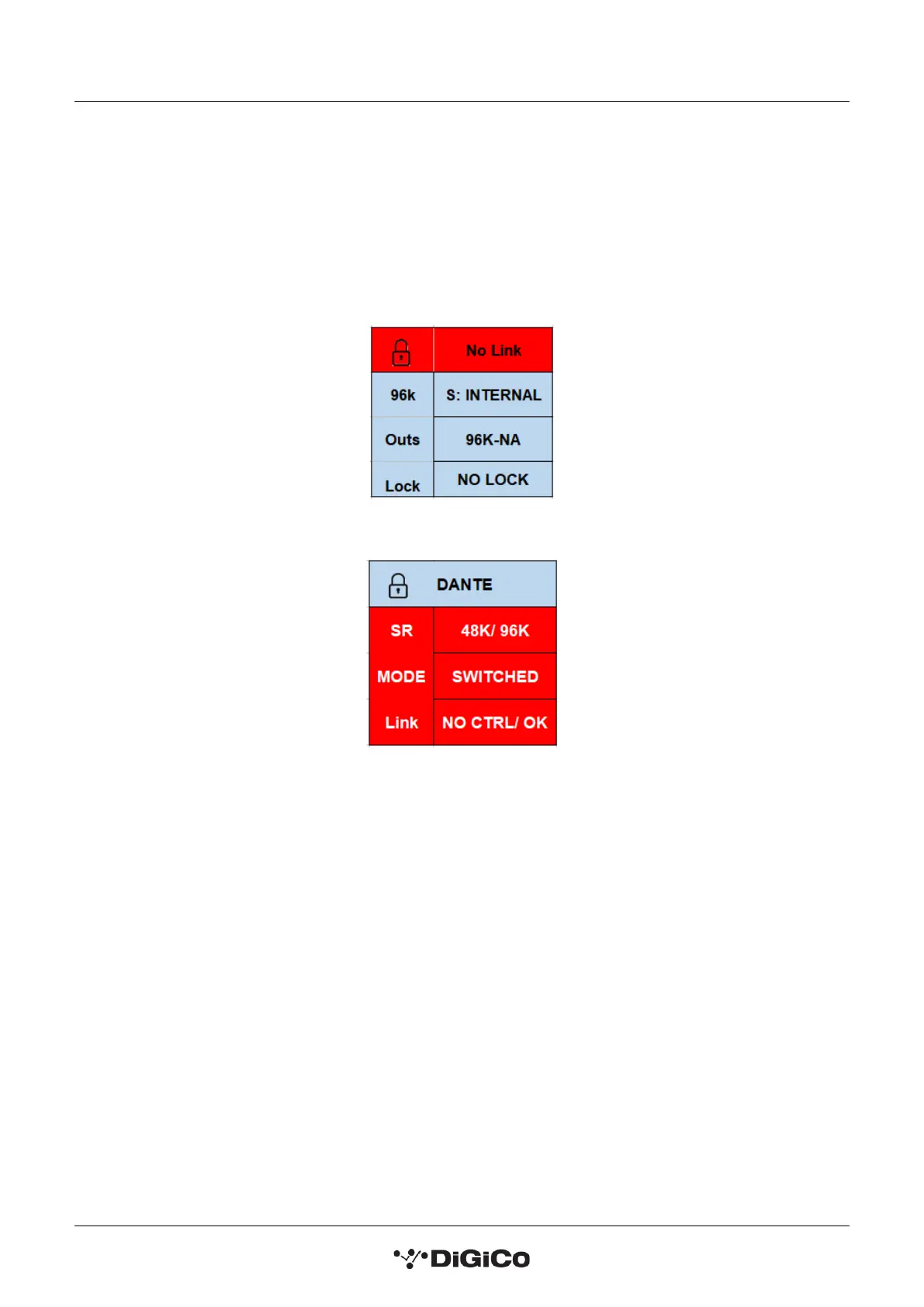
The main display will be visible and if the rack is not connected to a console the background colour will be light
blue with a band of red on the MQ-Rack and flashing red on the DQ-Rack.
If the rack is connected to a console the display will flash green.
MQ-Rack Lock screen
DQ-Rack Lock screen
Pressing and holding the 2 buttons marked with left and right arrows for 2 seconds unlocks the Menu System.
The Left/Right buttons scroll through the pages in the Menu System and the Up/Down buttons are used to
select each item within pages that have multiple items. When an item's value can be changed the Left/Right
arrows are used for this.
If the rack is left in an idle state for 2 minutes, it will relock itself.
Please refer to the following diagram for menu navigation details.


 To Next Page