DQ & MQ-Rack User Guide 1.2 Q-Rack Power
8
1.2 Q-Rack Power
The Q-Rack has dual redundant power supplies. The rack should be operated with both power supplies on
whenever possible.
1.3 Q-Rack Clocking
The Q-Rack will receive clock sync from the connected console in normal operation. It can run at 48KHz or
96KHz when clocked by the console.
The MQ-Rack can also receive sync from its own internal clock- see section 1.5.13 Internal SR Menu.
1.4 Q-Rack Sockets
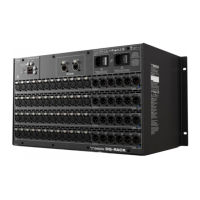
The Q-Racks have a set of 48 mic inputs and 24 line outputs, 4 of which can be changed to AES or line out via
the system settings on the rack.
Note: On Quantum consoles, the status of the 4 switchable Line Out/AES sockets can be viewed and
changed between AES and Line outputs in the Audio I/O panel.
Analogue Line/AES Output sockets ......................................
The 4 switchable output sockets (6, 12, 18 and 24) have a LED indicator light below the socket.
A blue light on one of the switchable AES/Line output sockets indicates that the socket is set to be an AES
output in its current state.


 To Next Page